Fortinet Community
Recently active
Hello,I've been trying to decrease the downtime of new ADVPN setup, as for the traffic flowing from our Spoke -> Hub -> DC internal segmented firewall (ISFW). Our ADVPN Hub and spokes run iBGP.On the Hub, there is a BGP-group configured with settings for all SpokesBetween our DC ISFW and ADVPN Hub, eBGP is running.I've managed to decrease the packet-loss to ~10 sec when the ADVPN Hub cluster (two FortiGate 200Fs) are doing the failover.I have Graceful restart enabled global between DC ISFW and ADVPN Hub + between ADVPN Hub and SpokesI have set the following for Hub/spoke BGP speakersAdvertisement interval = 1 secKeepalive = 3 secHoletime = 9 seccapability-graceful-restart enabledstale-route enableretain-stale-time 120 sec On the Hub, I have also set globally:graceful-end-on-timer enablegraceful-update-delay = 10 secTowards the DC ISFW, the advertisement interval = 1 sec When I monitor the RIB of our DC ISFW, the prefix from my ADVPN spoke advertised via ADVPN Hub i
In the previous versions the box use to not auto open the Forti Client, box on the screen at login. There appears to be no way to stop this from happening, it suddenly appeared with one of the updates earlier this year from Forticlient. Before you would login and the Forticlient box would not pop up and ask for a login to VPN even-though you can minimize it, this is a waste of time.
Hello everyone! I would like to know if there is a way to exclude specific VLANs from passing inside a fortiswitch ISL trunk or to pass only management traffic between a specific ISL link. By default fortilink passes all VLANs between Fortiswitches connected to each other. Yet, I have a requirement to not allow specific VLANs to pass through a ISL formed between 2 FortiSwitches, therefore forcing data traffic to go through a 3rd party switch connected to both of these Fortiswitches. KB: https://community.fortinet.com/t5/FortiSwitch/Technical-Tip-Seperate-Inter-Switch-Link-ISL-between-Managed/ta-p/224568states about separating the traffic, but my requirement does not need the second link to pass data. Is there a simpler way to achieve this? Did not want to go into modifying MSTP instances and all of that. Thanks in advance for any suggestions and tips! Regards FortiSwitch
Hi FortiManager use v7.4.3please refer to the picture. the process stuck in 36% it seens like FMG not push the firmware to FGT.if I wating one hours, the Progress Report show "upgrade image timeout" I checked my other firewall, tcp 541 is allowed, but I don't see the FMG push firmware to FGT's log. Thanks.
HiI am seeing this error on a number of our MacOS clients but I have no idea how to debug where this comes from.Is there a way to see more infrormation on this? The clients all connect to an EMS solution - but this just shows a count, a threat ID of 0 and the same message. Thanks in advance
We have a few customers who use the DUO Radius proxy to provide 2fa for the VPN. After an automatic update to 7.2.10 the user receives the DUO prompt, but authentication never completes. There is a known bug int the release notes about radius not working in the UI, and the workaround is to use the CLI to test authentication, but not that it would break any actual functionality.For now we have rolled back to 7.2.9 but just wanted to give a heads up.
I have a campus network with 63 FortiSwitches managed by a stack of 1101E Gates in an HA.MSTP is running in it's default state other then I did lower the priority of the distribution switches I want to be the root bridge.My question is what is the best way to setup MSTP? Right now I'm using instance 0 but I did see a MSTP best practice paper that suggested not using instance 0. I have a single region and 68 Vlans. I would like to keep using instance 0 just because it's simple. I would appreciate any recommendations.
I have been running policy mode for about 2 years on a 201 HA. I am leaning to switching over to profile mode. Has any one made this switch? I an curious on how mu mch of the confugration is going to have to be re done. Also open to people experience/thoughts on profile and policy mode.
Dear Experts,Are multiple lines used simultaneously at non-aggregation SD-WAN? Here is my situation. Between SD-WAN Fortigates, there are L2 switch which limits 10Mbps bandwidth.iperf with UDP 10Mpbs runs at PC1 and the server is PC3.iperf with UDP 10Mpbs runs at PC2 and the server is PC4.However, only 5Mbps is seen at both PC3 and PC4. That is, only 1 line seems to be used. Here is SD-WAN rule setting.How should I do in order to use simultaneous lines at non-aggregation SD-WAN? For information, at aggregation SD-WAN, 20Mbps seems to be used only when PC1 connects to PC3.(PC2 and PC4 are not used.) Thanks in advance,
Hi! Can anyone explain why line 4 on this report has a different color icon? Thanks!
Hi Team, I am using Forticlient 6.0 standalone on a Virtual machine which is shared by multiple users with unique logins. When 2 user concurrently login to the VM and then login to the Forticlient VPN concurrently it overrides users sessions. Unable to have unique VPN connections for each concurrent users on Shared VM. Please let me know how to resolve this i Regards, Vishal
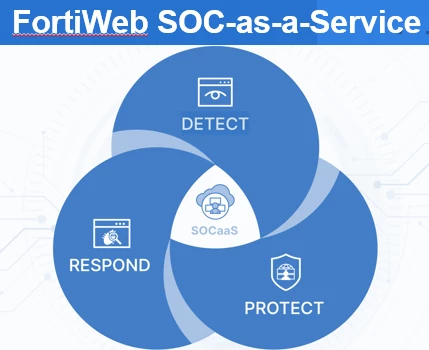
FortiWeb SOCaaS: Comprehensive 24/7 Protection, Security Hardening, Incident Response, and Cloud Service Dashboard In an era where cyber threats continue to rise in frequency and sophistication, securing web applications is more critical than ever. Enterprises are increasingly turning to managed security services like FortiWeb SOCaaS (Security Operations Center as a Service) to protect their digital assets. With features such as 24/7 protection, security hardening, incident response, and a powerful cloud service dashboard, FortiWeb SOCaaS offers a robust solution for managing the complexities of modern web application security. The Need for FortiWeb SOCaaS Web applications are among the most exposed components of any IT infrastructure, making them prime targets for cyberattacks. From SQL injections to cross-site scripting and distributed denial-of-service (DDoS) attacks, the risks are diverse and ever-evolving. FortiWeb SOCaaS addresses these challenges by delivering a co
Hey guys, I’m setting up a failover connection for a larger corporate office and I’m deciding between two options: BGP or SDWAN. I’ve created two graphs below to illustrate both scenarios. Do you think SDWAN would be the better choice? Since everything is Active/Passive, I’m thinking I’d need to set up a broadcast domain on the Cisco switch stack and a few LACP links from the FortiGate to the switch’s broadcast domain to ensure SDWAN works during failover. But honestly, that feels a bit over-engineered compared to just managing it all on the Cisco stack with BGP. What are your thoughts?
Hello We are running into issues with FDQNs we enter in the address section of the Fortigate resolving to different IPs than our client computers. I did some research and found the articles that talk about matching the client and firewall DNS servers. Currently our Fortigate is configured with Fortiguard DNS servers. I suppose I could change those to manually point to our internal DNS servers, but am I losing out on some security? We use QUAD9 internally as a DNS forwarder for our internal domain hosted DNS.. I could also change the Fortigate to QUAD9 as well and I think that might accomplish the same thing. Any thoughts?
HiI have a strange bug, i have two fortigate f100 with ipsec connection up and runing, I have sslvpn on one ot then allowing me access to the other side. I can ping all the vms on both side from ssl vpn, I can ping "somes" VM between sites through ipsec. But I have 3 of them 2 Sice a and 1 side b, that I cannot ping through ipsec ( they are pignable from SSL VPN only ) . I'm new in this forti brand, any tip will be great. thank you
FortiWeb Security Alert: CVE-2024-3651 Vulnerability in idna.encode The Impact of CVE-2024-3651 In the realm of web security, vulnerabilities can often lead to severe consequences if left unaddressed. One such critical issue is identified by CVE-2024-3651, a vulnerability that significantly impacts web applications by exposing them to potential denial-of-service (DoS) attacks and remote code execution (RCE). This essay explores the nature of CVE-2024-3651, its implications for web security, and the importance of addressing such vulnerabilities to maintain robust and secure web applications. CVE-2024-3651 is categorized as a critical vulnerability primarily due to its origin in the improper validation of URL, header, and argument lengths within web applications. Web applications rely on numerous parameters passed through URLs, headers, and request bodies to function correctly. These inputs are crucial for processing requests, managing sessions, and delivering co
Following this link - https://docs.fortinet.com/document/fortiauthenticator/6.0.0/cookbook/812128/creating-a-local-ca-on-fortiauthenticator I am a little confused, the cookbook suggests you have to create a user certificate? i have over 500 LDAP users, that cant be right can it? it also suggests you create the local users on the FAC? thats a bit pointless, my FAC is connected to AD, so why would I need to create the users again, Im looking for a solution where the users connected to the business WIFI, using their machine certs, not sure why we need user certs, is it another check or something? thanks
Dear Members, i am getting issue with my IPsec tunnel, it show both arrows upward and downward at a time. required help to troubleshoot the issue.
Dear Team, I have Fortigate 101F servicng as SSL VPN firewall. We are using forticlient to connect to SSL VPN. Out of 200 users 2 of them are facing issue, FOrtiClient get connected but disconnect immediately after 5 seconds. Here is the debug log please help. 7/7/2022 3:10:12 PM info system date=2022-07-07 time=15:10:11 logver=1 id=96900 type=traffic subtype=system eventtype=traffic level=info uid=A39433206A3A4C9AA65EDA98C08C079D devid=F**** hostname=L***** pcdomain=abc.IN deviceip=192.168.1.103 devicemac=**-**-**-** site=N/A fctver=7.0.5.0238 fgtserial=F****** emsserial=N/A os="Microsoft Windows 10 Enterprise Edition, 64-bit (build 18362)" user=abc@abc msg="Traffic log" sessionid=2918467934 srcname=sslvpn srcport=0 direction=outbound dstip=X.X.X.X dstport=443 proto=6 rcvdbyte=34359738368 sentbyte=64424509768 utmaction=passthrough utmevent=vpn threat=disconnect userinitiated=0 browsetime=07/7/2022 3:11:20 PM info sslvpn FortiSslvpn: 22644: fortissl_connect: device=ftvni
Dear AllGood afternoon I am requesting your help with removing a phase1 ipsec vpn from the secondary HA. After generating an Ipsec VPN for some tests, I proceeded to eliminate it and a few days later the HA was not synchronized. When I checked the config, I realized that the secondary Fortigate was added to the configuration of phase 1 of the VPN and the interface. the VPN, but with 1 reference object. When trying to delete it gives me various errors, it does not have routes or rules (it already checks both configurations). The temporary solution was to add these settings to the primary Fortigate and it was synchronized again, but when you delete it, it is not removed from the secondary and it is desynchronized again. I tried to force the synchronization at the time and it didn't work, the commands could only be added to the primary
Dear, please help me in this case: I have a Fortigate 100F which was return to the factory and configured as an edge in another datacenter.The internet provider gave us a private WAN IP x.x.x.x; but to go out to the internet, we must do it through a secundary WAN IP y.y.y.y.The Firewall was already registered in FortiCloud before the factory reset. Currently it appears registered in FortiCloud.The system information on the dashboard confirms the WAN IP y.y.y.y; but when trying to connected to FortiCloud it gives us "FortiGate Cloud Internal Error".When generating a PING using the CLI witch the source-ip y.y.y.y to the service.fortiguard.net URL, I do manage to reach it, but when I connected to the internet, it gives me the aforementioned error.When reviewing the traffic I see that in the rule Implicit Deny the origin y.y.y.y with destination to the Fortinet DNS, port TCP/853 es accepted.
Hello,I have a customer that wishes to deploy the FAP-433G access point in a facility which requires replacing the dipole 2.4/5 GHz antennas and using patch antenna similar to the FANT-04ABGN-0606-P-R and a omnidirectional antenna similar to FANT-04ABGN-0606-O-R.When I search documentation on the 433G is states that the 433G supports third-party antennas.My question is will a patch antenna from Hubbell/AccelTex (AATS-01110 former catalog number ATS-OP-245-6-4RPSP-36) and theM6060060MO1D43620 omni-directional antenna work?
Hello Everyone I have set up FortiClient VPN via Intune to deploy to company portal for our users in the company to grab but I want to have the pre existing config to be set up but no matter what way I set it up via script as no errors are showing, I am stumped. I have tried everything. Any help would be greatly appreciated as to where I might be going wrong or need to adjust?My config in xml. I have left blank in the spaces FortiClientConfiguration> <VPN> <Connection> <Name></Name> <Server></Server> <Port></Port> <Username></Username> &n
Hello,I have a requirement, only 5Ghz and 6Ghz need to be available for an office.Actually, only 5Ghz is available for users and it works well.I checked this link https://docs.fortinet.com/document/fortigate/7.2.0/new-features/169732 but I need more explications.I created a 6Ghz SSID, select WPA3 SAE et activate H2E.Then for the Operation profile, I'm not sure according to my requirements. I understand, all the bands needs to be ON for the wifi6E, but I don't want 2.4Ghz, so I created a profile where Radio 1 is disabled, and link it to the new 6Ghz SSID. I can't made a real test until next month. Another question, if on the 6Ghz SSID, I keep active the 2.4Ghz, it's only for 6Ghz use or a user can connect to this frequence ?I want to know if the configuration is correct or if you have some tips. Thank you
Dear community, I have fortigate firewall, today I thought can I check which user connecting Dialup vpn frequently and until when user was connected. It is possible to check ?? Remote authentication server for vpn user - I am using - Raidus for authentication. The information which I am not able to see as follows - Group name - ??XAUTH USER - ??XAUTH GROUP - ?? Can anyone tell me where Can I see these information with respect to vpn user activity. Thank you.
Already have an account? Login
Enter your E-mail address. We'll send you an e-mail with instructions to reset your password.