
pquiroz
Visitor III
Dec 13, 2024 6:00 PM UTC
Question

Problem with Fortinet 100E

Hello everyone, I'm from Mexico.

I have a big problem, recently I have problems accessing my fortinet because it sends an error that says "Authentication failure" and does not let me access.
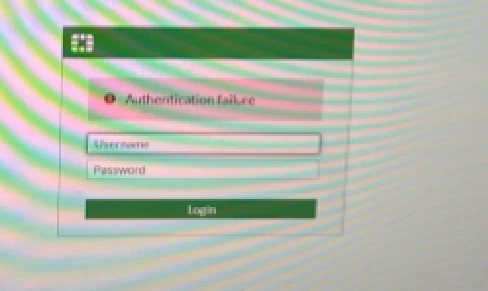
 

error.png


I have tried to access via forticloud, console cable and locally and I get the same problem.

What I found is that we have suffered from a vulnerability called "FG-IR-23-475": FortiOS - SSLVPN session hijacking using SAML authentication
A session fixation vulnerability [CWE-384] in FortiOS may allow an unauthenticated attacker to hijack user session via a phishing SAML authentication link.

So I don't have access in any way. Is there any way to access it?

To update the firmware can I do it through the forticloud Premium subscription since I currently do not have it.

Note: I currently have the OS version: 7.2.6

7 replies

dingjerry_FTNT
Staff
Staff
Dec 13, 2024 9:57 PM UTC

Hi @pquiroz ,


I assume you have local access to the FGT device.


What is the type of your account?  Local or remote?


Please check this KB article since your FortiOS is 7.2.6 and the maintainer is not feasible for you to reset the admin password:


https://community.fortinet.com/t5/FortiGate/Technical-Tip-Removal-of-maintainer-account-feature/ta-p/244515

Translate
pquiroz
pquirozAuthor
Visitor III
Dec 16, 2024 7:45 PM UTC

I don't have local access, it keeps giving the same error.

I think that if I downgrade it I could use the maintainer user, but is this possible?

Translate
Toshi_Esumi
SuperUser
SuperUser
Dec 26, 2024 4:40 PM UTC

If you go back to previous version with the config at that time by following below, you maybe able to get in again because that config wouldn't have been tampered.
https://community.fortinet.com/t5/FortiGate/Technical-Tip-Boot-the-backup-firmware-and-config-via-console/ta-p/317013

If even that option doesn't work, your only option might be getting into the boot menu again and loading up the image of the current version (the config is the factory default), then load up a backup config.

Toshi

Translate
pavankr5
Staff
Staff
Dec 26, 2024 12:31 PM UTC

Hello @pquiroz 

To troubleshoot an 'Authentication failure' error with FortiToken Cloud. 

Connect to the FortiGate via Console Cable: Refer to this guide for detailed instructions on connecting to the FortiGate console port:

Technical Tip: How to connect to the FortiGate console port

Thanks,

Pavan

Translate
kaman
Staff
Staff
Dec 27, 2024 10:30 AM UTC

Hello @pquiroz

You have to Format and load the FortiGate firmware image using TFTP 

https://community.fortinet.com/t5/FortiGate/Technical-Tip-Formatting-and-loading-FortiGate-firmware-image/ta-p/197617

Regards,
Aman


Translate
Renante_Era
Staff
Staff
Dec 27, 2024 9:47 PM UTC

If you're unable to access the FortiGate, then your next step is to factory reset the device which means you're going to lose the config. If you have a backup config, then you can restore the backup config on the same firmware version. If you don't have a backup config then you'll need to configure the FortiGate from scratch.
How To Reset To Factory Default Configura... - Fortinet Community

Resetting a lost admin password - Fortinet Community

Translate
DianaButler
New Member
Jan 2, 2025 1:40 PM UTC

I had the same problem, And after a reset, it solved the problem.

Spoiler
Try performing a hard reset on the FortiGate device using the reset button, which will wipe the settings but allow you to regain access. I had an urgent assignment on Canadian history, and with just two days left, I wasn’t sure how to manage it. That’s when I tried https://canadianwritings.com/ and They not only met my tight deadline but also delivered a high-quality, original essay. The content was well-researched, and I was particularly impressed with the professional tone and structure. I’m grateful for their timely help and will recommend them to my peers.
Translate
Risk and Resilience in the Age of AI. An OT Thought Leadership Summit for Houston's Critical Infrastructure Leaders. Date: Thursday, December 3, 2026. Time: 8:30 am - 1:30 pm (CT). Location: The Westin Houston, Memorial City | 945 Gessner Road, Houston, TX 77024