drClays
New Member
March 29, 2022
Question

Problem with https certificate - fqdn url view selfsign certificate

  • March 29, 2022
  • 10 replies
  • 6025 views

Hi,


I have got FortiGate 100F v6.4.7 build 1911 (GA) and I tried to implement cert from my ADCS to use a safe URL via FQDN.


I apply a certificate here:
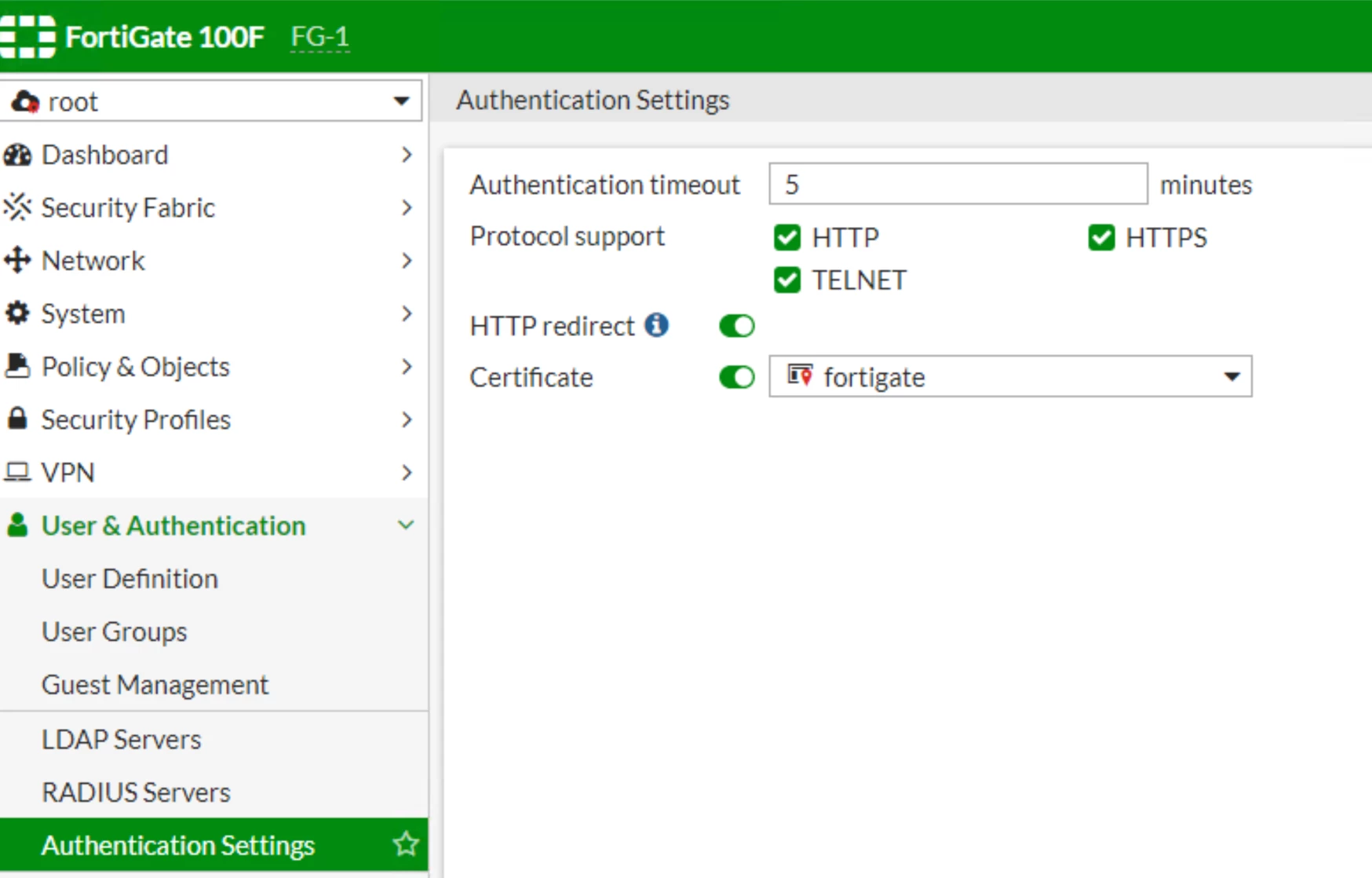
drClays_0-1648539855521.png


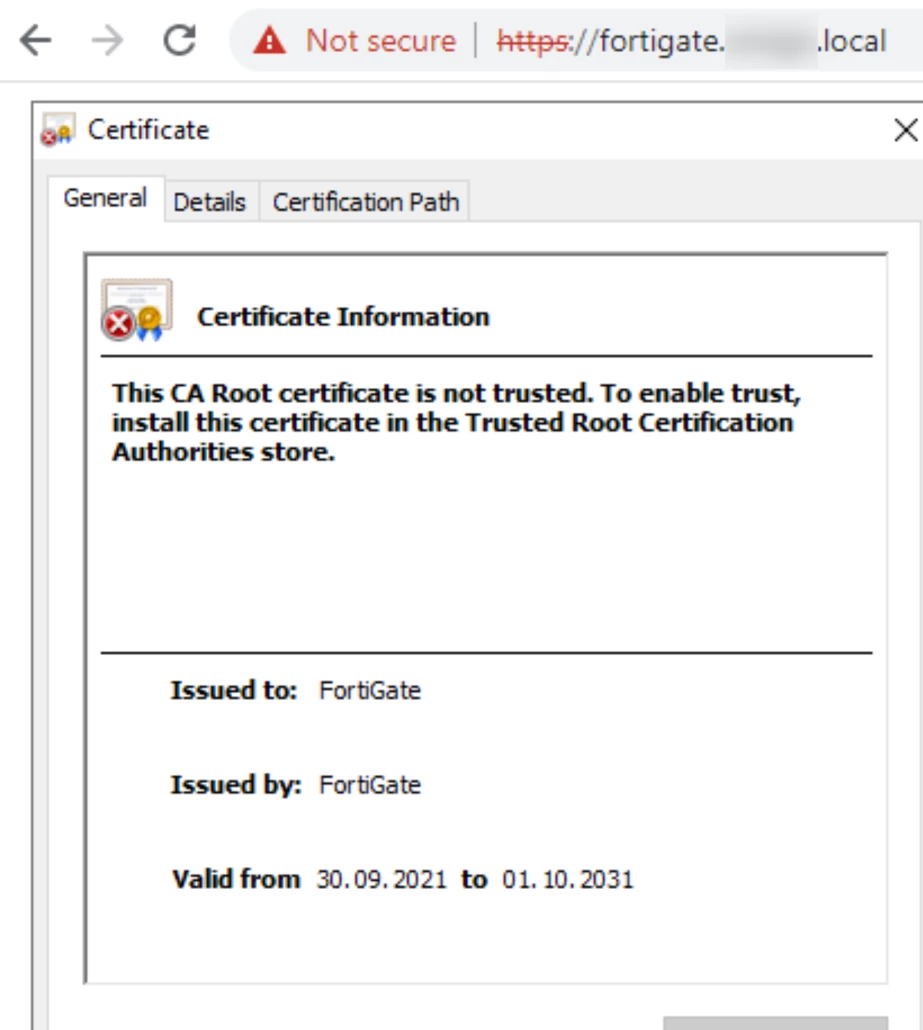
but when I use URL https://fortigate.domain.local I have an untrusted certificate because I see a self-sign cert from Fortigate.


View from CLI:
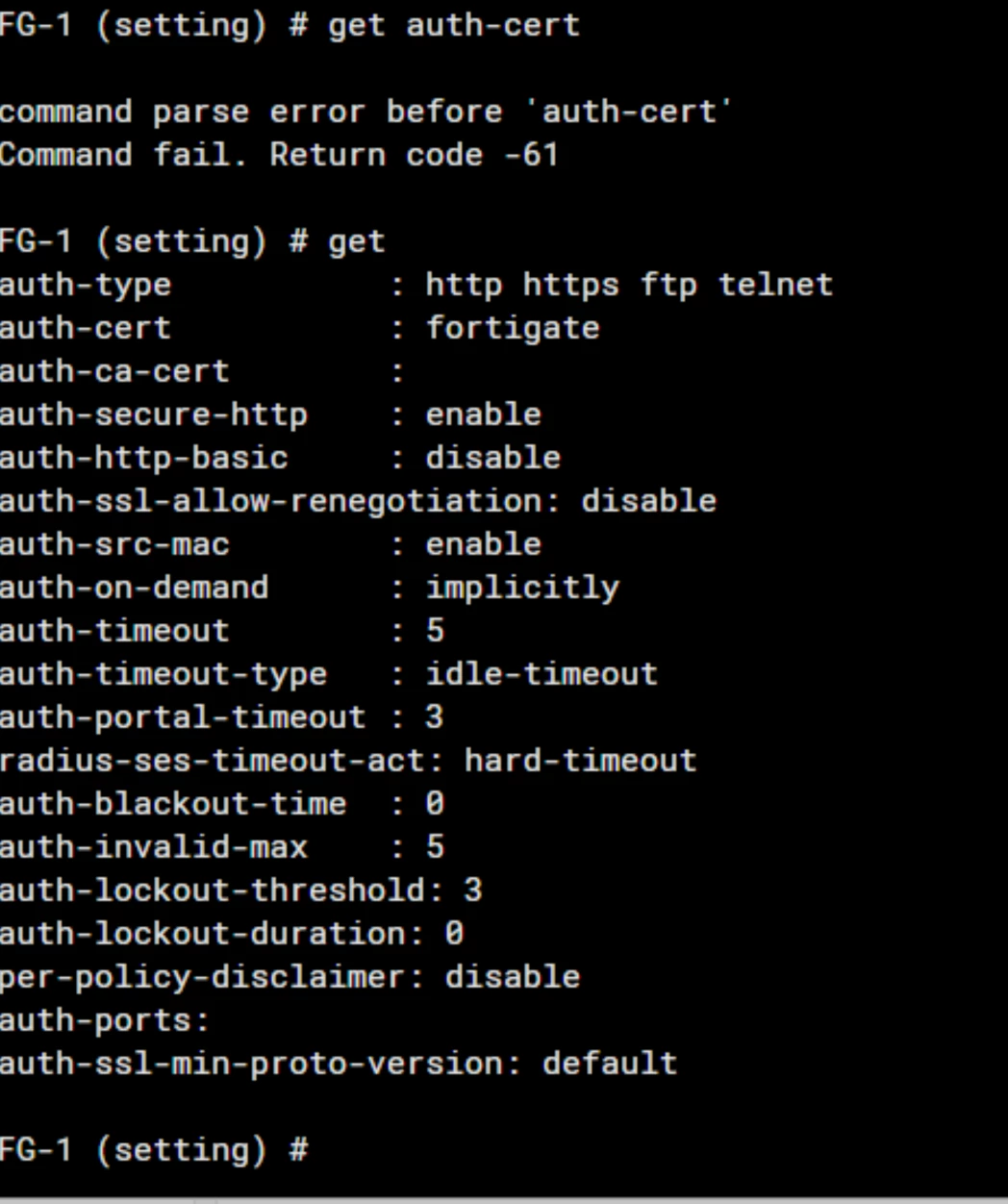
drClays_1-1648540050048.png


View from the website:

drClays_2-1648540132104.png


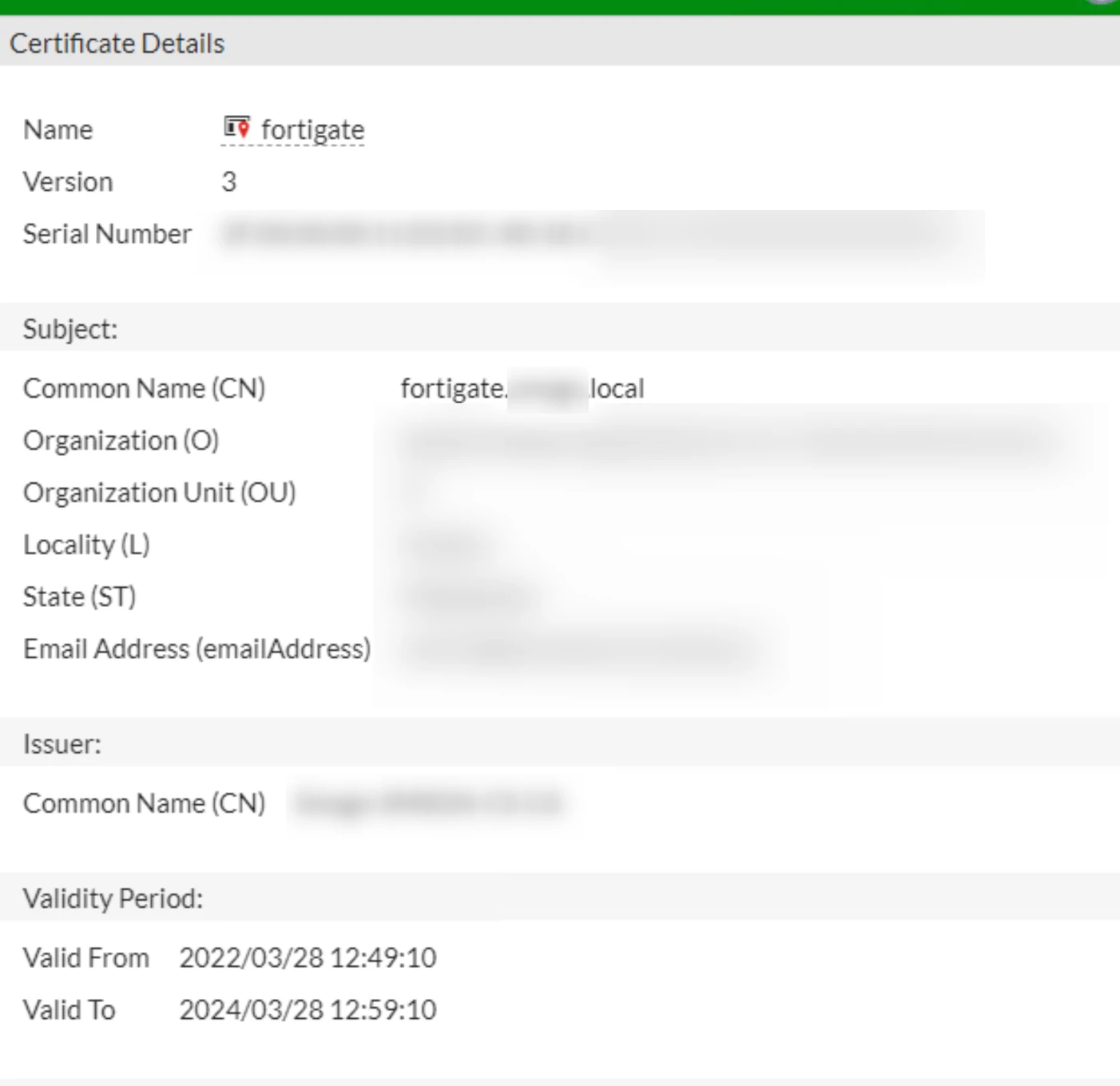
View of implemented cert:

drClays_3-1648540230932.png


Where do I need to change to read my cert on a website?

10 replies

AlexC-FTNT
Staff
Staff
March 29, 2022

In the case it is required to configure a different presented certificate, the parameter is:

#config user setting
set auth-cert <auth-cert>
set auth-ca-cert <auth-ca-cert>

Some more details here: Technical Tip: Using secure authentication (HTTPS) on a FortiGate and redirecting the authentication page

drClays
drClaysAuthor
New Member
March 29, 2022

I try it, but I have got failure.


I add rootCA from my ADCS srv here:

drClays_0-1648548607841.png

and I tried to use set-auth-ca-cert and I got error:

drClays_1-1648548707971.png


AlexC-FTNT
Staff
Staff
March 29, 2022

that means it is either invalid for this purpose, or not imported correctly.
Check the same command with "?" at the end to see the available certificates:
set auth-ca-cert ?

drClays
drClaysAuthor
New Member
March 29, 2022

That looks like this:

drClays_0-1648552200056.png

RootCA is valid.

drClays
drClaysAuthor
New Member
April 11, 2022

I add cert via VMAD Global ->System->Settings

drClays_0-1649668525703.png


And I see this certificate via fqdn, but it's untrusted:

drClays_1-1649668627165.pngdrClays_2-1649668671765.png


Any suggestions?


AlexC-FTNT
Staff
Staff
April 12, 2022

the certificate must be signed by a CA authority. No certificate that is issued to a ".local" domain can be trusted. The certificate verification is done against a public CA authority by the browser, so any certificate that you self-signed locally is only valid locally (the browser can't verify it is trusted with the public CA authority)

xsilver_FTNT
Staff
Staff
April 26, 2022

Actually web browsers does validate certs against their CA store.
MSIE, Edge, Chrome on Windows does use system Cert Storage (certlm). Or shorter, through chrome://settings/security 

FireFox does use it's own internal cert storage.

Both are looking to who signed cert you are trying to use, or which is presented to browser as server cert. And so browser validates if server cert itself is valid, or if it is signed by "Trusted Root Certificate Authority" (in short "CA")as if it is, then trust is inherently applied also to certs signed by that CA.

And so you can have your own certs, issued/signed by your own CA, but then you have to add cert of that Root CA into Trusted Root CA in every browser you'll use. MSFT do have a shortcut for domain members as it could be pushed to workstations via GPO (but that's a bit out of scope in here).

pminarik
Staff
Staff
April 26, 2022

Does this certificate contain Subject Alternative Name (SAN) that matches the accessed FQDN? ("fortigate.xxx.local")

Setting just the CN to the desired FQDN is not sufficient in modern browsers, the SAN field must match the FQDN as well. Here's a screenshot of this website's SAN field to give a visual example:

community certificate SAN fieldcommunity certificate SAN field

This is not shown in your screenshot, so either it is missing, or the screenshot was just cut off. Alternatively, if you open developer tools panel in Chrome and open the security tab once the GUI is loaded, it should give a hint about what exactly is causing this certificate validation to fail.

Thought Leadership Security Summit. Outpace New Threats with AI - enhanced defense. Tuesday, Septmeber 15, 8:30 AM - 2:30 PM PT. The Golf Club at Newcastle, WA.
Virtual event | September 2026. SASE summit. The age of autonomous trust. Register here!