


joey_KCARC
New Member
October 21, 2020
Solved

L2TP passthrough

  • October 21, 2020
  • 1 reply
  • 7880 views

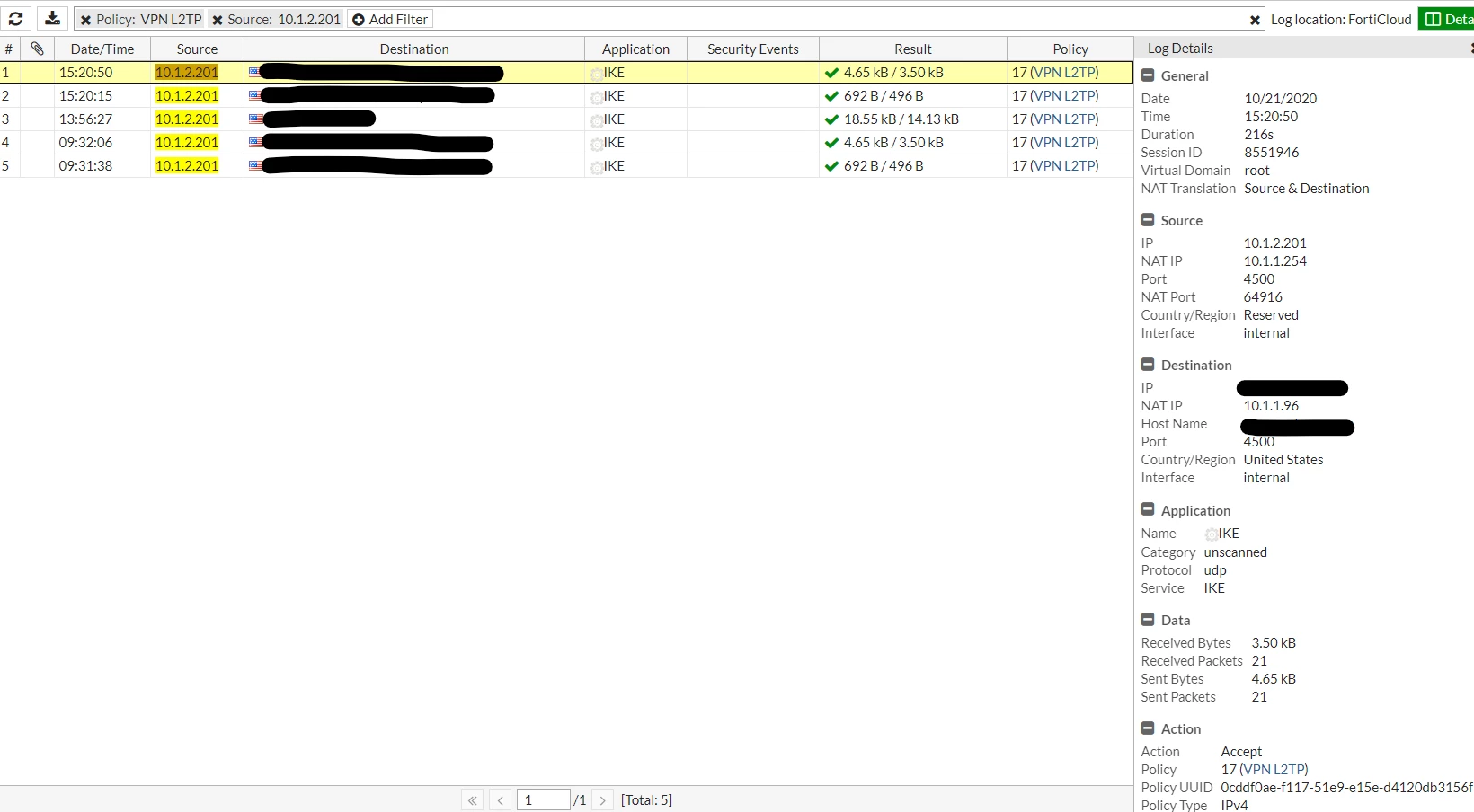
Hello. We have an RRAS server (Windows Server 2016) for VPN Access. It is currently using PPTP and we are working on upgrading it to L2TP for more secured encryption. We are having trouble getting the L2TP pass through the FortiGate firewall from the internet. The setup works just fine if I connect to the server directly (internally), so I know it is the firewall. Logs are showing the policy is accepting IKE connection, but the VPN connection stuck at this step(in screenshots) below.


Screenshots for policy, VIPs, and Logs

[link]https://ibb.co/jHcGtCn[/link] [link]https://ibb.co/096vFNS[/link] [link]https://ibb.co/5M6NTm3[/link] [link]https://ibb.co/F6vMRVQ[/link] [link]https://ibb.co/YXBPvcj[/link]


FortiGate 90E, firmware v5.4.11,build8140 (GA)


Thanks for helping!
 

    Best answer by boneyard

    as you do L2TP behind NAT this might be relevant: [link]http://woshub.com/l2tp-ipsec-vpn-server-behind/[/link]


    if not i would first try with one IP to IP VIP and all services allow and no UTM to rule out some things there.


    also in general have a look at upgrading 5.4 is unsupported i believe.


    1 reply

    boneyard
    boneyardAnswer
    Valued Contributor
    October 22, 2020

    as you do L2TP behind NAT this might be relevant: [link]http://woshub.com/l2tp-ipsec-vpn-server-behind/[/link]


    if not i would first try with one IP to IP VIP and all services allow and no UTM to rule out some things there.


    also in general have a look at upgrading 5.4 is unsupported i believe.


    joey_KCARC
    New Member
    October 22, 2020

    Thank you!


    Both the server and the client are behind NAT but only the server had enabled the NAT-T as the article mentioned. Changed the registry on the client, rebooted and it is working now!