
chanklish
Explorer II
May 18, 2023
Solved

HTTPS Server Certificate not showing

  • May 18, 2023
  • 2 replies
  • 4839 views

i am trying to change the certificate for my admin gui page following all the KBs in fortigate ( example : https://community.fortinet.com/t5/FortiGate/Technical-Tip-GUI-Untrusted-HTTPS-server-certificate/ta-p/224780 ) but i do not have HTTPS Server Certificate in the settings page

am i missing something? logging with the local admin

Please advise
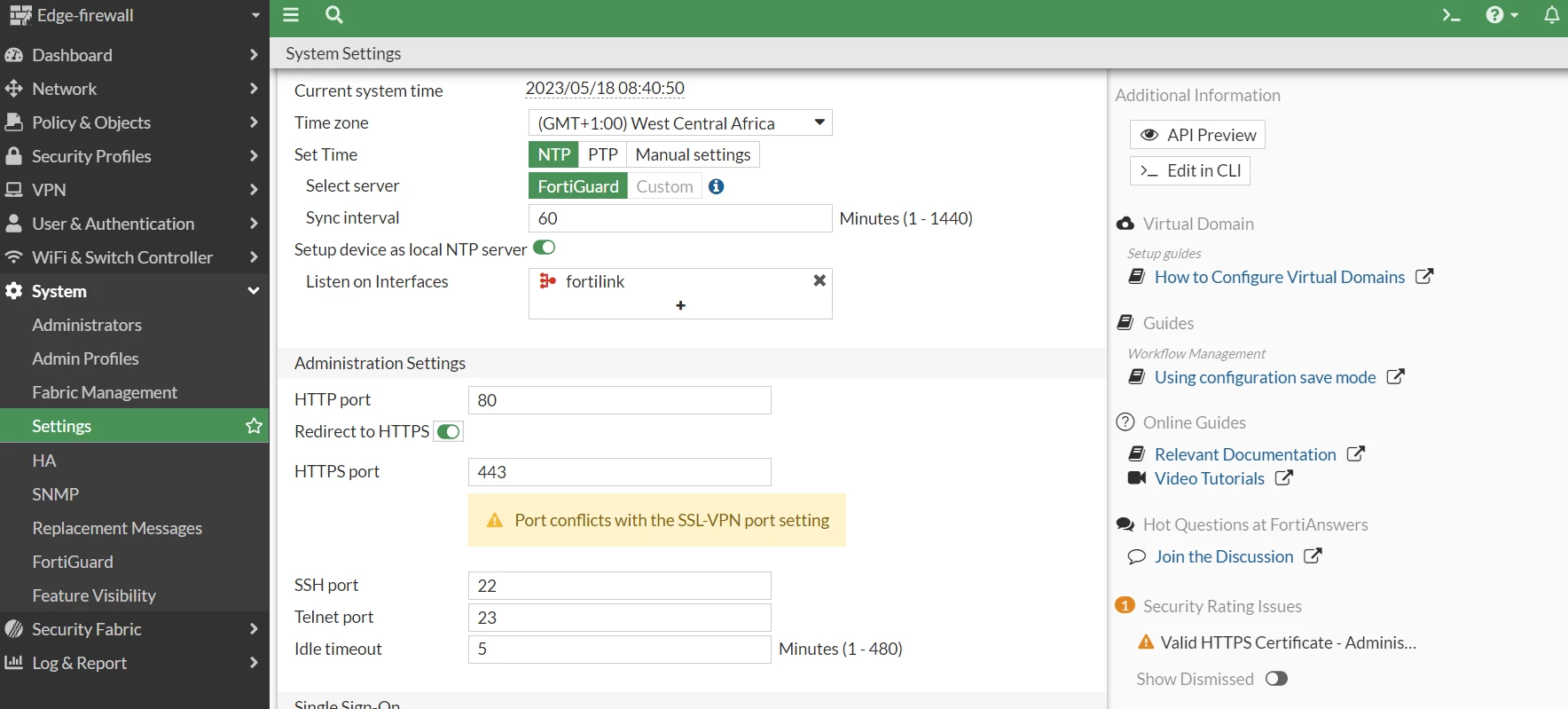
 

Screenshot 2023-05-18 084059.png

Best answer by srajeswaran

You need to enable it under feature visibility - 'Certificates' from System -> Feature Visibility.

https://community.fortinet.com/t5/FortiGate/Technical-Tip-Not-able-to-see-HTTPS-certificate-option-for-admin/ta-p/240773

2 replies

ebilcari
Staff
Staff
May 18, 2023

It looks like you are using the same port 443 for GUI access and SSL-VPN. You may try to change the SSL-VPN port (VPN> SSL-VPN Settings) if it is not used to something else like 444 and try this again.

You can also set the certificate via CLI if there is a bug in the GUI:

config system global
set admin-server-cert "Fortinet_GUI_Server"  <-- choose the cert, tab will rotate the options
Emirjon
srajeswaran
Staff
Staff
May 18, 2023

You need to enable it under feature visibility - 'Certificates' from System -> Feature Visibility.

https://community.fortinet.com/t5/FortiGate/Technical-Tip-Not-able-to-see-HTTPS-certificate-option-for-admin/ta-p/240773


