

ps-support
Explorer
July 10, 2024
Solved

FortiClient Javascript error

  • July 10, 2024
  • 4 replies
  • 7868 views

Good morning,

We're receiving sporadic reports of users unable to launch FortiClient and being presented with the following error message. 
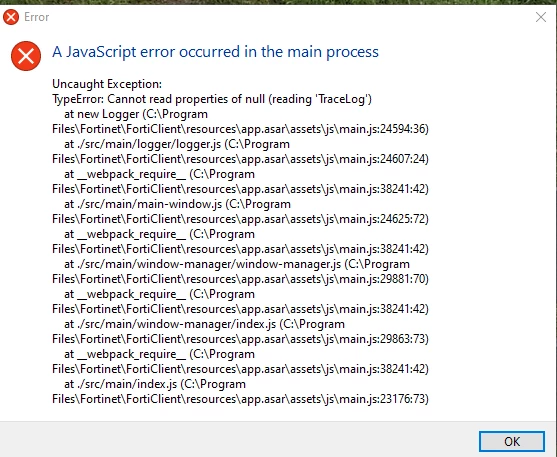
OUTLOOK-2024.07.10-0800.59314 AM.png

The guidance provided to the users was the following: https://community.fortinet.com/t5/FortiGate/Technical-Tip-How-to-fix-the-A-JavaScript-Error-Occurred-in-the/ta-p/230823  

Verification the users have uninstalled Microsoft Visual C++, FortiClient, and reinstalled both is shown below. 
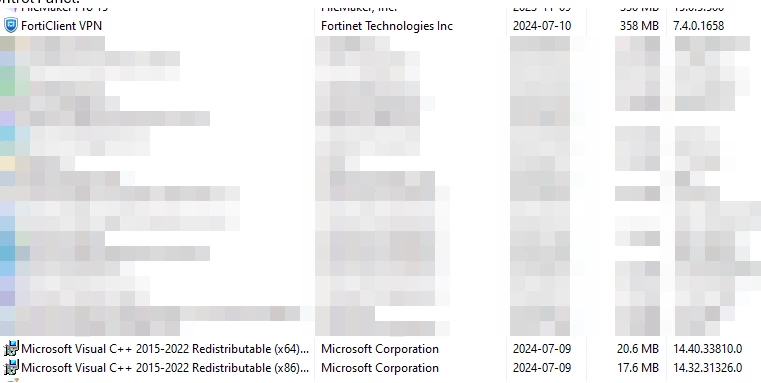
 

OUTLOOK-2024.07.10-0804.43831 AM.png

However the user reports the Javascript issue is still ongoing. 

Can Fortinet support provide next steps for the users to try, please? 
Users are not FortiClient EMS users. 

FortiClient version 7.4 is being used. Initial error was with FortiClient version 7.0.2.

Best answer by ps-support

Hi, @marcoarn marcoam, yes, the following KB helped us: https://community.fortinet.com/t5/FortiGate/Technical-Tip-How-to-fix-the-A-JavaScript-Error-Occurred-in-the/ta-p/230823

We wound up upgrading to 7.0.11. We are fortunate we did not need the older C++ libraries. 

Note: it seems to be happening a lot of Lenovo systems. 

4 replies

ps-support
Explorer
July 10, 2024

Bumping the topic.

Is there anything additional we can recommend users to try who see this issue? 

marcoarn
Visitor III
August 19, 2024

Did you found anything about this yet? We are trying to automatically update FortiClient 7.0.7 to FortiClient 7.4 with Intune and we are getting the same error. A fix/workaround for that error would be greatly appreciated. Uninstalling and then reinstalling FortiClient on 700 clients cant be the solution.

ps-support
ps-supportAuthorAnswer
Explorer
August 20, 2024

Hi, @marcoarn marcoam, yes, the following KB helped us: https://community.fortinet.com/t5/FortiGate/Technical-Tip-How-to-fix-the-A-JavaScript-Error-Occurred-in-the/ta-p/230823

We wound up upgrading to 7.0.11. We are fortunate we did not need the older C++ libraries. 

Note: it seems to be happening a lot of Lenovo systems. 

jornjensen
New Member
August 27, 2024

The problem is that when upgrading to FortiClient 7.4.0 the file FCCryptDLL is missing in C:program files\Fortinet\forticlient. If you uninstall the old version and make a new installartion of 7.4.0 then the file FCCryptDLL exist.

marcoarn
Visitor III
August 28, 2024

Hi @jornjensen 

Thank you very much for the input, that was the solution! :D

