

edzsoqeta
New Member
July 7, 2020
Solved

Cannot run Traceroute

  • July 7, 2020
  • 2 replies
  • 12449 views

Hi,

I'm trying to run a traceroute from the CLI and also windows pc but unfortunately it does not give me the full hops for troubleshooting.

From the policy settings, I've enabled the below configs:
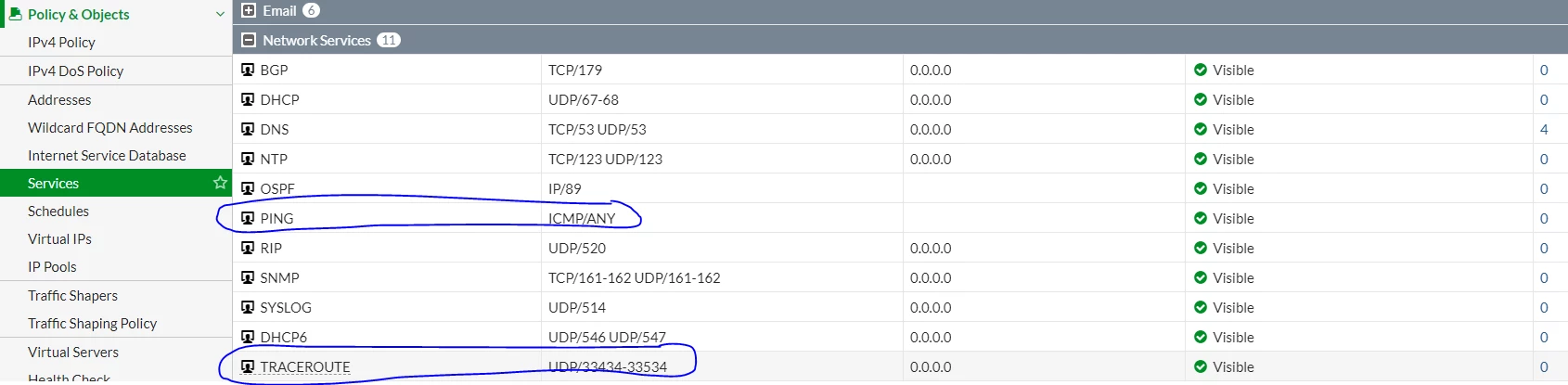
 

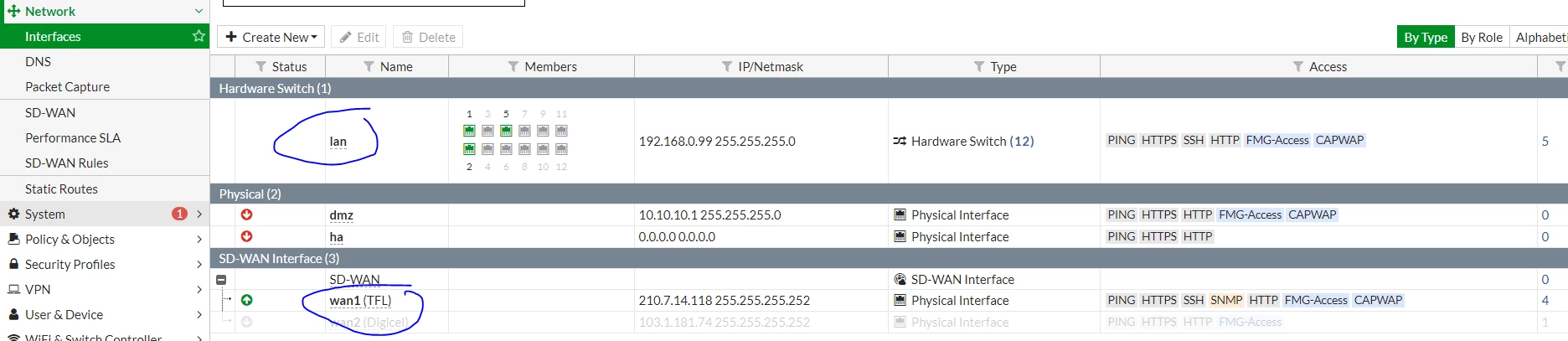
From the interface:
 

Traceroute from CLI
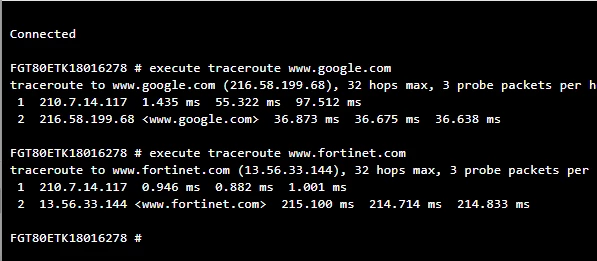
 

Is there something blocking this or have i missed something?
    Best answer by Dave_Hall

    I would suggest pinging/trace route to non-DNS IPs to see what path you get. 


    That said, I have seen some (mostly satellite/dial up) ISPs deploying proxy/web accelerator software built into their gateway/router and/or deployed on their backend/haul.  If this is the case or you are not sure, I would log into the gateway device (if you can) can see what settings are listed.  Alternately, you can always contact your ISP support and they should be able to tell you. 

    2 replies

    poundy
    New Member
    July 7, 2020

    BTW your images haven't come through properly so nobody can really see to help 

    edzsoqeta
    edzsoqetaAuthor
    New Member
    July 7, 2020
    poundy
    New Member
    July 9, 2020

    one image won't help :) 


    What are you trying to diagnose though?  Anything to do with the firewall or things outside the firewall ? What IP address(es) are you testing from / to?  There's a myriad of reasons why other people's devices won't respond to ICMP so if you're relying on that for some reason, then you're bound to run into trouble...


    edzsoqeta
    edzsoqetaAuthor
    New Member
    July 9, 2020

    When I'm trying to do a trace to 8.8.8.8/other external ip addresses, it doesn't show me the full hopes for example:


    from a pc:

    C:\Users\SCE ADMIN>tracert 8.8.8.8

    Tracing route to dns.google [8.8.8.8] over a maximum of 30 hops:

    1 <1 ms <1 ms <1 ms 192.168.0.99 2 1 ms 1 ms 1 ms 210.7.14.117 3 37 ms 37 ms 37 ms dns.google [8.8.8.8]

    Trace complete.


    From Firewall:

    Connected FGT80ETK18016278 # execute traceroute 8.8.8.8 traceroute to 8.8.8.8 (8.8.8.8), 32 hops max, 3 probe packets per hop, 72 byte packets 1 210.7.14.117 1.307 ms 0.895 ms 0.718 ms 2 8.8.8.8 <dns.google> 36.938 ms 36.952 ms 36.952 ms


    Please note that the policy has been enabled for UDP and ICMP however when doing troubleshooting I still cant do a full traceroute 


    firewall model: FortiGate 80E  FGT80ETK18016278

