




Technical Tip: Enable split-tunnel For IPsec VPN
Description
This article describes how to enable/disable split tunnel for IPsec dial-up VPN.
Scope
FortiGate.
Solution
Enable this feature while configuring the VPN tunnel via the wizard, as shown below.
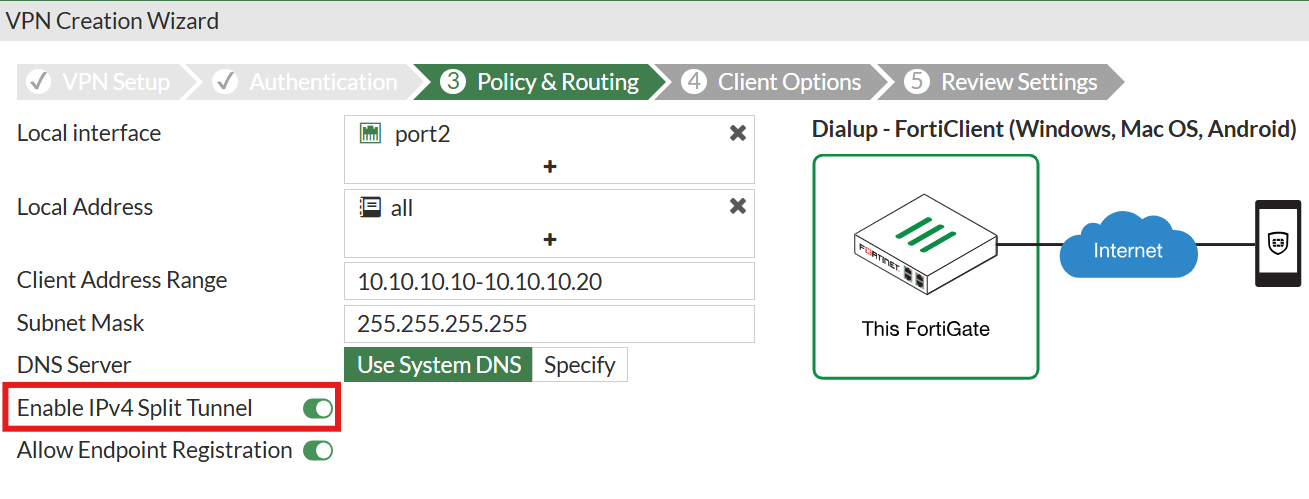
If this option is enabled, then only internal traffic will be routed via the VPN tunnel. If this option was missed, and to re-enable or disable this option after configuring the tunnel, follow these steps:
Go to VPN -> IPSec Tunnels, edit the respective tunnel under 'Network', select the 'Enable IPv4 Split Tunnel' checkbox, and specify the internal subnet under 'Accessible Network'.
Note: The 'all' subnet can not be used under 'Accessible Network' for the split tunnel configuration, as the split tunnel will not work.
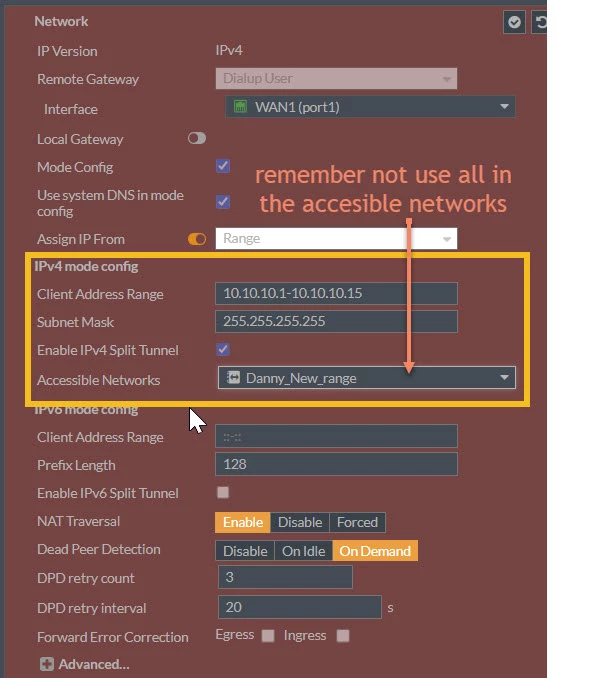
It may resemble the one above in an older edition, and it will resemble the one below in the most recent one.
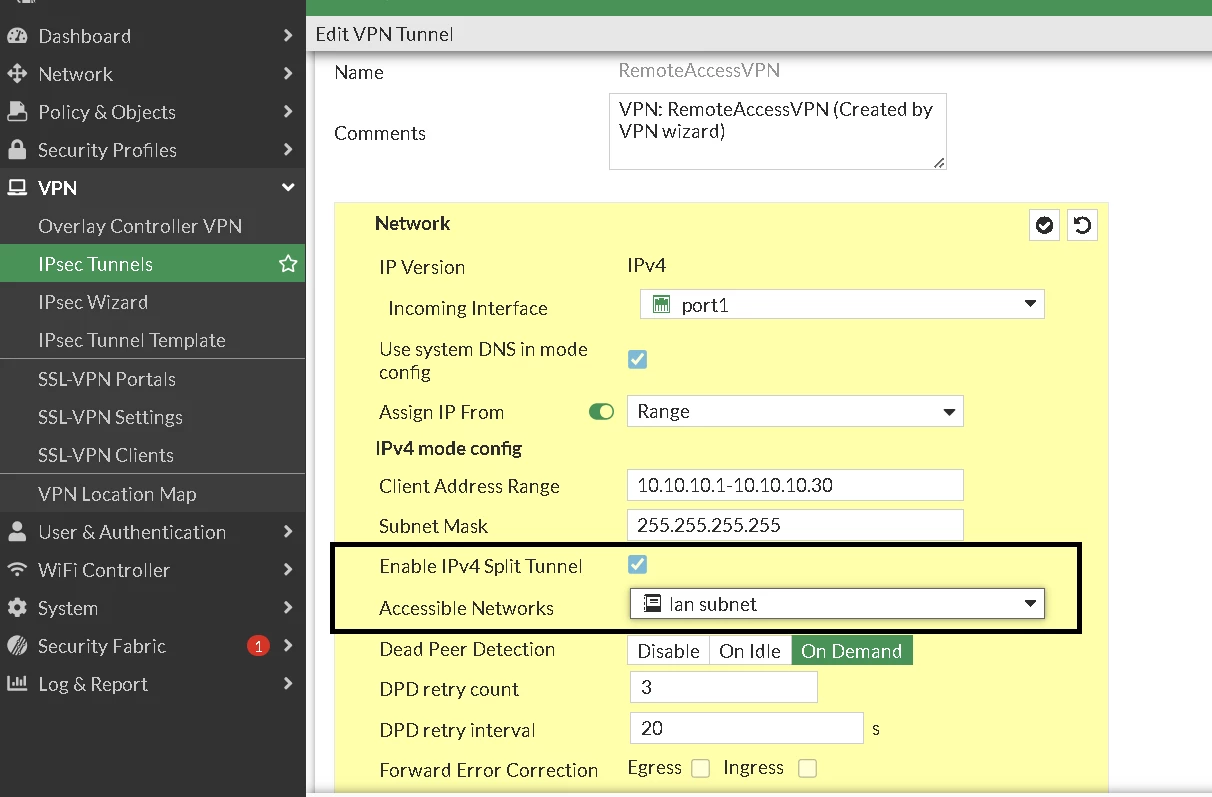
Enable/disable this via CLI:
config vpn ipsec phase1-interface
    edit DialUPVPN
        set ipv4-split-include "DialUPVPN_split"
end
Important:
The 'Accessible Networks' Address needs to be of the subnet type - using an IP range is not supported, and will ignore the split tunnel enable settings by adding a default route instead of the range (if only one PC needs to be configured here, use /32 as the network mask).
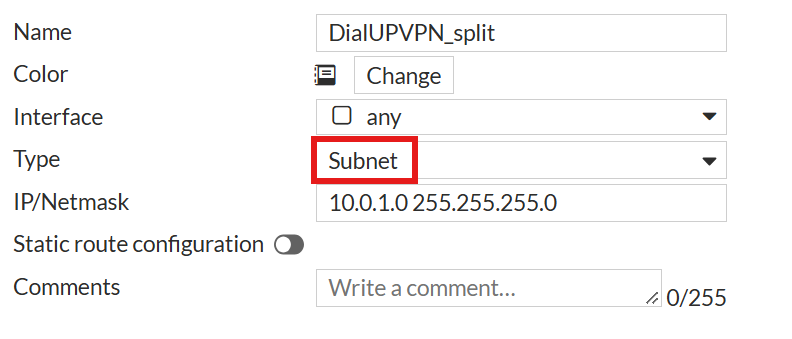
IKE debug will contain the following error when using IP ranges:
mode-cfg ignoring range 0:10.0.1.240-10.0.1.254:0, only ip/subnet supported
When a subnet is configured correctly, the debug output shows the route being sent to the client as follows:
ike V=root:0:IPSec_1:17501: mode-cfg send (13) 0:10.10.10.0/255.255.255.0:0If more than one local network needs to be allowed, or just specific servers, an address group can be used instead of the address object.
Make sure the group object set in 'Accessible Networks' includes the specific local network that the VPN client needs to reach, instead of 'all'. If 'all' is included in that group, the VPN client will inject the default route 0.0.0.0 to the client machine and pass all traffic through the VPN tunnel.
Accessing FQDN via IPsec split tunnel:
Only subnet address objects can be used for split tunneling. FQDN address objects are not supported for split tunneling.
To get access to FQDN via the IPsec Split tunnel, the network IPs of the FQDN need to be manually added to the address group used in the 'Accessible Networks' of the IPsec tunnel configuration.
For more information about address objects and the different types, see the documentation: Address objects.
Accessible networks setting not visible in the GUI:
There is a known issue, ID 457757, that causes the 'Accessible Networks' settings in the GUI to not be visible when an unsupported address object type is added to the split tunnel address group. This issue was resolved in FortiOS: Resolved Issues 7.4.8.
The workaround for this issue is to remove the unsupported address objects from the split tunnel address group used in the 'Accessible Networks' setting.
Starting in v7.4.8, a warning will be shown if an invalid address object is added to the address group for the split tunnel.

For more information about this issue, see Troubleshooting Tip: IPv4-split-include setting disappears when editing Address Group in IPsec VPN.
Note: Configuring changes in the IPsec VPN while a user/s is connected will disconnect them, and they will need to be reconnected.
Related documents:
Technical Tip: FortiClient Dial-up IPsec VPN (Split Tunneling)
Troubleshooting Tip: Full tunnel and Split Tunnel endpoint route comparison
Troubleshooting Tip: FortiClient not installing split-tunnel route on Windows routing table

