

Carl_Wallmark
New Member
May 28, 2015
Solved

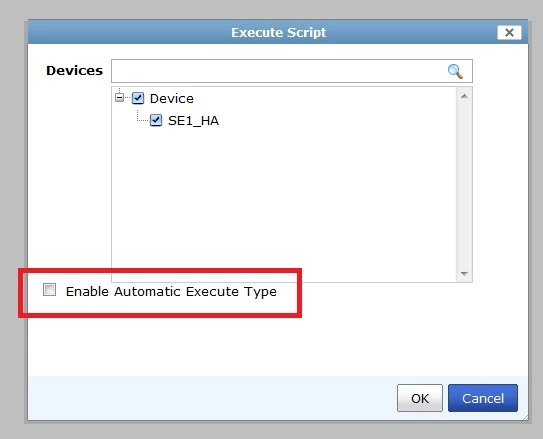
Script with "Enable Automatic Execute Type"

  • May 28, 2015
  • 2 replies
  • 4850 views

Hi,


I accidentally checked the "Enable Automatic Execute Type" checkbox when I tried a TCL script.

Now it will run every time I install a package, and there is no way of removing it.


I also tried with CLI with "execute fmscript delete 0002" but fails as the script is bound to the device.


How can I remove it ?
 

    Best answer by jhouvenaghel_FTNT

    Hello,


    you can change the script with " execute type" = Schedule . define a schedule time and after the script has run at the scheduled time , you should be able to delete it.

    2 replies

    jhouvenaghel_FTNT
    Staff
    Staff
    May 28, 2015

    Hello,


    you can change the script with " execute type" = Schedule . define a schedule time and after the script has run at the scheduled time , you should be able to delete it.

    Carl_Wallmark
    New Member
    May 28, 2015

    Thank you!


    That worked like a charm!

