DecGest
New Member
August 18, 2025
Question

Problem accessing website

  • August 18, 2025
  • 7 replies
  • 1114 views


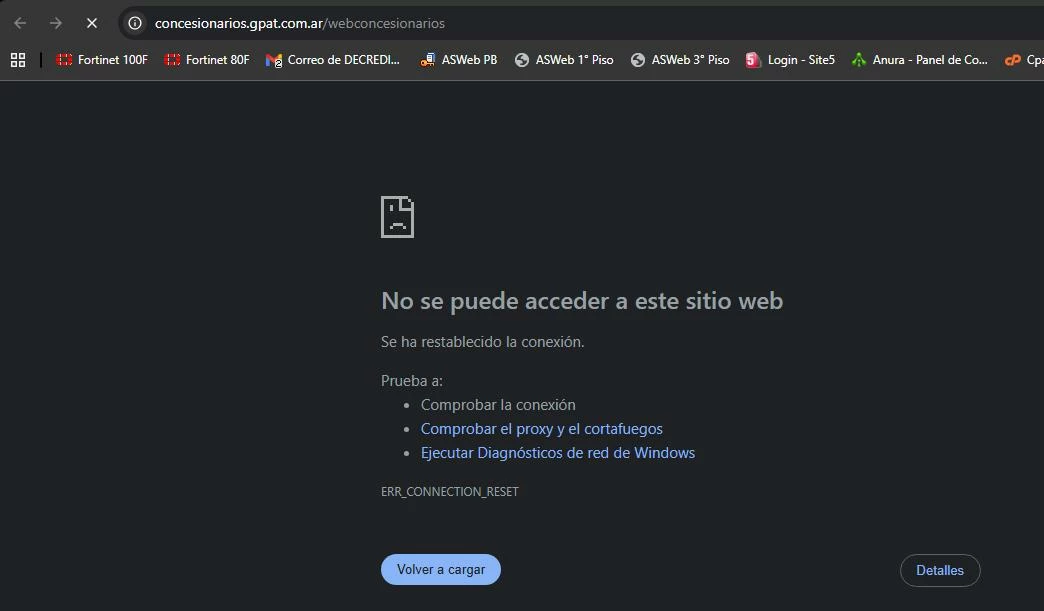
I am having trouble accessing the website https://concesionarios.gpat.com.ar/webconcesionarios

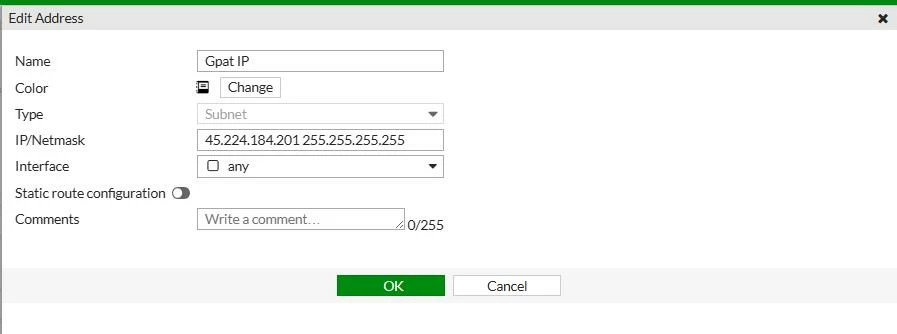
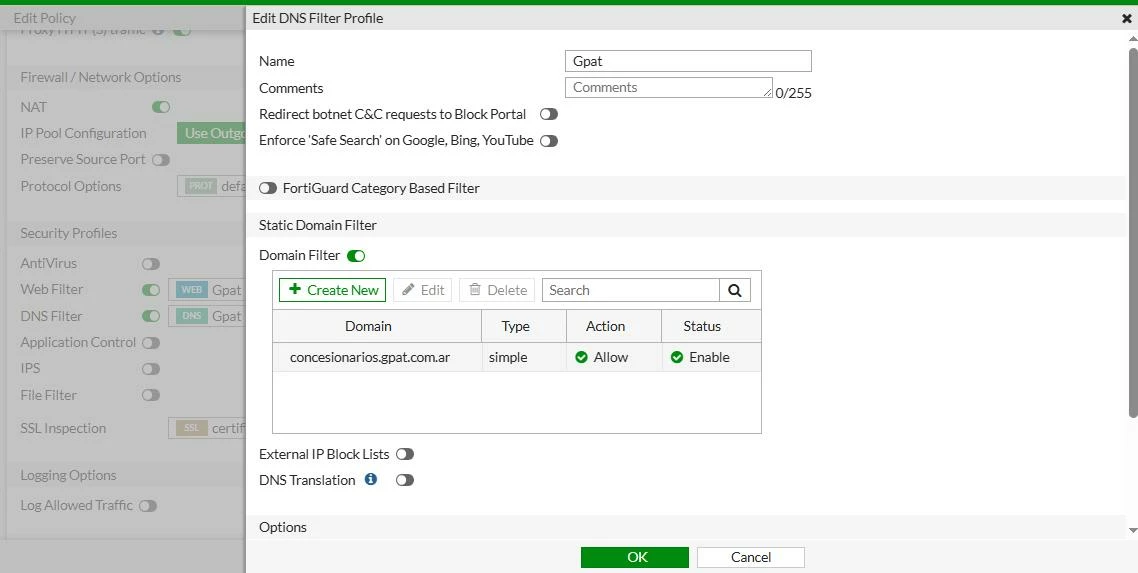
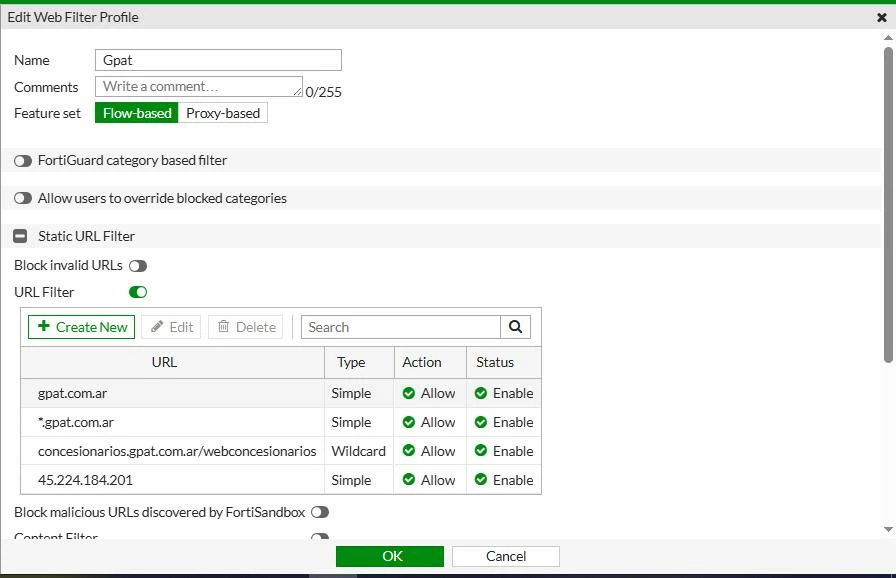
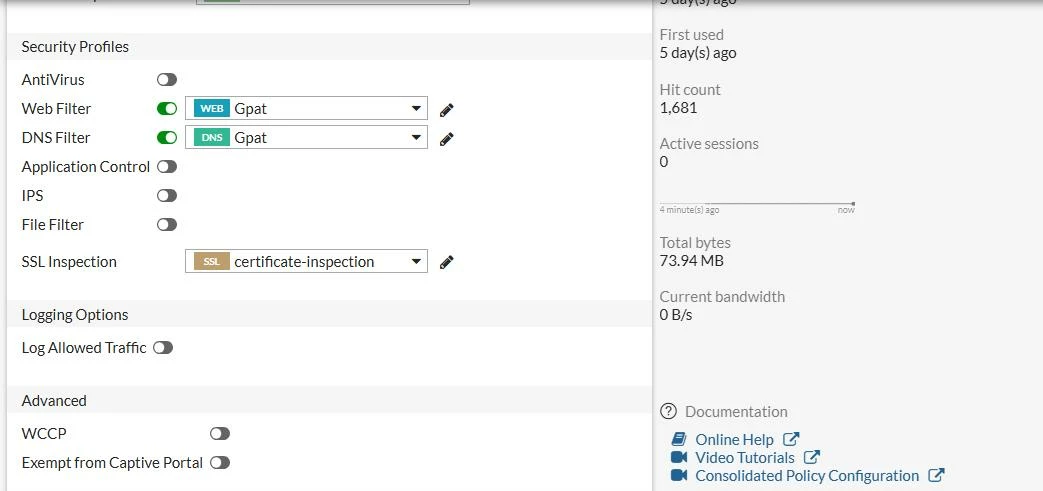
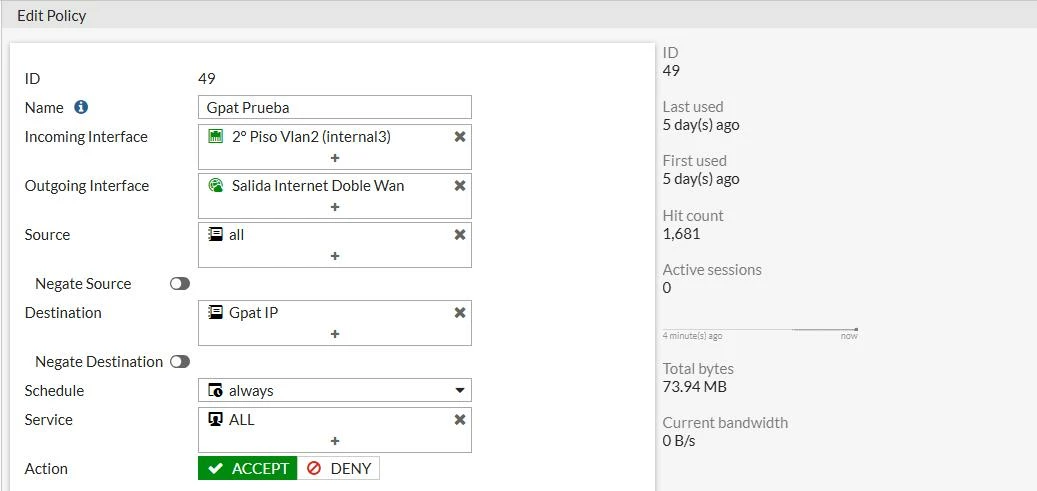
I see that my two Fortinet 80F and 100F devices are automatically blocking me without any blocking filter. I tried creating a web filter and DNS filter to allow me to access the page, but it still won't let me in. That's why I need your help to see what options I can try to allow me to access the page mentioned above.

I'm attaching screenshots of the settings I've configured. If you need more information, I can provide it.


Thank you very much for your help.


Screenshots:


web concesionarios.jpgedit address.jpgdns filter.jpgedit webfilter.jpgedit policy 2.jpgedit policy1.jpg


7 replies

AEK
SuperUser
SuperUser
August 18, 2025

In the same policy (ID 49), enable all traffic logs, enable also violation logs in the implicit deny policy (ID 0) then redo the test, then check the traffic logs to see why the traffic is blocked.

AEK
DecGest
DecGestAuthor
New Member
August 18, 2025

I'll send you the log for policy ID 49.


log 3.jpglog 2.jpglog 1.jpg

dingjerry_FTNT
Staff
Staff
August 18, 2025

Hi @DecGest ,


If you did not have any UTM profile applied in the firewall policy, do not try to add Web Filter or DNS Filter profile to fix the issue.


According to the log message you provided, it is "TCP Reset from server", it is the server resetting the connection, not an FortiGate issue.

AEK
SuperUser
SuperUser
August 18, 2025

Here we can see the traffic is allowed but there is a TCP reset from Server side.

As per my experience the issue comes from server side.

 
AEK
DecGest
DecGestAuthor
New Member
August 18, 2025

It's very strange, because when I try to connect from the Forti firewall network, I can't reach the destination, but when I access it from an external network, I can reach the destination. However, when I spoke to support at www.gpat.com.ar, they told me that it's a public access point with no restrictions...

It's VERY STRANGE what's happening.

AEK
SuperUser
SuperUser
August 19, 2025

As suggested by Jerry above, even if the issue is probably from server side, you can still try use firewall policy without UTM (security profiles), and share the result.

AEK
sokelno5
New Member
August 19, 2025

Okay. I get my internet through the office of the building I live in. I never interacted with an ISP. I simply paid a fee, bought my own router (a Netgear), plugged the ethernet cable into the port on my wall, and boom, I had internet.

Thought Leadership Security Summit. Outpace New Threats with AI - enhanced defense. Tuesday, Septmeber 15, 8:30 AM - 2:30 PM PT. The Golf Club at Newcastle, WA.
Fortinet Flag the Hack. Wednesday, August 26, 9:00 AM - 5:00 PM ET, COSM, Atlanta, GA.
Virtual event | September 2026. SASE summit. The age of autonomous trust. Register here!