captainit
New Member
Sep 24, 2024 5:42 PM UTC
Question

Many interfaces when using VPN

Hello,

We have a problem with our VPN.

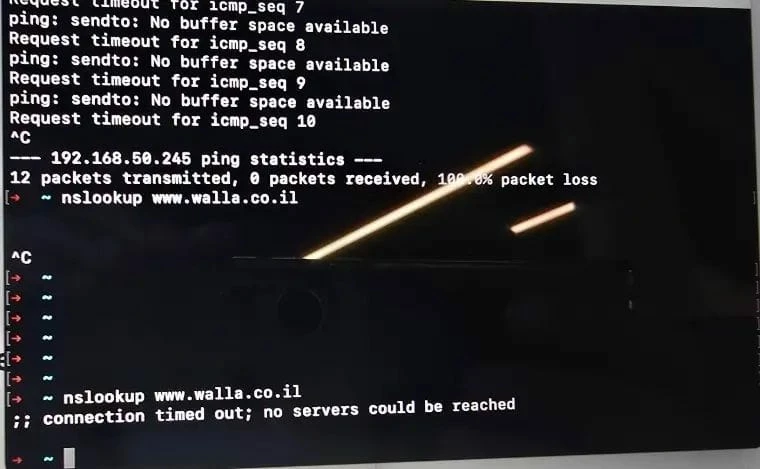
We are experiencing an issue that occurs once every month, where employees (it changes - skipping between users) using only Mac computers come to the office (but happens also in their home wifi) and are unable to access internet when they are connected to VPN.

We use:
Forticlient vpn only free - last version

IPSEC VPN

When they try to ping servers/addresses: sendto no buffer space available

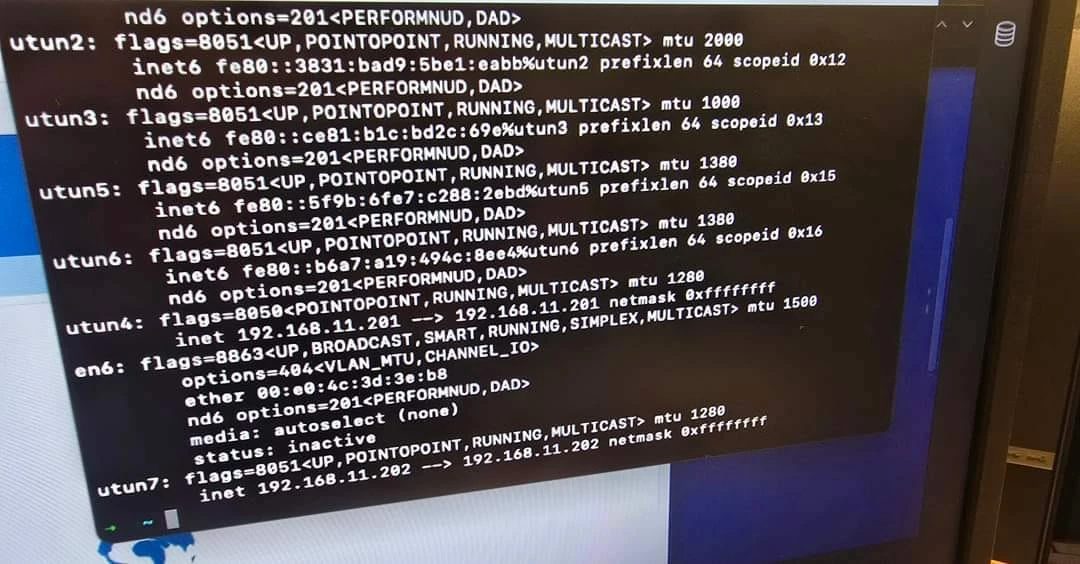
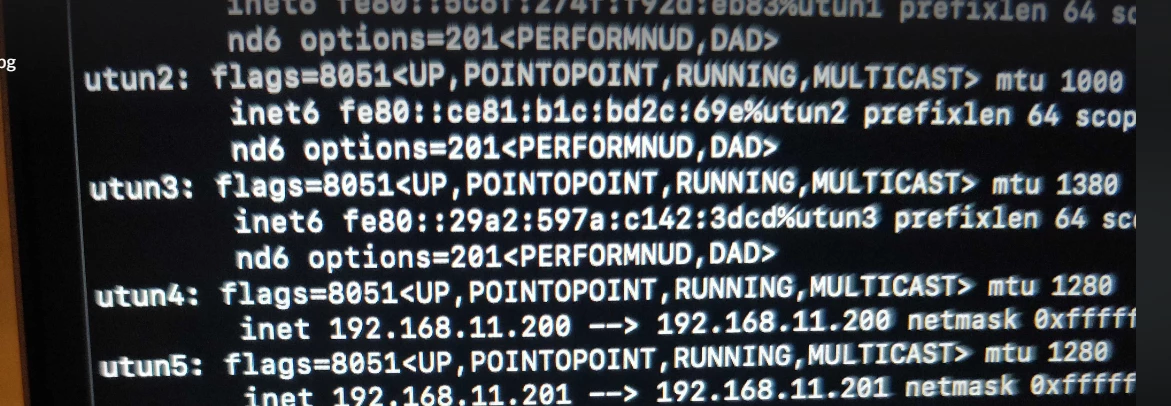
When it happens I see many interfaces with addresses of VPN (192.168.11.0/24). 
After disabling interface with VPN: ifconfig interface utun4 down - internet works!


Another user told me: WIFI works, VPN works. He leaves the computer, computer goes to sleep mode and after that Forticlient seems as connected but no internet!

Another user reported: I was on the train, using HOTSPOT and Forticlient. 

Close the lid (So internet was disconnected). Went to the Office, I was connected to Office's WIFI and had this problem of buffering.


Why are there many interfaces instead of just one? Why does FortiClient create multiple connections?
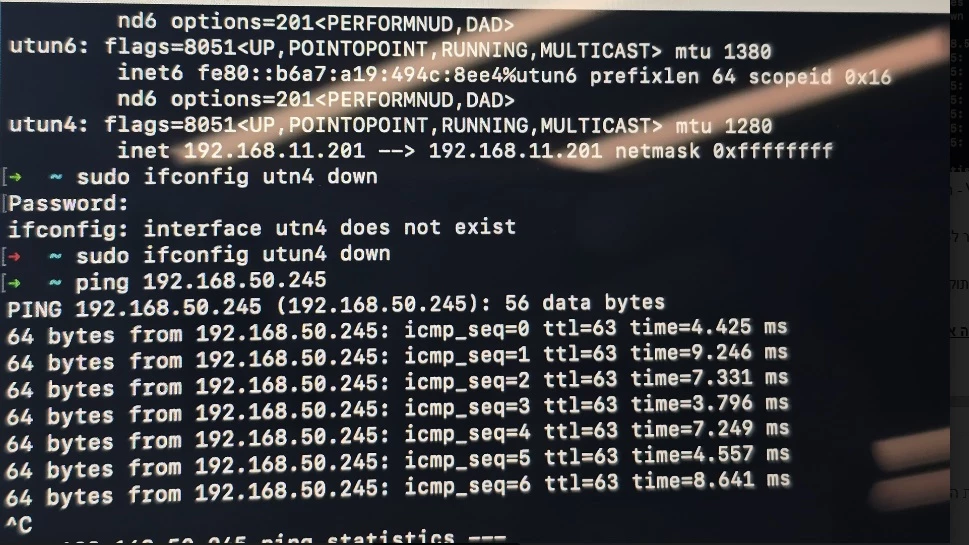
#Same user#Same user#Same user#Same user#Same user#Same user#Another user#Another user


Thanks

37 replies

captainit
captainitAuthor
New Member
Oct 28, 2024 10:16 AM UTC
 

Hello, Unfourtnaely the problem appears again with MAC computer after sleeping mode - our VPN segment is 192.168.11.200-230

Hello, It happens again:
Routing table:
Link to routing table 

It happens after waking up from sleep mode :(

Please help

Translate
captainit
captainitAuthor
New Member
Oct 30, 2024 8:15 AM UTC

Please help

Translate
AEK
SuperUser
SuperUser
Oct 30, 2024 9:16 AM UTC

Hi Captain

Here we can see IPv6 default gateways are being injected.

Internet6:
Destination Gateway Flags Netif Expire
default fe80::%utun0 UGcIg utun0
default fe80::%utun1 UGcIg utun1
default fe80::%utun2 UGcIg utun2
default fe80::%utun3 UGcIg utun3
default fe80::%utun4 UGcIg utun4
default fe80::%utun5 UGcIg utun5


In case you are not using IPv6, can you just try disable it on your MacOS and try again?

Or check on FG side if IPv6 split tunnel is disable, then enable it.

Or just disable IPv6 on FG's IPsec config.

You can also remove the IPv6 default gateway through to confirm this is the actual root cause.

Again the idea is to avoid having default gateway through tunnel in your routing table.

Translate
AEK
captainit
captainitAuthor
New Member
Oct 30, 2024 10:26 AM UTC

Hello,
Attaching the configuration of IPv6 in my IPSEC (from Fortigate)
Screenshot 2024-10-30 122430.png


Should I disable something?
Could you please kindly explain why it might create a problem

Thanks

Translate
AEK
SuperUser
SuperUser
Oct 30, 2024 11:46 AM UTC

On the IPsec config I see IPv6 is disabled on FG. That's strange because it seems something else is pushing IPv6 default gateway on the client.

Next step is, when the issue occurs, delete the IPv6 gateways on the client that are through the VPN tunnels, and see if it fixes the issue.

Translate
AEK
captainit
captainitAuthor
New Member
Oct 30, 2024 11:51 AM UTC

A command that already tested and fix the problem is:
ps aux | grep -i 'forti' | grep -v 'grep' | awk '{print $2}' | xargs sudo kill -9

Kill all the processes of Forticlient
But if I asked users to do it, they would hate me because they just want the problem solved.

Translate
AEK
SuperUser
SuperUser
Oct 30, 2024 12:30 PM UTC

As you may know some issues need long troubleshooting, and it can take long time especially when there is no direct interaction with the machine.

In this case I don't have immediate solution. For this I hope some more experienced member can help better.

Translate
AEK
captainit
captainitAuthor
New Member
Nov 25, 2024 9:15 PM UTC

Hello,

Same issue... not solved.


Attaching log from Forticlient from mac computer with multiple interfaces:


Hello,
I see in my logs of Forticlient (I use ipsec)=
message_handler:469 send pfkey errno: 1

https://pastebin.com/0vtnQXQA

Any idea please? 


User has full permissions

screenshot_2024-11-24_at_17.40.13.png

We tried: Reinstall other old Forticlient versions 


Thanks

Translate
TpaColo
New Member
Mar 26, 2025 12:00 PM UTC

This has been an endless issue for us as well, specific to Mac users, with numerous major releases of FortiClient 7 VPN-only, also ipsec, and we do use IPv6 so it's both enabled on the end stations and given out as part of a VPN connection.  It would prove interesting if this issue is all IPv6 related; that might explain why this problem isn't frequent enough to make people just abandon the platform, given how low IPv6 proliferation is even in 2025.

Even right now, after a complete uninstall of 7.4 hoping a fresh install will clean something up, I still have a FortiClient process hanging around:

0 1129 1 0 7:44AM ?? 0:00.06 /Library/Application Support/Fortinet/FortiClient/bin/fct_tunnel_ctl -s 2607:7700:0:31::d8bc:11 -l 2 -m 0 -u 4500 -t 443


(Don't worry, t-mobile IP as I was on hotspot)


This happens all the time, random stuck processes, you have to completely reboot the end user's computer to resolve it since they don't have admin access let alone the interest in running a shell script to find and kill all the forticlient processes with sudo.  This has been happening for a couple years now and our users have had it.

Translate
Risk and Resilience in the Age of AI. An OT Thought Leadership Summit for Houston's Critical Infrastructure Leaders. Date: Thursday, December 3, 2026. Time: 8:30 am - 1:30 pm (CT). Location: The Westin Houston, Memorial City | 945 Gessner Road, Houston, TX 77024