

Withoon
New Member
November 11, 2024
Question

httpsd process is missing

  • November 11, 2024
  • 1 reply
  • 1430 views

We found the issues about httpsd process. I can't to access gui process and I try to restart the httpsd process is not working. because when I entry command 


#diagnose sys top // It not show httpsd process.
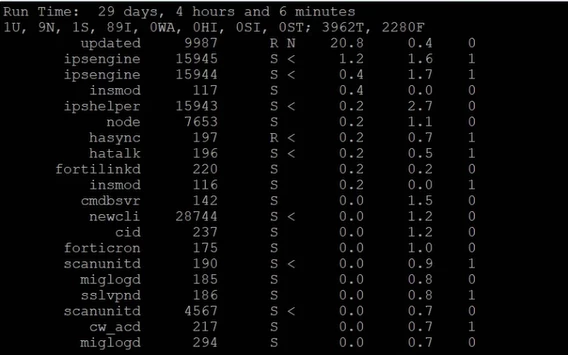
 

Screenshot 2024-11-11 140903.png


And I try to kill the httpsd process with command below, but It's not work. I can't access to the gui management of FortiGate 

 

1 reply

funkylicious
SuperUser
SuperUser
November 11, 2024

Hi,

Please take a look at https://community.fortinet.com/t5/FortiGate/Technical-Tip-GUI-is-not-reachable-after-an-upgrade/ta-p/192936


Check if the HTTPSD shows up using the following command:     fnsysctl ls /var/run/  fnsysctl cat /var/run/https.pid     If HTTPSD does not show up, run a sniffer on FortiGate. FortiGate is responding with RST to the HTTPS request. diag sniffer packet any "host <IP address>" 4 0 l IP address: Source PC ip address from where user trying to access FortiGate GUI.  Check if there is an admin-server-cert configured: config system global show full | grep server-cert  If it is not configured, configure it as follows: config sys global      set admin-server-cert Fortinet_Factory end  After this, try accessing FortiGate via the GUI again and it should work. 
"jack of all trades, master of none"
