
kcerb
New Member
Sep 24, 2014 11:52 AM UTC
Solved

FSSO in 5.2 problem

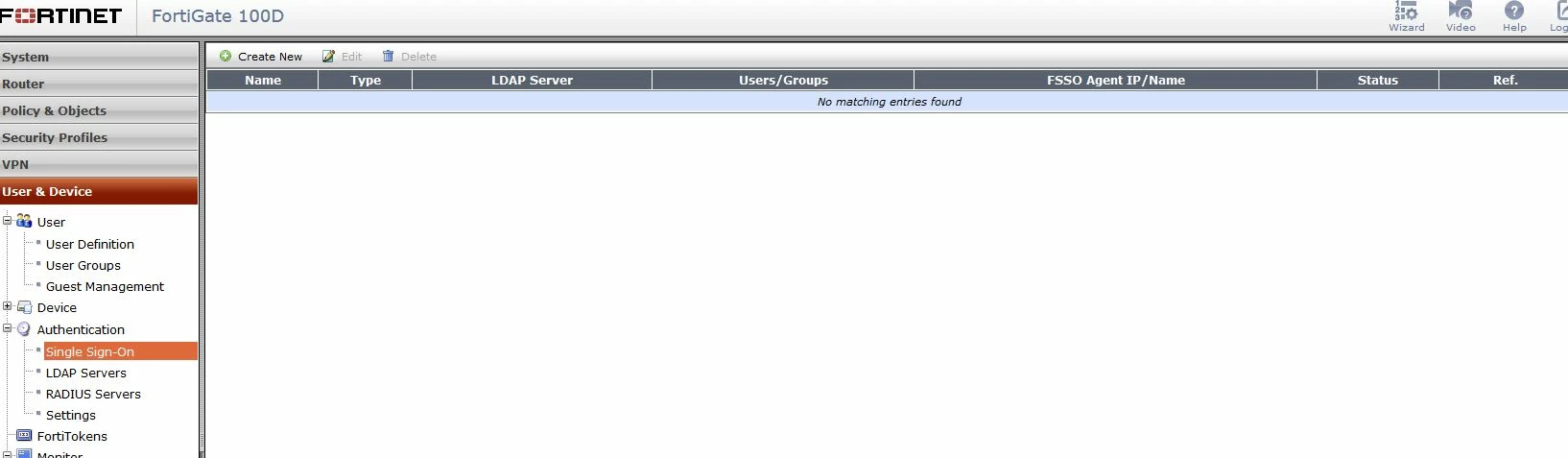
Hi, on Fortigate 100D ver 4.x we used a FSSO with FSSO Agent installed on Active Directory server with no trouble. After change firmware to 5.2 and FSSO Agent to 4.3.0159, users started complain about websites: sometimes websites opened and sometimes not. I decided to change SSO method to Polling. I configured everything with no luck. no users are shown in User & Device -> Monitor -> Firewall -> Show all FSSO Logons. The " diagnose debug authd fsso server-status" command shows only " Local FSSO Agent" !! which is not visible under User & Device -> Single Sign-On (I even deleted everything I created before): LDAP test: pass. When I add a SSO, the status is always grey X mark.
Hassan_Fahmy
New Member
Aug 4, 2015 11:06 AM UTC

Solved by 

Execute Fsso Refresh 

add Selected group from FSSO agent @ AD 

add Selected group from Single sign on @ Fortigate FW

Done 

6 replies

kcerb
kcerbAuthor
New Member
Sep 25, 2014 1:06 PM UTC
OK, the greyed-out X mark solved: User must be " Administrators" group member. Now I can see users in monitor, but I can not see members of default " Domain users" group. This group is of course mapped in " User & Device -> User Groups" Does anybody have some idea about that?
Translate
Hassan_Fahmy
New Member
Aug 1, 2015 4:32 PM UTC

Same Issue any update !!!


Translate
Hassan_Fahmy
New Member
Aug 4, 2015 11:06 AM UTC

Solved by 

Execute Fsso Refresh 

add Selected group from FSSO agent @ AD 

add Selected group from Single sign on @ Fortigate FW

Done 

Translate
daac
New Member
Oct 6, 2015 8:45 PM UTC

solved


via cli


FORTI # show user fsso config user fsso     edit "Local FSSO Agent"         set ldap-server "LDAP_DA"         set server "127.0.0.1"     next end FORTI # config user fsso FORTI (fsso) # delete Local FSSO Agent

Translate
Dipen
New Member
Oct 8, 2015 11:01 AM UTC

Hi


First please stick to FSSO DC Agent Mode only (Forget Polling mode). Please do not have any LDAP Dependencies.

Firstly check "Currently Logon Users" in Collector Agent. Then check Group Filters in Collector Agent.

Finally check if FSSO Users are appearing in User >> Monitor >> Show FSSO Logons.

Translate
Risk and Resilience in the Age of AI. An OT Thought Leadership Summit for Houston's Critical Infrastructure Leaders. Date: Thursday, December 3, 2026. Time: 8:30 am - 1:30 pm (CT). Location: The Westin Houston, Memorial City | 945 Gessner Road, Houston, TX 77024
