
rcpdkc
Explorer II
March 18, 2024
Solved

Fortigate High Memory

  • March 18, 2024
  • 6 replies
  • 21343 views

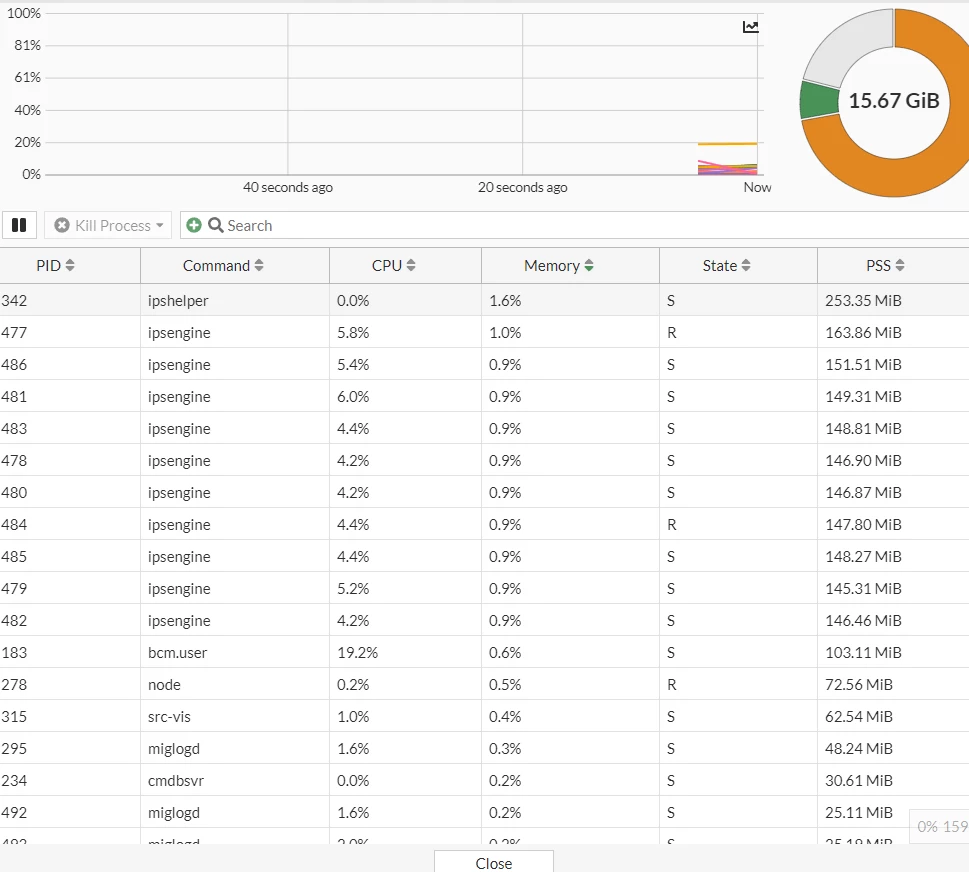
I have a 1101e firewall. After the 7.0.14 update, ram usage increased from 41 to 70 in a meaningless way. It switches to conserve once a week. Do you have any idea?

 

memory.PNG

Best answer by rcpdkc

I solved the problem in a very interesting way. I right clicked on the bcm.user service in the Proccess Monitor section and clicked kill. Then my connection to the firewall was completely lost. I physically unplugged the power cable and plugged it back in. Now the ram usage has been constant 35% for 4 hours.

6 replies

spoojary
Staff
Staff
March 18, 2024
AEK
SuperUser
SuperUser
March 18, 2024

In addition to the troubleshooting guide shared by @spoojary , I had a recent case where a heavy disk logging was causing a conserve mode situation. Even if conserve mode may have multiple causes, you can still temporarily disable disk logging or at least for the heavy load policies just to see if this is the cause.

AEK
BillH_FTNT
Staff
Staff
March 18, 2024

Hi
I think what AEK said is reasonable. What is your previous version? Could you share the log of these commands below to check what happened to your firewall?

diag hardware sysinfo memory
diag hardware sysinfo slab
get sys perf status
diag sys session stat
diag sys top 2 10 3
diagnose sys top-mem 50
fnsysctl df -k
fnsysctl du -i /tmp
fnsysctl du -a /tmp
fnsysctl du -a / -d 1
fnsysctl cat /proc/mounts
fnsysctl date
diag sys last-modified-files /
diag sys last-modified-files /var/log
diag sys last-modified-files /data
diag sys last-modified-files /data2
diag hardware deviceinfo disk
exec disk list
diag sys last-modified-files
fnsysctl du /node-scripts
fnsysctl cat /proc/vmstat
fnsysctl du -a /node-scripts
fnsysctl ls -la /node-scripts/report-runner/results
fnsysctl ls /var/log/log/root -l

In case you want to share private through Fortinet email, please share to this "bhoang@fortinet.com"
We are here to support you.
Bill

rcpdkc
rcpdkcAuthor
Explorer II
March 19, 2024

I followed the document provided but nothing changed. I had version 7.0.13 before. The average ram usage did not go above 56%. However, after version 7.0.14, ram usage is at the lowest level of 68. In any antivirus or ips update, the device enters conserve mode due to increased ram usage. I turned off disk reporting but ram usage did not change.

BillH_FTNT
Staff
Staff
March 19, 2024

Hi @rcpdkc 

Could you share back the output of some of the commands above? It is very useful to know what happens to your firewall. 

Bill

rcpdkc
rcpdkcAuthorAnswer
Explorer II
March 24, 2024

I solved the problem in a very interesting way. I right clicked on the bcm.user service in the Proccess Monitor section and clicked kill. Then my connection to the firewall was completely lost. I physically unplugged the power cable and plugged it back in. Now the ram usage has been constant 35% for 4 hours.


