PNCC-Jimmy
Explorer
July 20, 2023
Solved

FortiAnalyzer web interface drop down boxes

  • July 20, 2023
  • 2 replies
  • 3058 views

SHORT ANSWER AS PER SOLUTION - DONT USE CHROME OR EDGE WITH FORTIANALYZER :D


Original post:

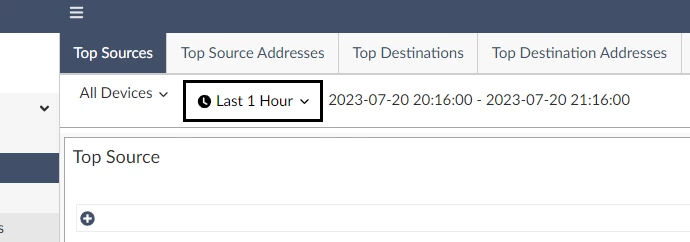
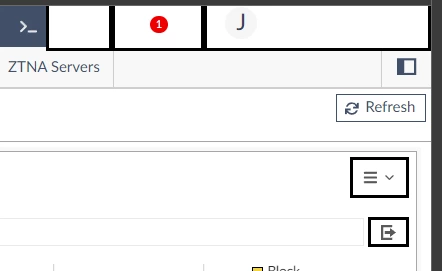
I have a weird/odd problem around the FAZ web GUI where anything on the UI that has a drop down arrow option is non-responsive. The buttons have black boxes around them but when you click on them, nothing happens, no response, no additional options.

All of the normal options and functionality works within the FAZ but it means I cant change date ranges when searching logs or even open the alert bell in the top right corner.

I get the same behaviour in Edge and Chrome
Edge - Version 114.0.1823.82 (Official build) (64-bit)

Chrome - Version 115.0.5790.99 (Official Build) (64-bit)


FAZ - v7.4.0-build2223 230514 (GA)

Platform - FAZVM64-KVM


I even went to the effort of installing the latest version of Java because you just never know...


Example one:
FAZ example 2.png


Example two:

FAZ example 1.png


Best answer by PNCC-Jimmy

Found the solution myself thanks to another post and solved by @srajeswaran 


Change to Firefox browser - known issues with Edge/Chrome 

2 replies

PNCC-Jimmy
PNCC-JimmyAuthorAnswer
Explorer
July 20, 2023

Found the solution myself thanks to another post and solved by @srajeswaran 


Change to Firefox browser - known issues with Edge/Chrome 

pintail120
Explorer
September 25, 2024

I am astounded,
This is still an ongoing issue for me, both edge and chrome do not work, I have to install an old version firefox to get this to work, the organisation keep upgrading it and everything stops again. when is fortigate going to fix this ?

Thought Leadership Security Summit. Outpace New Threats with AI - enhanced defense. Tuesday, Septmeber 15, 8:30 AM - 2:30 PM PT. The Golf Club at Newcastle, WA.
Virtual event | September 2026. SASE summit. The age of autonomous trust. Register here!