
gianlucats
Explorer III
October 10, 2024
Solved

Certificate error in internal lan

  • October 10, 2024
  • 1 reply
  • 3514 views

Hi everybody.

I have the problem of receiving a privacy error when trying to access the 60F (firmware 7.6.0)  from lan.

The real problem is that blocked pages don't display the Fortigate correct blocking page.

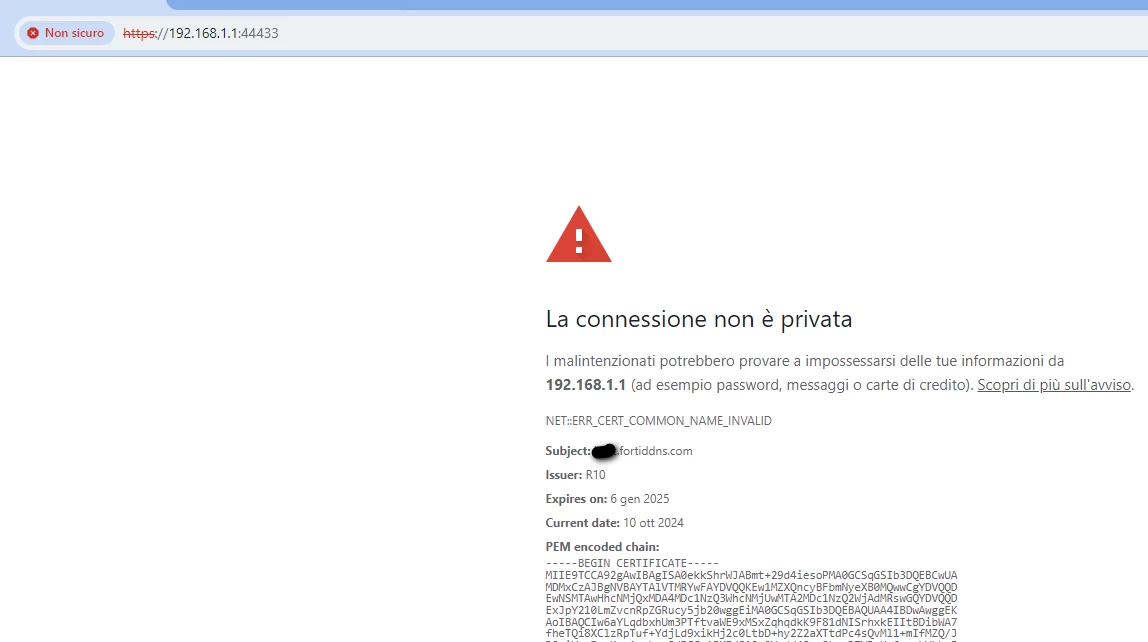
I have done the Let's Encrypt ACME certificate and it works for connections out the lan. The privacy error is given because I use https://192.168.1.1 and the expected certificate is for xxxx.fortiddns.com (used for let's encrypt).

I have, clearly, imported Fortinet_CA_SSL certificate in user's endpoint.

I also tried to regenerate certificate and re-import it, without any change.

I have an identical device working on another site, with exactly same configuration that doesn't have this issue, I really can't undersand the reason and how solve it.

Thanks for helping.
Cattura.PNG


Best answer by pminarik

The webfilter block page will be using some CA certificate, which cannot be a LE-issued certificate. The default is Fortinet_CA_SSL. Importing this CA as a trusted root into your client PCs will make the block-page work without warnings. So this part is working as expected.


However, for the admin GUI, if you're using a LE-issued certificate, trusting the Fortinet_CA_SSL is not relevant, as the GUI certificate is now issued by LE, not by Fortinet_CA_SSL.

1 reply

pminarik
Staff
Staff
October 10, 2024

Let's Encrypt will not give you a certificate that is valid for an IP address, so accessing the FortiGate GUI over an IP (e.g. "https://1.2.3.4") is currently impossible with a LetsEncrypt-issued certificate.


For the certificate to be considered valid, you need to use an address that is included in the Certificate's SAN field (Subject Alternative Name), which in your case will probably be the xxx.fortiddns.com.


ref: https://community.letsencrypt.org/t/why-are-ip-certificate-not-available/196022

gianlucats
Explorer III
October 10, 2024

thank you for answering.

I ask, then:

1) if you use Let's Encrypt then you can't use Fortigate's blocking pages?

2) Why another identical devices is working?


I'm confused :(


pminarik
Staff
Staff
October 10, 2024

What you see in the screenshot is not a block page by FortiGate.

That's just a general certificate warning page by the browser.


But if you're trying to use a LetsEncrypt certificate for UTM blocking (e.g. webfilter), don't bother trying. You need a CA certificate for inspection, and LE will not give you that either. (nobody will, you need to make your own, either brand new, or as a part of an existing PKI/CA structure that may already be in place)


Re 2): it's simply not possible. So it cannot actually be an identical setup. Review the details again, thoroughly.


