
3CX VoIP issues - Resolved...
{Forti OS 7.0.2}
One Way Audio, Scratchy Voice and missing voice issues.
Recently provisioned a new 3CX server and installed a new 60F Fortinet onsite for a customer. I setup all the usual forwarding rules and it PASSED the 3CX Firewall checker. At this point the customer was experiencing quite a lot of one-way audio and scratchy voice calls. Almost every forum says only disable SIP ALG but it didn’t help, after a week of digging and consulting with other SME’s I found a solution that worked. I applied it to 3 sites, and all are now operational.
Creating a VIP -
Go to Policy & Objects > Virtual IPs > Create New
Fill out the information accordingly for each port required (note you can specify interface)
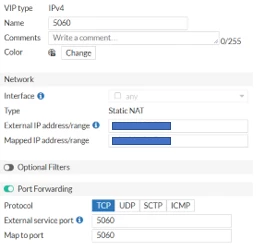
Once you’re done add all the created VIP’s to a Group -
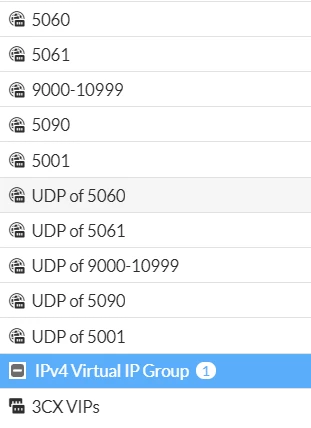
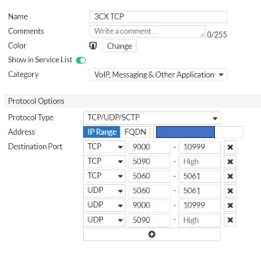
Create a Service
Go to Policy & Objects > Services and create a new Service and Specify your 3CX Server
Create a VoIP priority shaper
Go to Policy & Objects > Traffic Shapers and create new.
Set Type to Shared.
Set Apply shaper to Per Policy.
Set Traffic Priority to High.
Enable Max Bandwidth and specify your max bandwidth
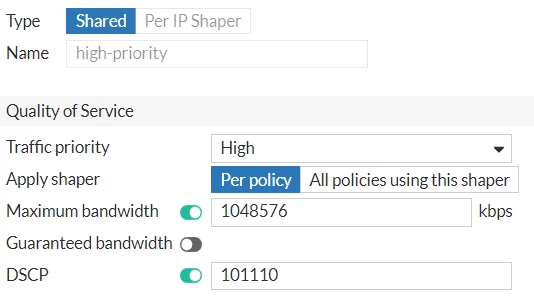
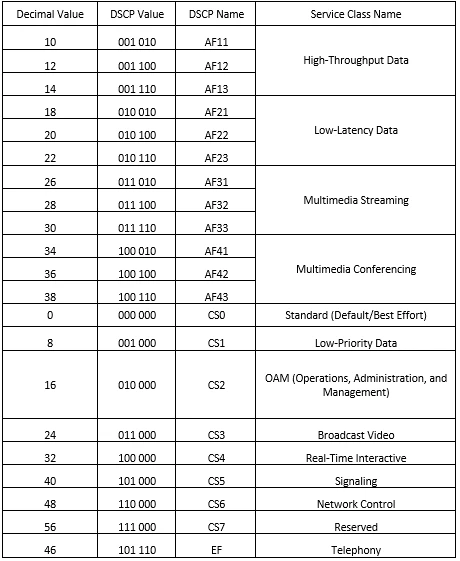
Enable DSCP with 101110 specified
{DSCP enables a scalable service difference in the IP network without the need for per-flow state and signaling at every hop. Networks can then utilize DSCP shape and tag the traffic to action priority-based queuing. DSCP is a number in the range from decimal value 0 to 63 that is placed into an IP packet to mark it according to the class of traffic it belongs in. The following table defines the relationship between service classes and DSCP markings.}
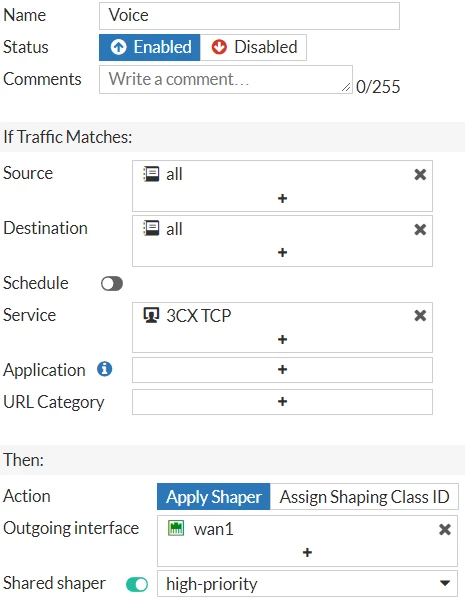
Then go to Policy & Objects > Traffic Shaping Policy and Create New and apply your Service and Shaper.
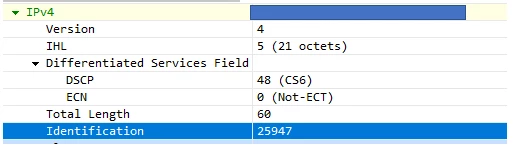
(packet capture shows it is applied)
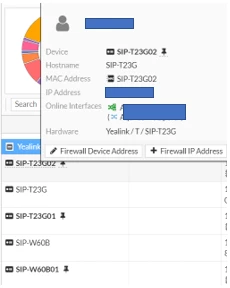
Go to Dashboard > Users and Devices > click on devices and Create firewall device for each phone
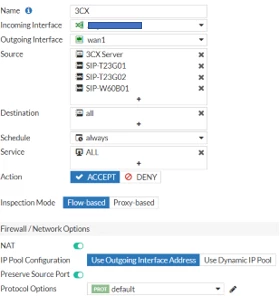
Go to Policy & Objects > Firewall Policy Create new, specify your Interfaces & Source, enable NAT and set Preserve Source Port
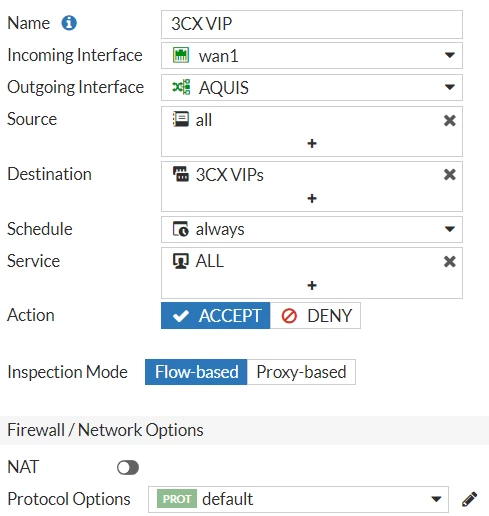
Now create your VIP policy, specify your interfaces and your VIP group & disable NAT.
Disable SIP ALG
Edit your Config so Session helper by removing 13, 19 and 20
config system session-helper
delete 13 (find SIP or MCGP)
delete 19 (find SIP or MCGP)
delete 20 (find SIP or MCGP)
end
Then Config System Settings
config system settings
set sip-expectation disable
set sip-nat-trace disable
set default-voip-alg-mode kernel-helper-based
set sip-nat-trace disable
end
exit
Clear all sessions or Reboot the device
Ideally you need one to one NAT (IP Pool) but if you have only one Public IP it causes a few other issues. So, leave the configs as is and you should be good.
Now after doing the following, I reduced / removed all scratching and no sound issues on the 3CX on-prem system. I have been running and listening to recordings and no issues.
I don't know if this is an issue for anyone else. Just thought I'd share.
References
https://help.fortinet.com/fos50hlp/54/Content/FortiOS/fortigate-voip-guide-52/Inside.htm
https://docs.fortinet.com/document/fortigate/6.0.0/handbook/459043/configuring-differentiated-services
https://help.fortinet.com/fos50hlp/54/Content/FortiOS/fortigate-traffic-shaping-54/TS_Configuration/TS_ToS_DSCP.htm
https://community.fortinet.com/t5/FortiGate/Technical-Tip-Using-VIP-range-for-SNAT-and-static-1-to-1-mapping/ta-p/191894?cmd=displayKC&docType=kc&externalId=FD31893