Technical Tip: Explicit proxy authentication using local authentication on FortiProxy
| Description | This article describes detailed configuration steps for enabling explicit proxy with local user authentication on a FortiProxy. |
| Scope | FortiProxy. |
| Solution |
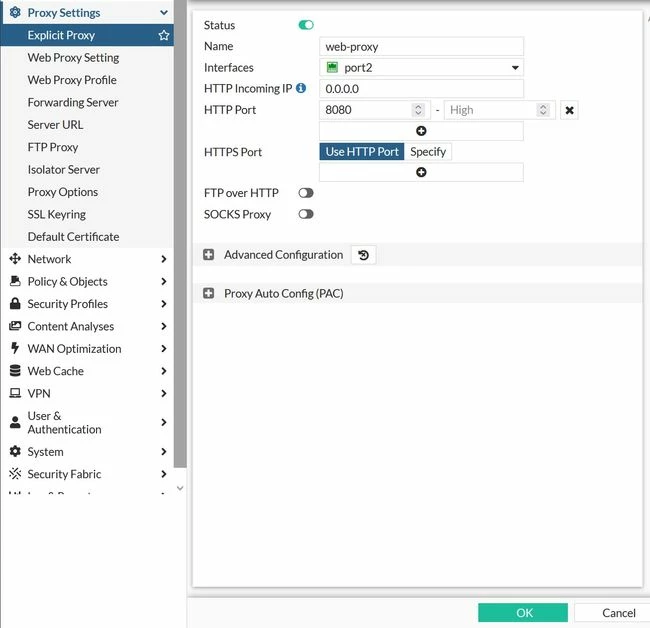
In the GUI:
In the CLI:
config web-proxy explicit-proxy edit "web-proxy" set status enable set interface "port2" next end
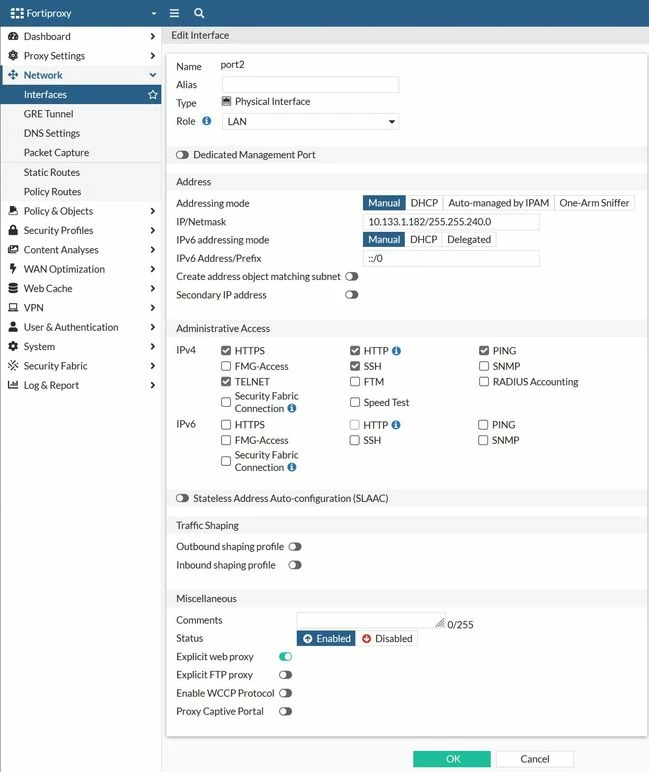
Enable the explicit web proxy on the interface:
Go to Network -> Interface and edit the interface.
From the CLI:
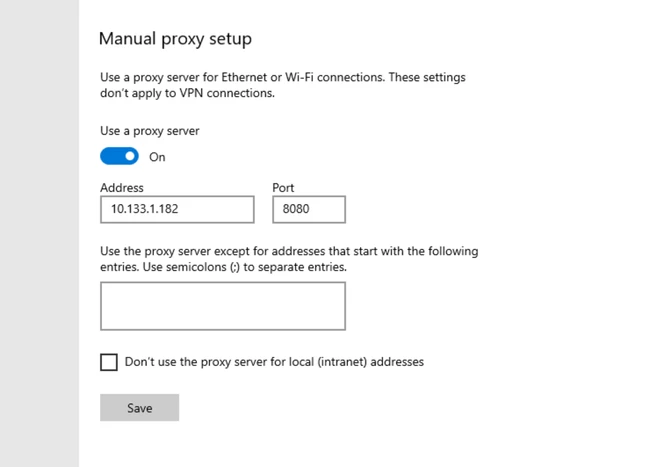
config system interface edit "port2" set ip 10.133.1.182 255.255.240.0 next end
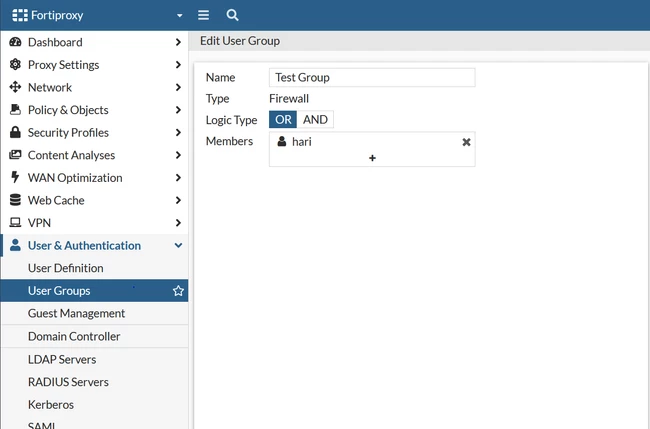
In the GUI:
In the CLI:
config user group edit "Test Group" set member "hari" next end
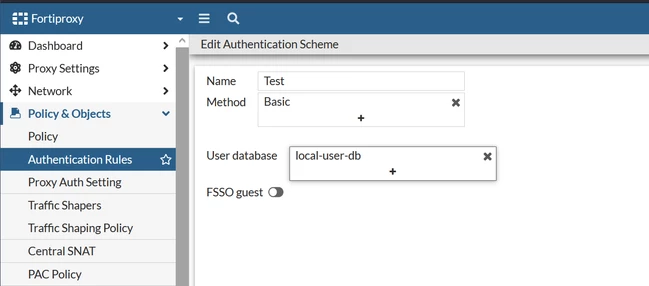
Set the method to 'basic' and the User database to 'local-user-db' to match the local user group.
In the GUI:
In the CLI:
config authentication scheme edit "Test" set method basic set user-database "local-user-db" next end
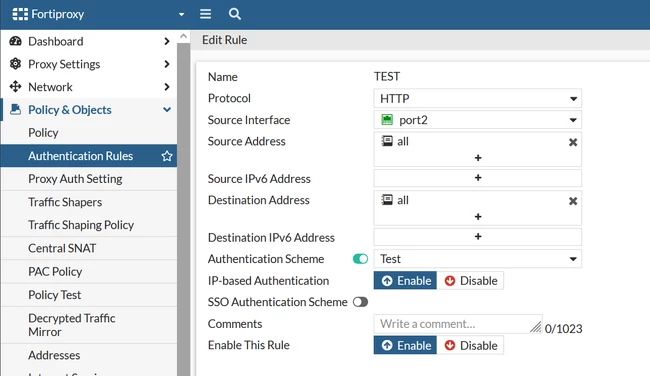
Create an authentication rule to match the source and incoming traffic to authenticate.
Create a New rule. Select source interface Source address all and Destination address all. Enable the authentication scheme and select the created Auth-scheme.
In the CLI:
config authentication rule edit "TEST" set srcintf "port2" set srcaddr "all" set dstaddr "all" set active-auth-method "Test" next end
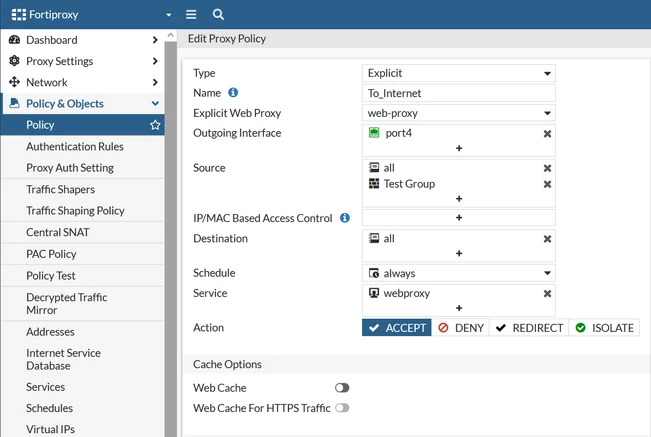
In the GUI:
In the CLI:
config firewall policy
In the GUI:
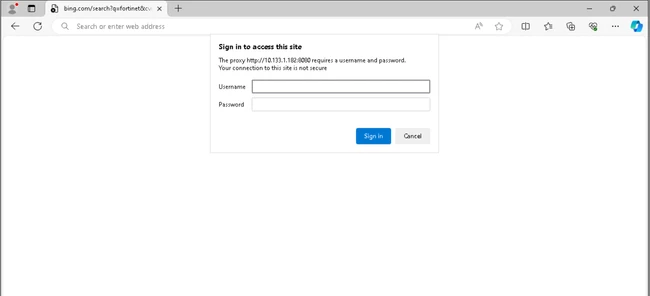
To verify the authenticated users list from the FortiGate CLI, run the following command:
diagnose wad user list ID: 10, VDOM: root, IPv4: 10.133.1.178 |