




Troubleshooting Tip: LDAP functionality check
Description
This article describes how to verify connectivity to the LDAP server and confirm that LDAP queries from FortiMail work as expected.
Scope
FortiMail v7.6.x, v7.4.x, v7.2.x, v7.0.x.
Solution
Verify connection and credentials using Browse in an LDAP profile:
Open the LDAP profile under Profile -> LDAP.
Select Browse…:
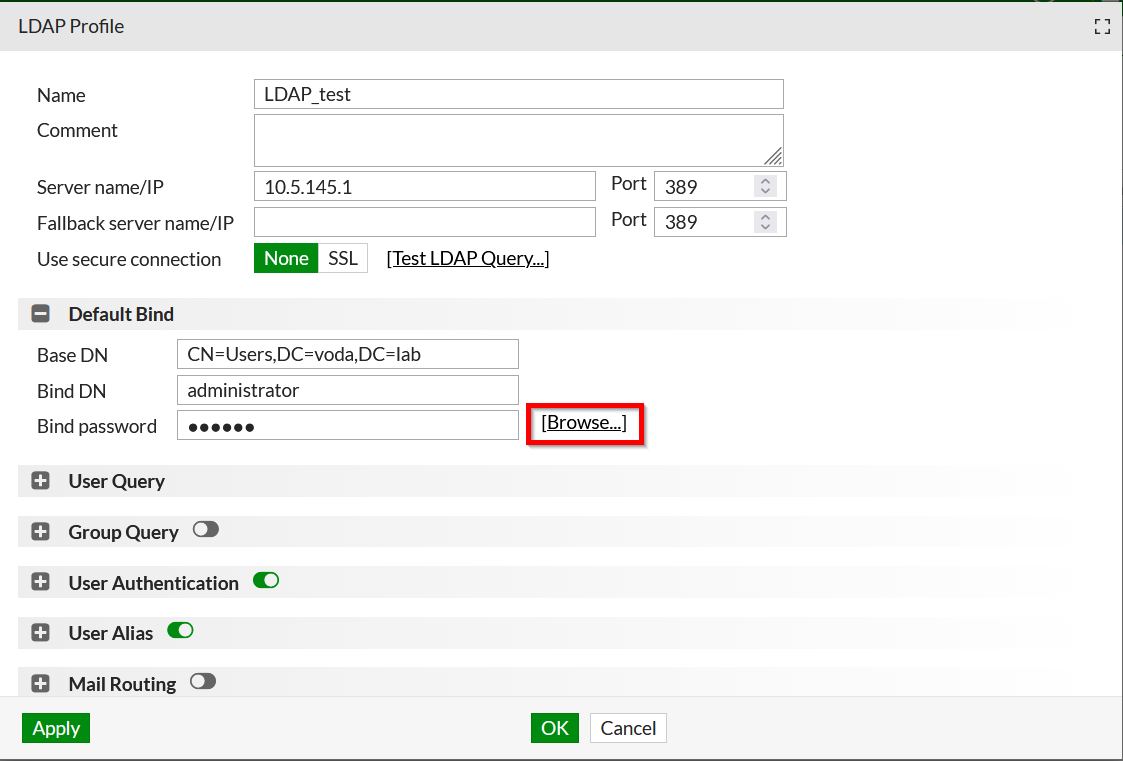
If the output shows values, it means that the connection is successful.
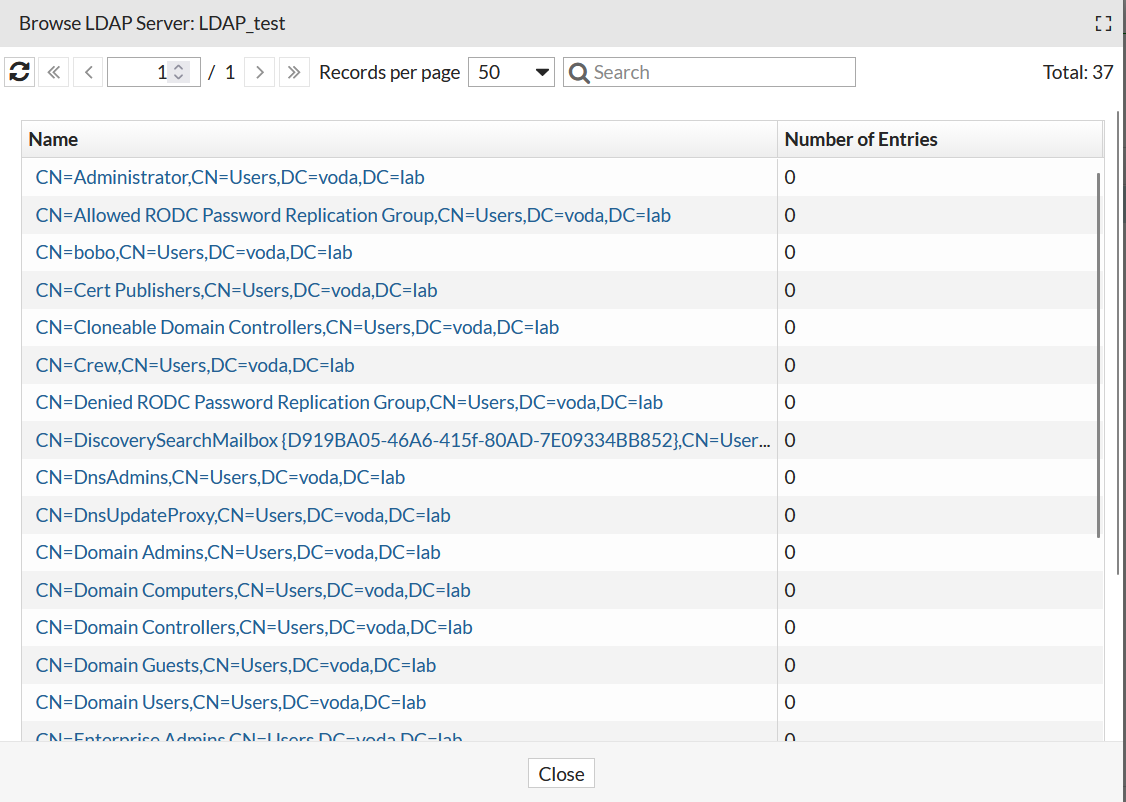
If the output is empty, check if the bind credentials in the LDAP profile are current.
Also, check the connection to the LDAP server with the command:
execute telnettest <LDAP_SERVER_IP_ADDRESS>:389
If the output is NOT 'Connected', check upstream devices if the LDAP traffic is allowed.
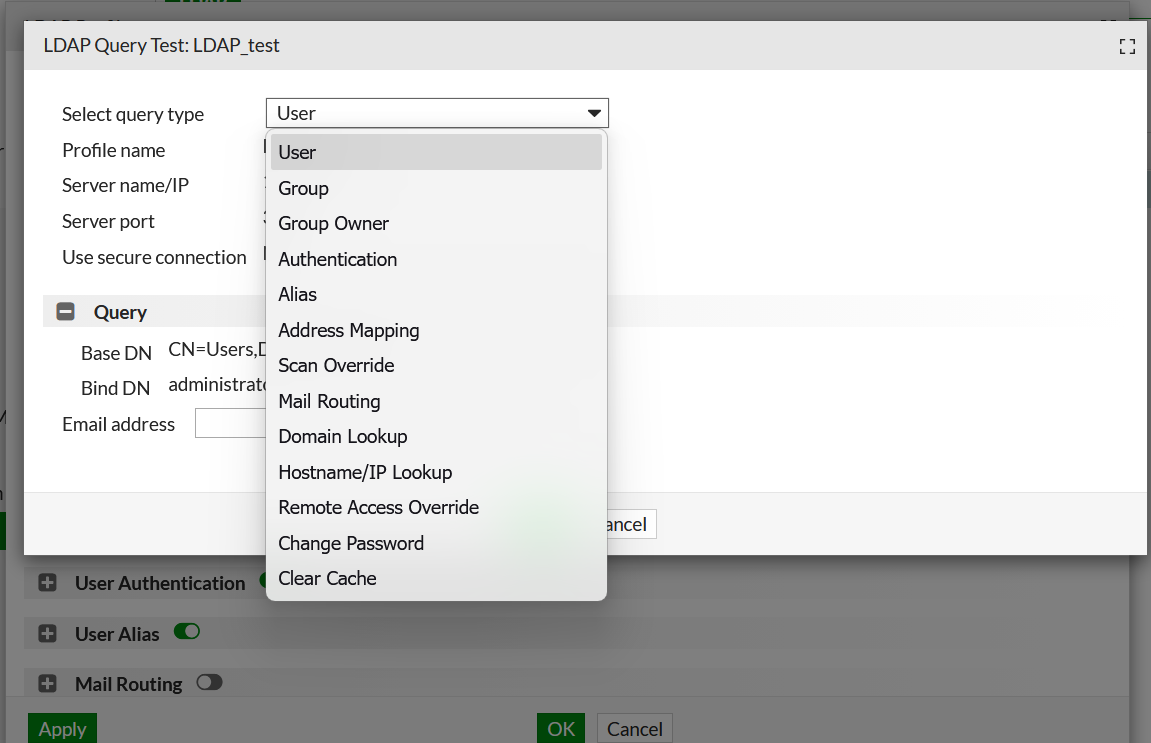
There is also an option to test a specific LDAP query:
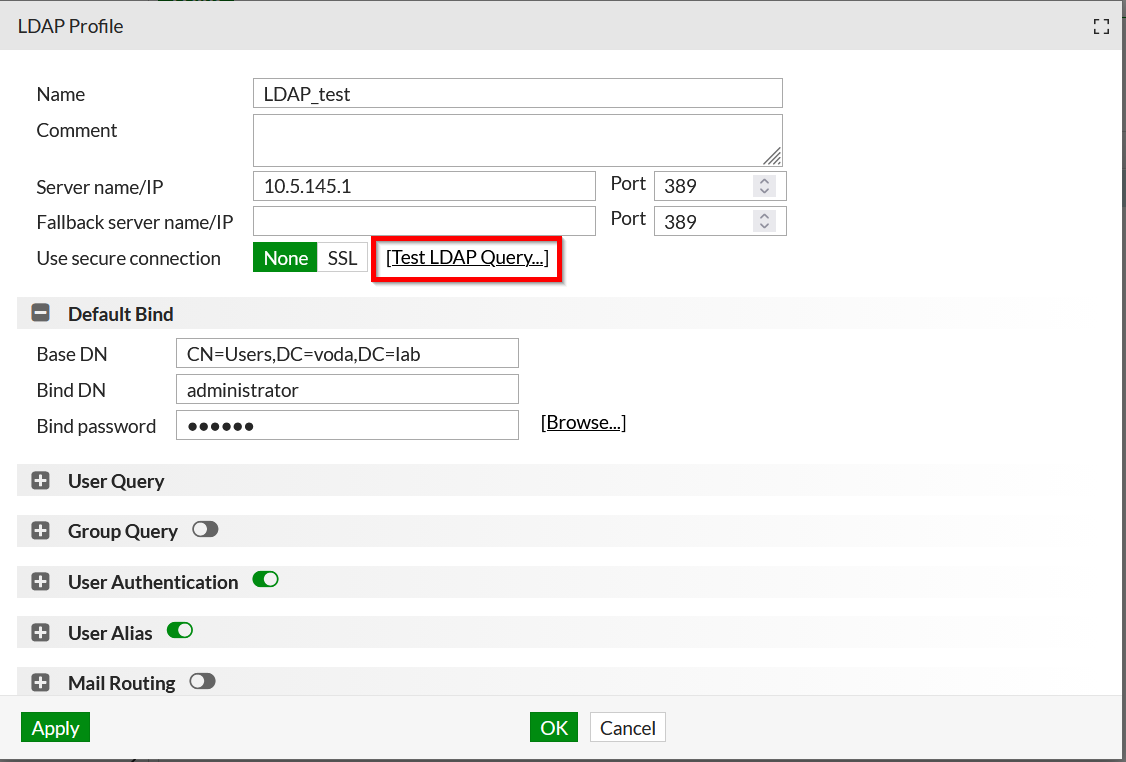
This option provides tests for different query types:
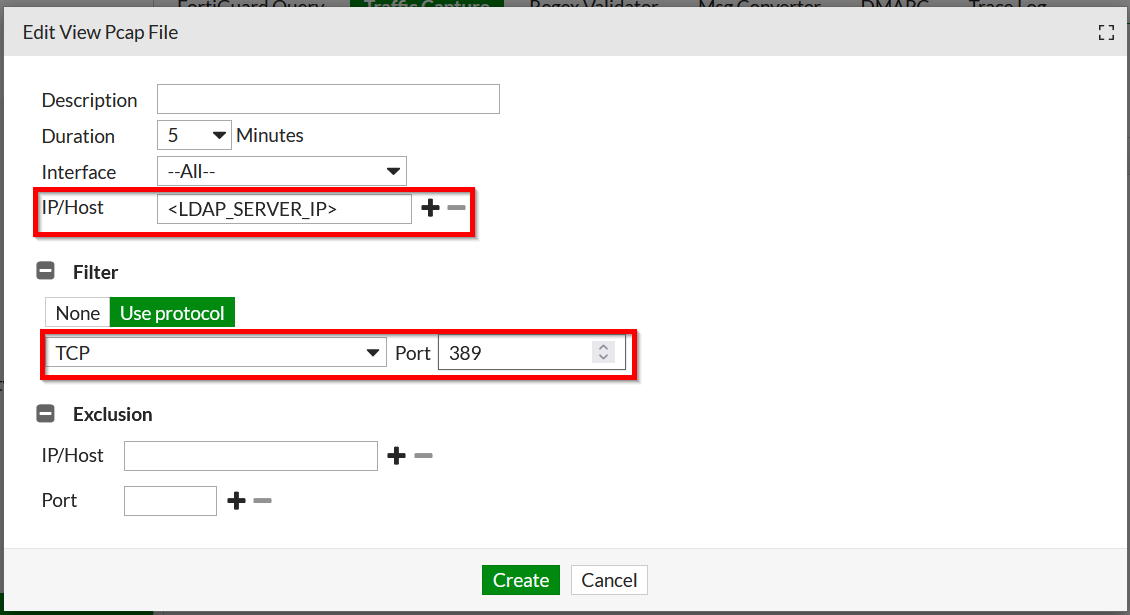
Capture LDAP traffic under System -> Utility -> Traffic Capture -> New.
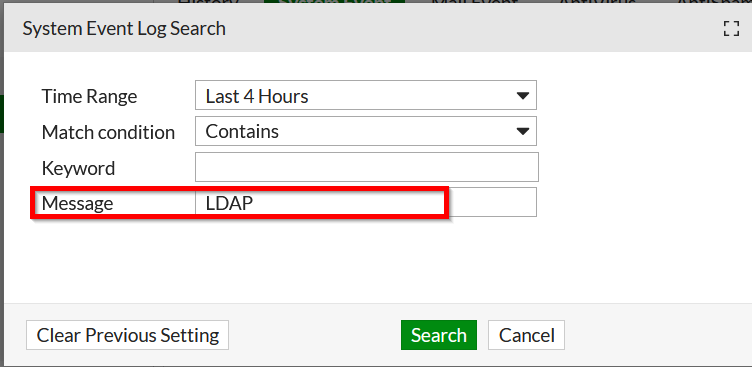
The system log provides LDAP-related information. Under Monitor -> Log -> System Event -> Search, search for LDAP in the Message field.
The search output example:
