| Solution | - To create the WIFI map, use the following document: WiFi maps
- On the top right, many filters that can be used for troubleshooting purposes are visible:
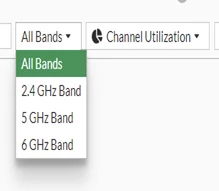
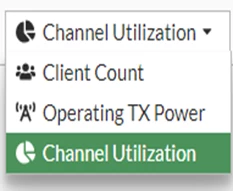
- After adding the FortiAP to the map, it is also possible to filter using the band being broadcasted [i.e., 2.4 GHz/5 GHz/6GHz].
- It is possible to see the Total clients/users connected to the FortiAP and also to limit the number of users: Limiting the number of clients
- Moreover, it is possible to see how much transmit power is being utilized: Technical Tip: FortiAP is not showing the TX power configured
- There is one more filter possible to use 'Channel Utilization' using the one to identify the device causing interference and take the necessary action, such as removing the device from the RF environment.
Note: Uploading files in PNG, JPEG, or GIF format is only possible. PDF files are not supported. |






