Technical Tip: User password policy
| Description | This article describes how to configure a user password policy. |
| Scope | FortiGate, FortiPAM. |
| Solution | Configure password expiry and warning for the local users, with users being prompted to change passwords upon expiry.
The below KB article will help to create a local user: Technical Tip: Local user authentication.
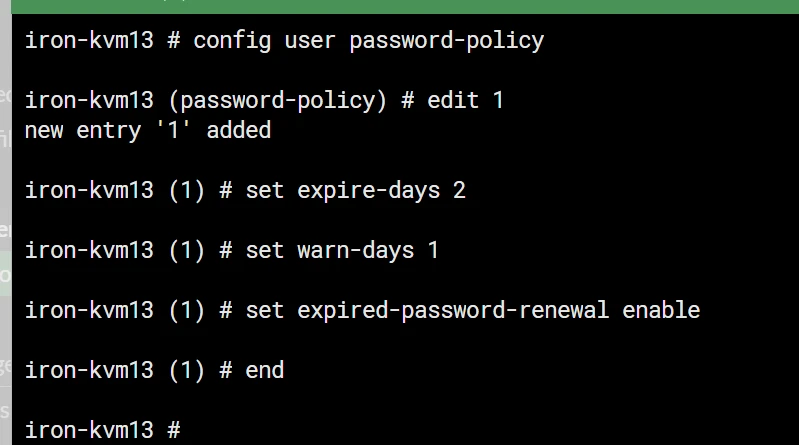
Create a password policy through the CLI:
Default expiry days are 180, and the range available to configure is from 0 to 999 days. Similarly, default warning days are 15, and the range available is from 0 to 30 days.
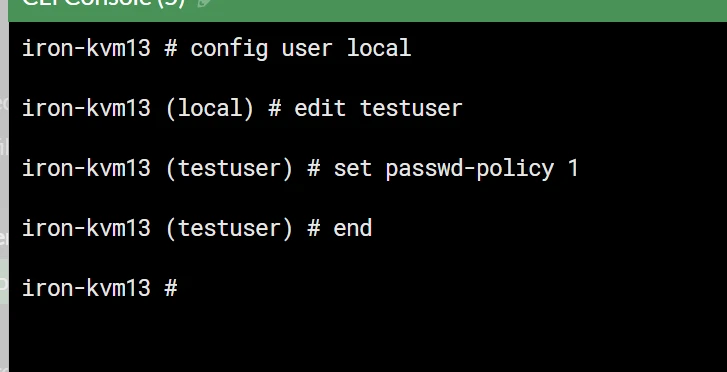
Post-configuring the password policy, map it to the local user as below.
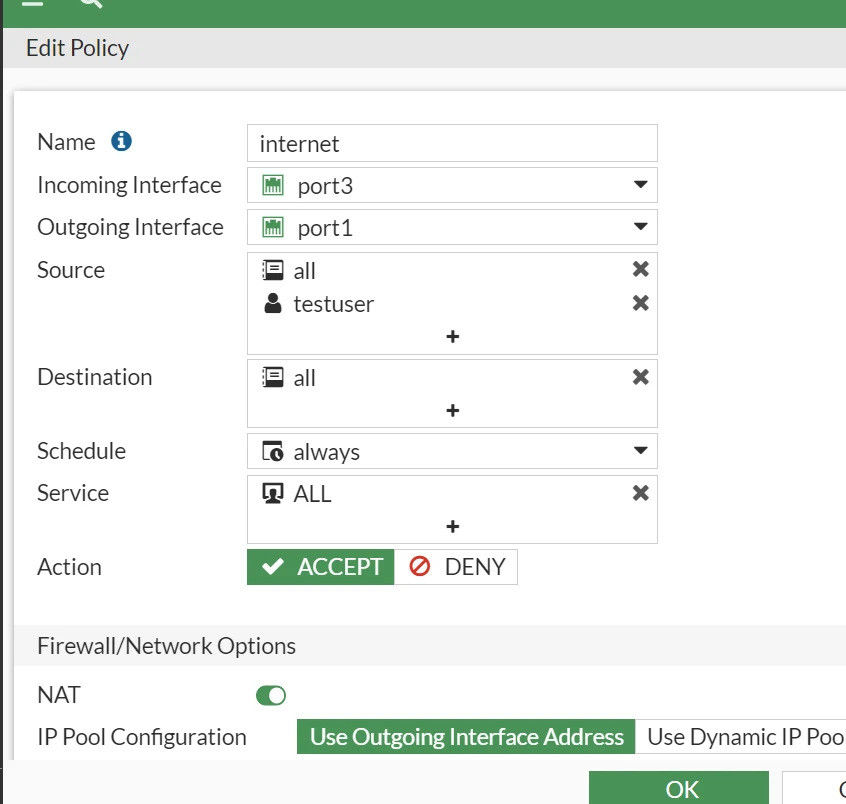
Add the user to the firewall policy for the authentication.
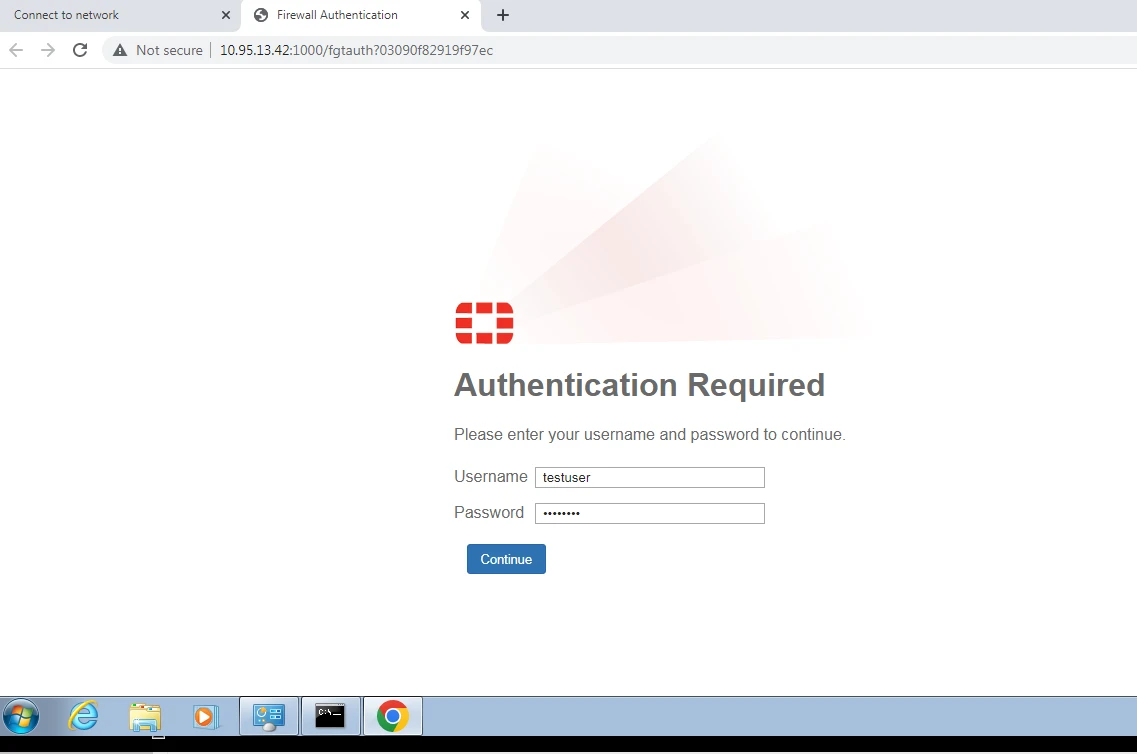
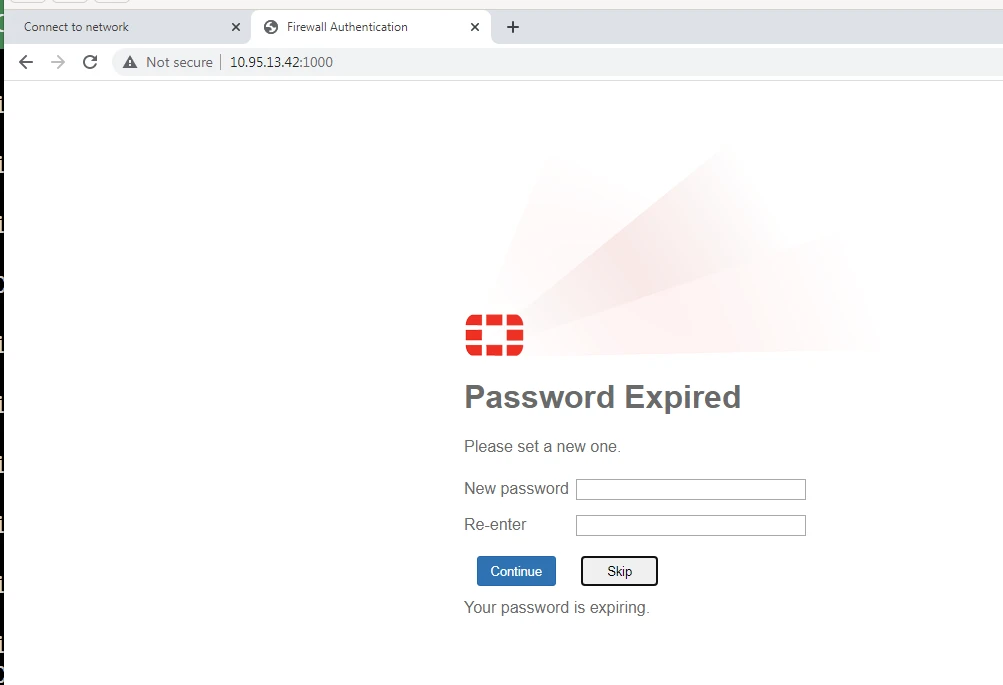
The result can be seen below:
The password can be changed from the captive portal.
Additional note: If, after upgrading to branch v7.4, the password policy is not effective even though the configuration is still there, the following option must be enabled via CLI:
config user password-policy edit 1 set expire-status enable next end
Notes:
There are scenarios where the FortiPAM tool is used for managing password rotation. In such cases, it is not necessary to enable the password expiry policy on FortiGate.
The FortiPAM tool can handle the rotation, ensuring that passwords are changed regularly and securely.
However, it is recommended to keep password complexity rules enabled on the FortiGate. This ensures that any passwords set or changed directly on the FortiGate meet the required security standards, regardless of the FortiPAM tool's management.
Consider the following factors below when using the FortiPAM tool for managing password rotation on FortiGate:
Related documents: |