- Configure Loopback Interface.
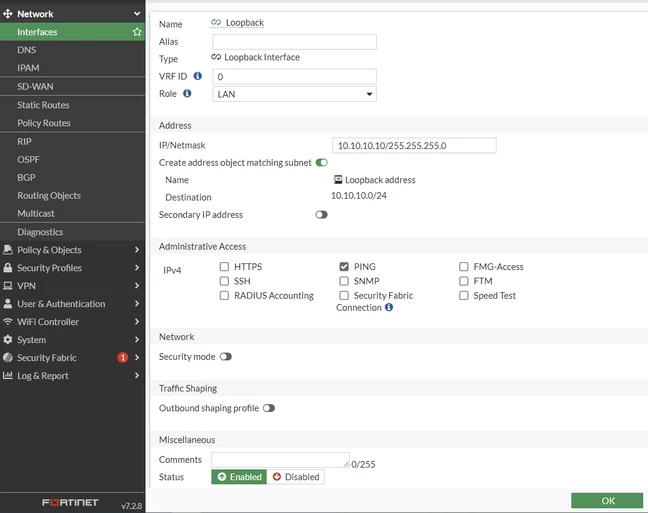
CLI Reference:
config system interface
edit "Loopback"
set vdom "root"
set ip 10.10.10.10 255.255.255.0
set allowaccess ping
set type loopback
set role lan
set snmp-index 31
next
end
2. FortiGate WAN Interface and static route (port2 in this example). 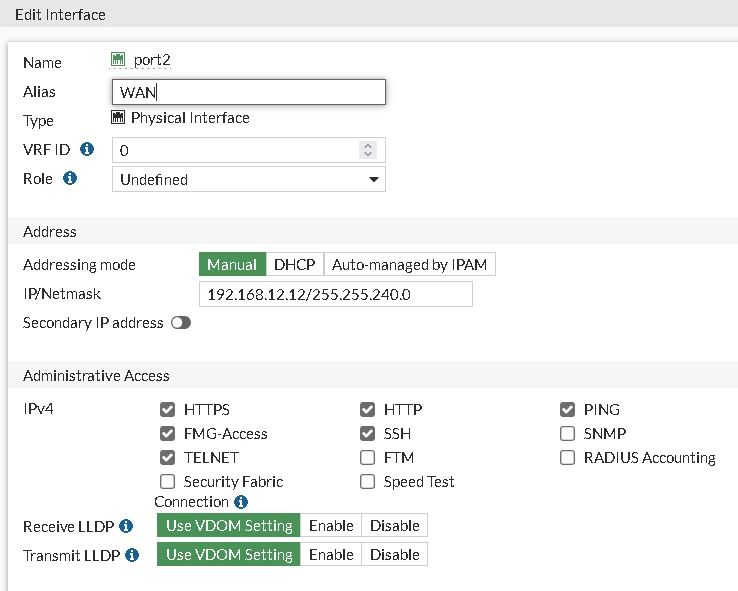 
CLI Reference:
config system interface
edit "port2"
set ip 192.168.12.12 255.255.240.0
set allowaccess ping https ssh http ftm
next
end
config router static
edit 1
set gateway 192.168.12.1
set device "port2"
end
- Configure Virtual IP using External IP address of port2, specify port2 as the interface and the mapped IPv4 address as the IP of the Loopback interface with ports matching those of the SSLVPN port.
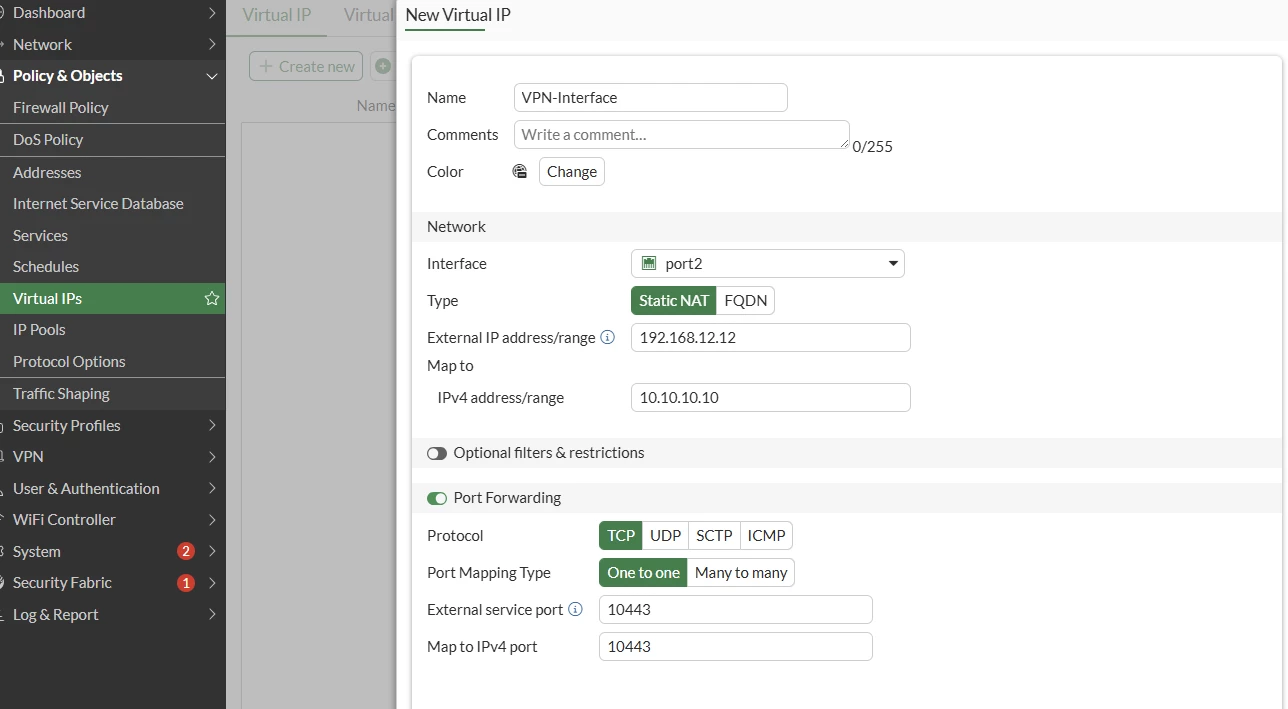
CLI Reference: config firewall VIP
edit "VPN-Interface"
set extip 192.168.12.12
set mappedip 10.10.10.10
set extintf "port2"
set portforward enable
set extport 10443
set mappedport 10443 <--- The same port where SSL will listen on.
next
end - Configure SSL VPN using Loopback Interface.
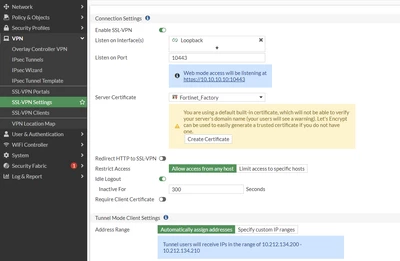
CLI Reference: config vpn ssl settings
set servercert "Fortinet_Factory"
set tunnel-ip-pools "SSLVPN_TUNNEL_ADDR1"
set tunnel-ipv6-pools "SSLVPN_TUNNEL_IPv6_ADDR1"
set source-interface "Loopback"
set source-address "all"
set source-address6 "all"
set default-portal "test"
end - Configure the Firewall policy for VIP access from outside.
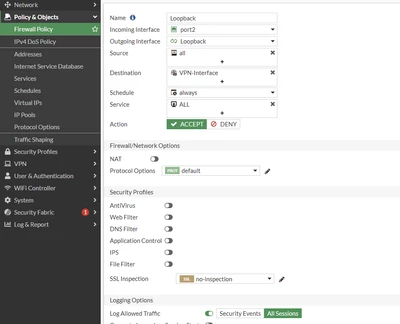
CLI Reference: config firewall policy
edit 14
set name "Loopback"
set srcintf "port2"
set dstintf "Loopback"
set action accept
set srcaddr "all"
set dstaddr "VPN-Interface"
set schedule "always"
set service "ALL"
next - Configure the Firewall policy for SSL VPN users.
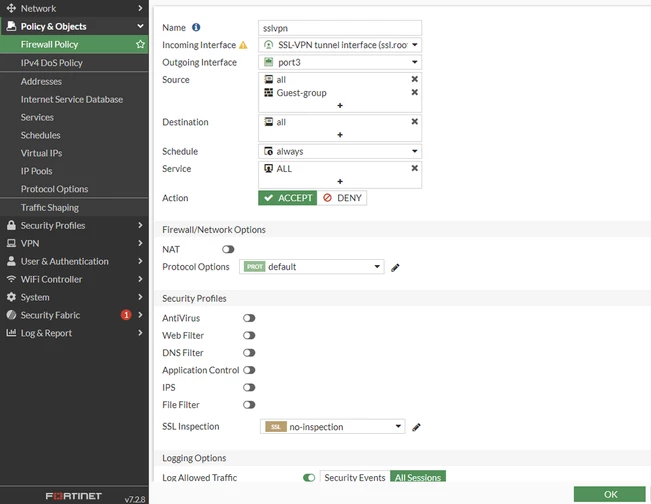
CLI Reference:
config firewall policy
edit 12
set name "sslvpn"
set srcintf "ssl.root"
set dstintf "port3"
set action accept
set srcaddr "all"
set dstaddr "all"
set schedule "always"
set service "ALL"
set groups "Guest-group
next
end
- To harden the SSL VPN service to protect against failed login attempts, further restrictions can be put on the source on the WAN to the Loopback policy to specify allowed Geographical locations.
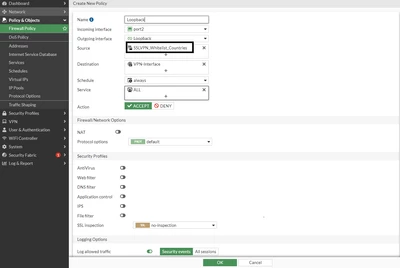
CLI Reference:
config firewall policy
edit 14
set name "Loopback"
set srcintf "port2"
set dstintf "Loopback"
set action accept
set srcaddr "SSLVPN_Whitelist_countries"
set dstaddr "VPN-Interface"
set schedule "always"
set service "ALL"
next
end
- Connect to the SSL VPN using the Virtual IP.
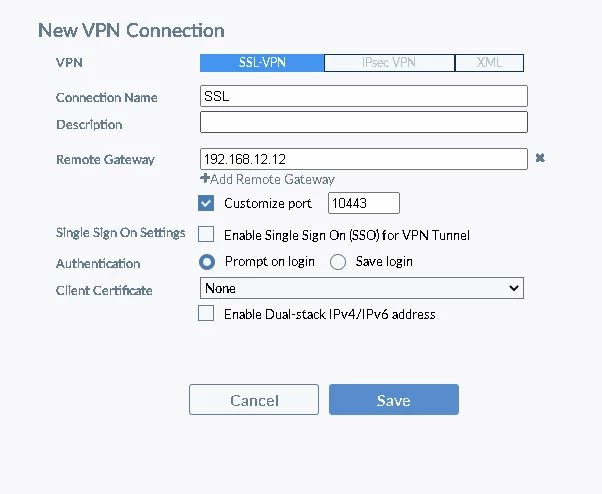 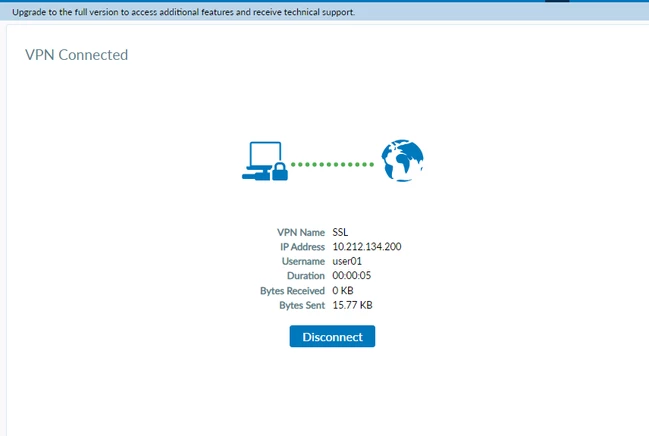
In some cases, if a user is required to connect to VPN through an internal network or Wi-Fi connection while both are behind the firewall, then one more policy is required that from the LAN or the Wi-Fi interface to the SSL VPN loopback interface. 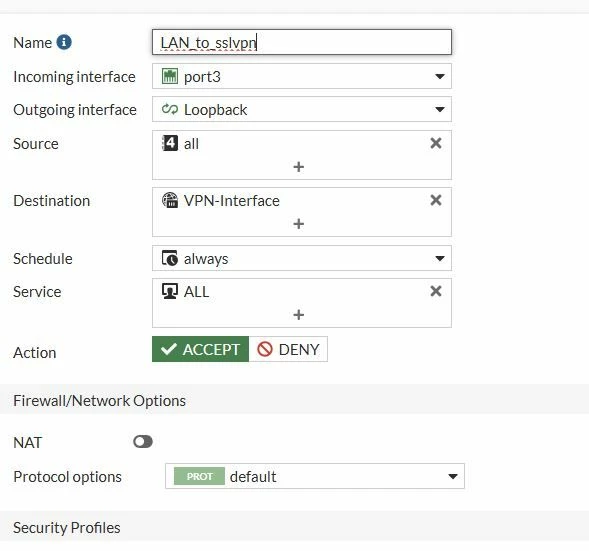
SSL VPN user list:
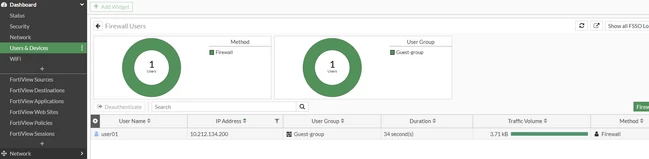 Note: Even with this setup, the Banned-IP or Quarantine IP feature will not be able to block SSL VPN connection attempts. Banned-IP or Quarantine IP feature is only applied to real forwarding traffic, traffic that goes through FortiGate. | 



