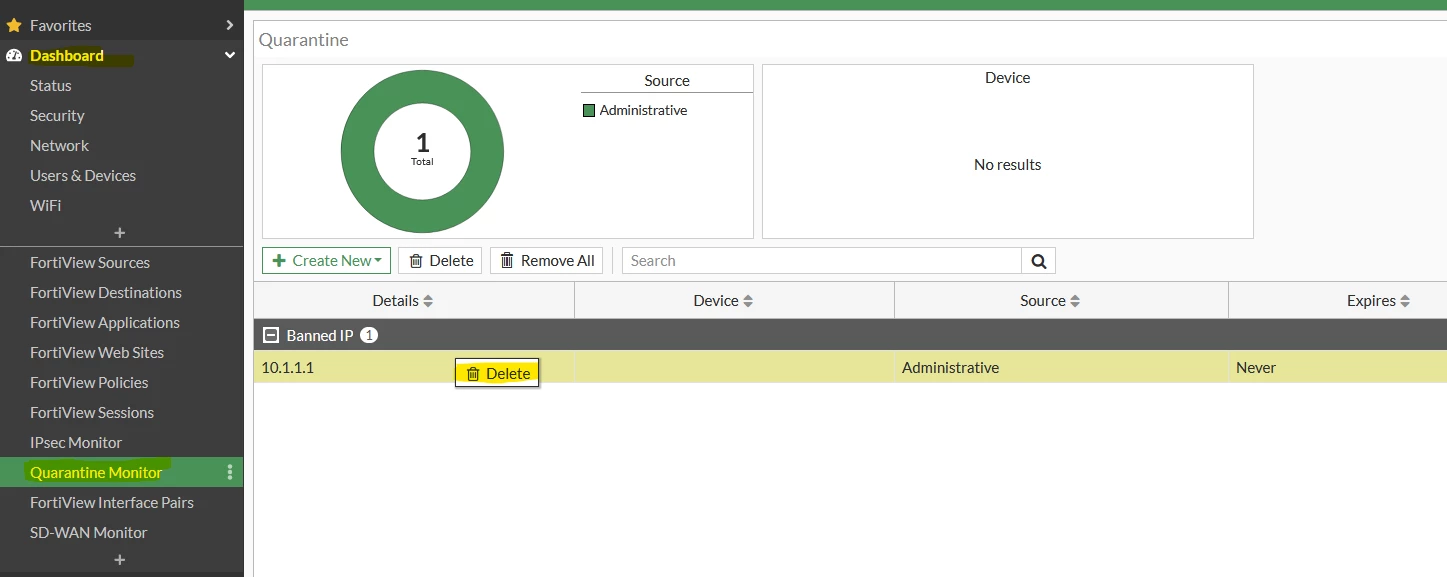
Technical Tip: Remove Banned IP
| Description | This article describes how to list/remove a banned IP from the list on a FortiGate. |
| Scope | FortiGate. |
| Solution |
This will remove the banned IP from the list and allow traffic from that IP to pass through the FortiGate. To list the Banned IPs from the CLI, it is possible to use the below command on v7.0 and under:
diagnose user quarantine list
From v7.2 moving forward, the command to list the banned IPs from the CLI is:
diagnose user banned-ip list
To delete the Banned IPs from the CLI, it is possible to use the below command:
diagnose user banned-ip delete src4 x.x.x.x <----- For v7.2 moving forward.
Related articles: Technical Tip: How to block SSL VPN Connection from a certain source IP Address Technical Tip: How to permanently block SSL VPN failed logins using an Automation Stitch |