pmeet
Staff
Staff
August 25, 2023

Technical Tip: Getting Started with FIPS-CC enabled

  • August 25, 2023
  • 0 replies
  • 6880 views
Description This article describes how to get started once the FIPS-CC is enabled.
Scope FortiGate.
Solution

To enable FIPS, refer to Technical Tip: How to enable FIPS-CC mode.


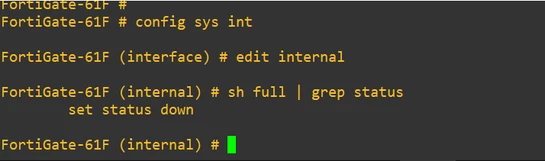
  • Once the FIPS is enabled on FortiGate, all the interfaces are administratively down along with the admin access will be reduced to only allow ping.
  • It is necessary to bring each interface up from the CLI and enable the proper admin access necessary to continue configuration, especially if GUI access is required.
  • If the interfaces are part of hardware or software switch both the physical and the switch interface needs to enabled.
 

FIPS-4.PNG


config system interface

    edit internal

        set status up

        set ip <ip_address> <netmask> 

        set allowaccess ping https

end


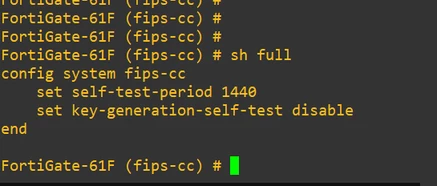
Note: Once FIPS-CC is enabled on FortiGate, it is not possible to disable via the command set status disable.


FIPS-3.PNG


Run the execute factoryreset command to reset the device to the factory default configuration to disable the FIPS-CC on FortiGate.

    Thought Leadership Security Summit. Outpace New Threats with AI - enhanced defense. Tuesday, Septmeber 15, 8:30 AM - 2:30 PM PT. The Golf Club at Newcastle, WA.
    Virtual event | September 2026. SASE summit. The age of autonomous trust. Register here!