Technical Tip: FortiOS Admin only CLI access
Description
This article describes how to prevent Administrator access to the GUI but still allow admin access via the CLI.
Scope
Configure an administrator to access only via SSH, CLI.
Solution
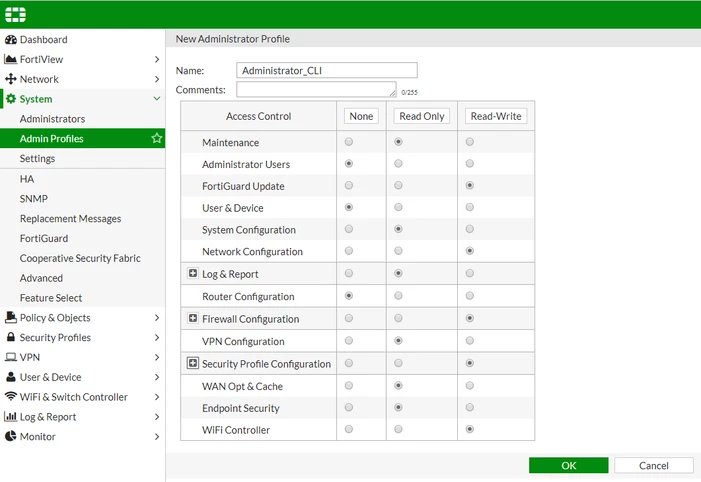
- Create an Administrator Profile in the GUI: Here, it is possible to define which access controls are required None, Read Only & Read-Write. System -> Admin Profiles -> Create New.
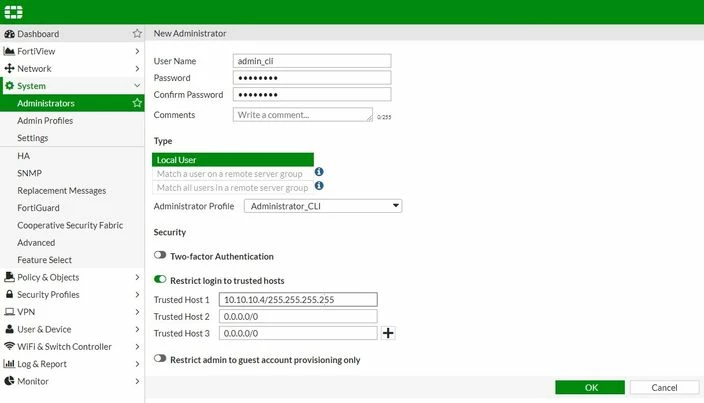
- Create an administrator: Create the Administrator user and apply the administrator Profile created in Step 1. Enable Restrict login to trusted hosts -> Define the IP ranges for admin access. System -> Administrators -> Create new.
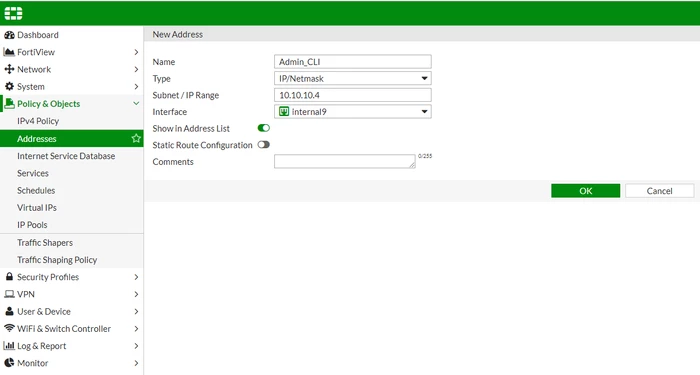
- Create a new Object/Address: Create an IP Address object with the same range as the admin Trusted Host (Step 2).
Policy & Objects -> Addresses -> Create new address.
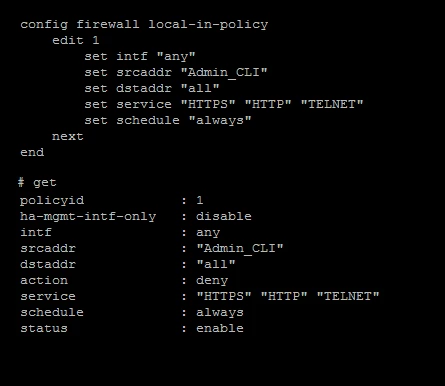
- Enable local-in-policy: Configure the local-in policy to reject HTTP, HTTPS, and TELNET. This will only allow SSH CLI access.
Note:
Starting from FortiGate v7.6.0, the Local-in-Policy can also be configured in the GUI. Refer to this KB article: Technical Tip: Creating a Local-In policy (IPv4 and IPv6) on GUI
Verification:
Results:
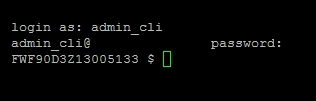
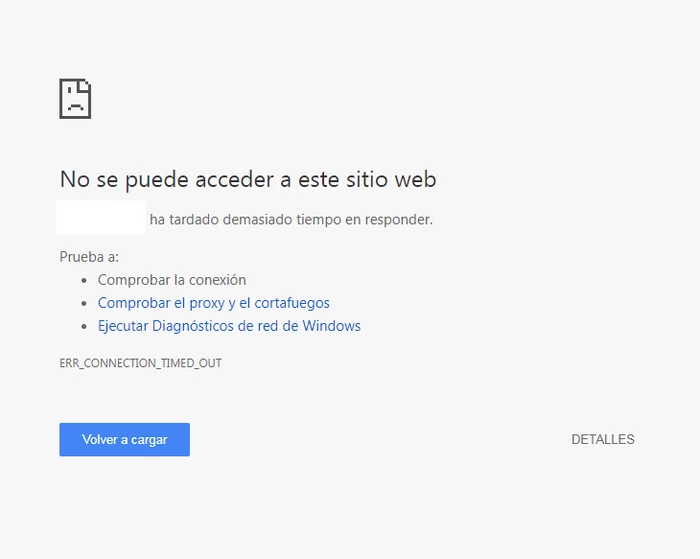
admin_cli has access only via CLI and not via GUI