


Technical Tip: FortiGate Cloud Report without subscription
Description
This article describes the available report on FortiGate Cloud without a subscription.
Scope
FortiGate Cloud.
Solution
360 Degree Activities Report is available without a subscription. Subscribe to FortiGate Cloud to receive other reports.
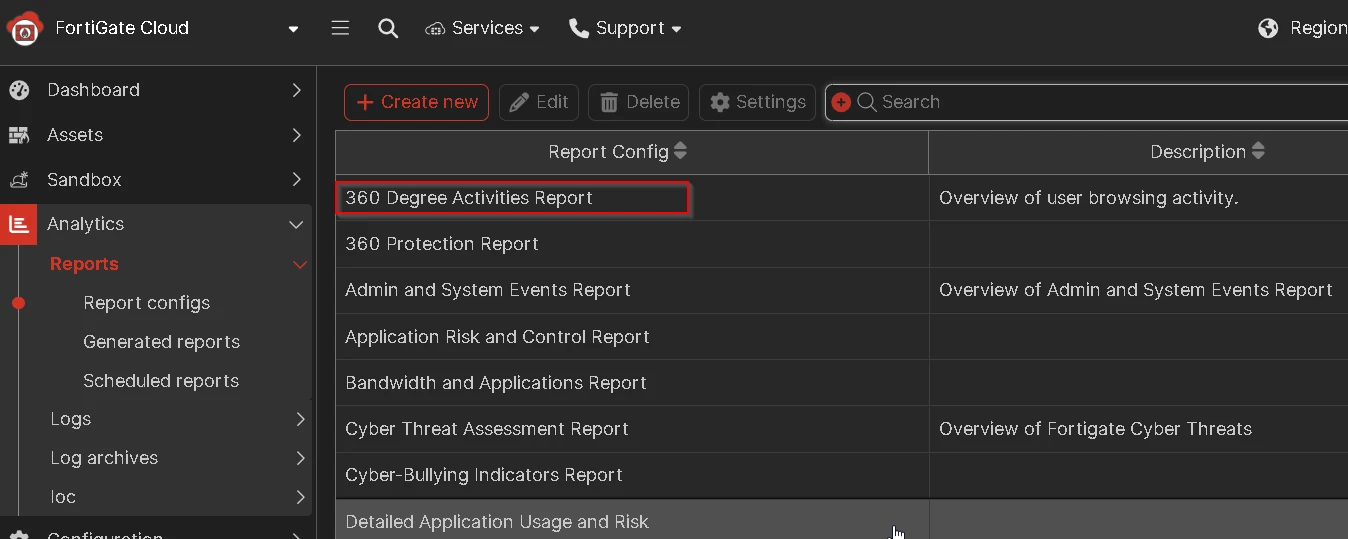
See the page 16 under Feature Comparison in the FortiGate Cloud administration guide:
Administration Guide FortiGate Cloud 24.2.
Subscribe:
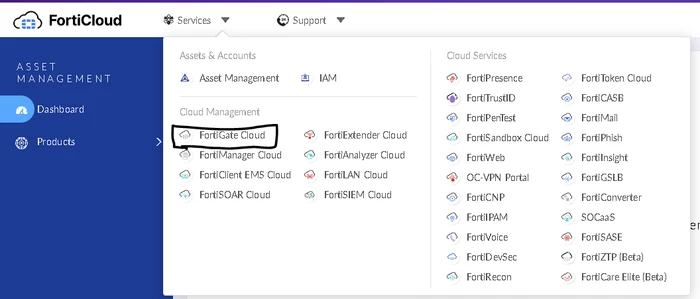
- To subscribe to the 360 Degree Activities Report on the original layout, first go to FortiGate Cloud.
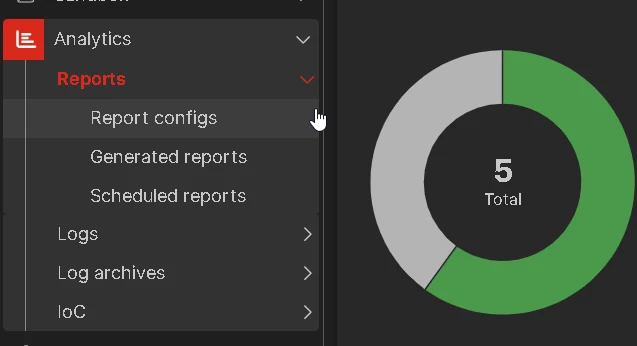
- Select Analytics on the left pane & then select 'Scheduled reports' under 'Reports'.
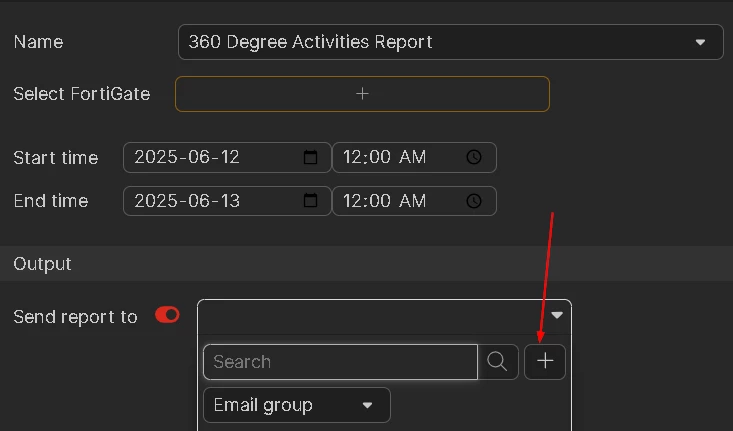
- Go to 'Run Report' on the top right-hand side and select 360 Degree Activities Report, and select the FortiGate in case have multiple FortiGate units.
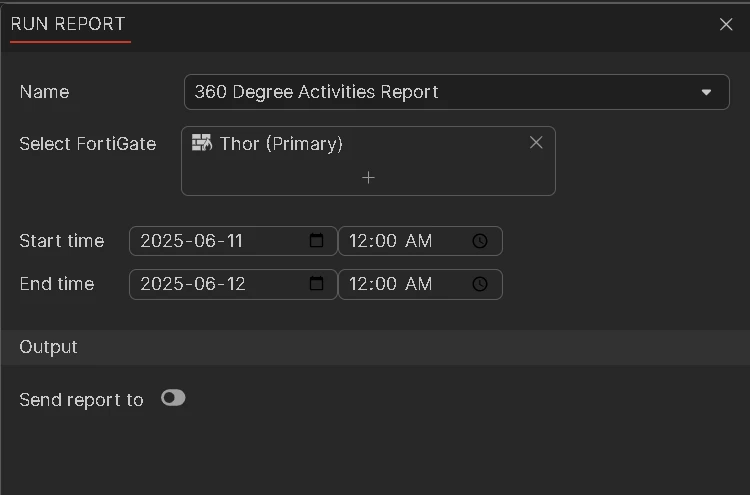
To add multiple email addresses, add multiple recipients by selecting the '+' sign as shown below.
To unsubscribe from scheduled reports:
Select the Scheduled Reports section and choose the report that needs to be unsubscribed. The 'Delete' button will then appear, as shown in the picture below.
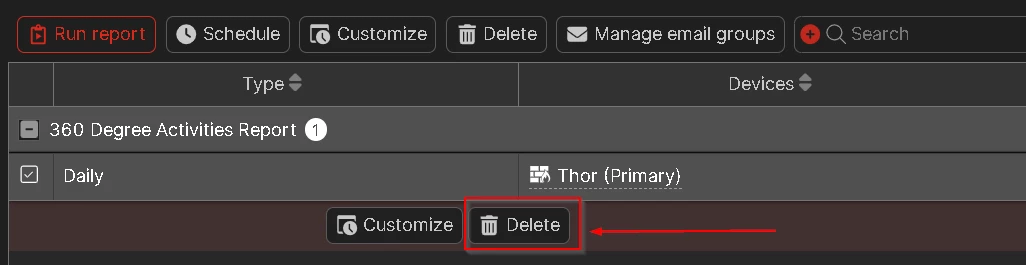
After that, it will be unsubscribed from the 360 Degree Activities Report.
Note:
If the report is generated and it says 'No Data' in all the fields of the report, refer to this KB article: Troubleshooting Tip: 360 Degree Report has 'No data to display' issue
It is required for FortiGates without a FortiGate Cloud subscription to upgrade to the latest patch release build to do report generation. More information in this KB article: Technical Tip: Unable to run 360 Degree Activities Report
If the issue persists, create a TAC ticket to resolve the issue.
Starting with FortiGate Cloud v25.1, it is not possible to customize or schedule this report. FortiGate Cloud will automatically run this report every week.
Related article:
Technical Tip: Add or remove FortiGate from cloud schedule reports


