



Technical Tip: FGSP configuration notes
Description
This article describes the FortiGate Session Life Support Protocol (FGSP), which was introduced in FortiOS v5.0. In previous versions of FortiOS, this feature was known as 'standalone session sync' and only supported TCP sessions, it did not support asymmetric traffic and had other deployment limitations. FGSP was designed to overcome these limitations. It supports asymmetric traffic, TCP, UDP, ICMP sessions as well as NAT sessions. FGSP also supports configuration synchronization between FortiGates.
Scope
FortiGate.
Solution
In order for session synchronization and standalone config synchronization to work correctly, the heartbeat interface must be specified.
By default, two interfaces are configured to be heartbeat interfaces, and the priority for both these interfaces is set to 50.
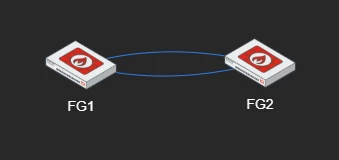
So, after configuring session sync/configuration sync, the administrator must check if those interfaces are connected to the other unit and also configured on the peer in 'config system ha'.
But if the default values were modified in time and the heartbeat devices were removed from the configuration, the interfaces must be added back in order to have a working FGSP.
FGVM # config system ha
FGVM (ha) # set hbdev port1 50 port2 50
FGVM(ha) # end
FGVM#
Standalone configuration synchronization uses a very similar process as FortiGate Clustering Protocol (FGCP). There is a master/backup relationship between the two FortiGates, similar to FGCP, but only of configuration synchronization not session information. The master is selected by using priority/override. The heartbeat is used to check the master's health and once heartbeat loss detected, a new master is selected.
So, based on the above notes, the following settings should be added in 'config system ha':
config system ha
set standalone-config-sync enable
set session-pickup enable
set session-pickup-connectionless {enable | disable}
set session-pickup-expectation {enable | disable}
set session-pickup-nat {enable | disable}
set hbdev []...
set priority [0 - 255]
set override enable/disable
end
set standalone-config-sync enable
set session-pickup enable
set session-pickup-connectionless {enable | disable}
set session-pickup-expectation {enable | disable}
set session-pickup-nat {enable | disable}
set hbdev []...
set priority [0 - 255]
set override enable/disable
end
Related article:
Technical Tip: Configuration Guide: FortiGate Session Life Support Protocol (FGSP)