Technical Tip: Configuring a RADIUS server
| Description | This article describes how to configure a RADIUS server. |
| Scope | FortiGate. |
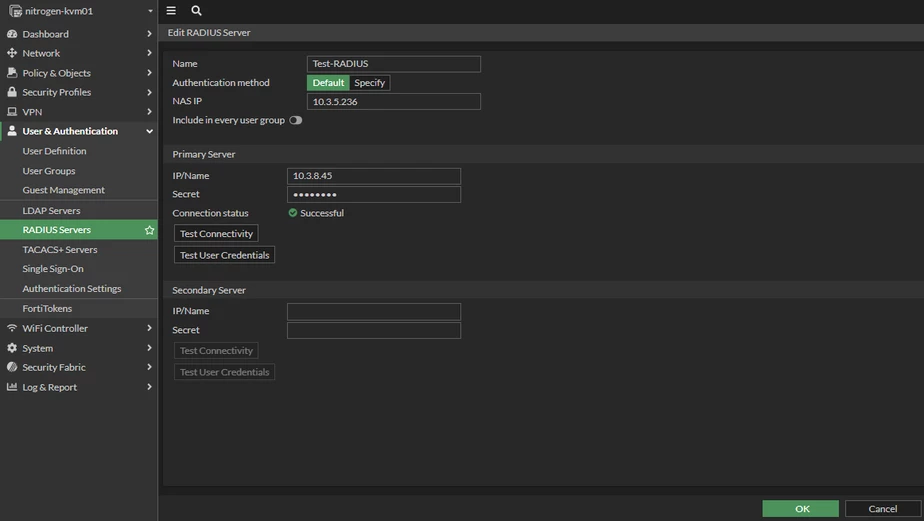
| Solution | To configure the Radius server from the GUI: go to User & Authentication -> Radius Server and select 'Create New'.
After that, fill in the NAS IP address, the RADIUS server IP address, and the shared secret key.
It is also necessary to test the connection and test user credentials to verify if the connection is established and the user credentials are correct.
To configure the same on the CLI, follow the command below:
set nas-ip "10.3.5.236"
To check if the user credentials are correct from the CLI, run the command below:
diagnose debug app fnbamd -1 diagnose debug enable
Sometimes it is necessary to specify the source IP on the RADIUS server settings if there is a specific RADIUS client IP specified on the RADIUS server.
config user radius
Related document: |