| Solution | - Go to Policy & Objects -> Addresses and select Create New Address:
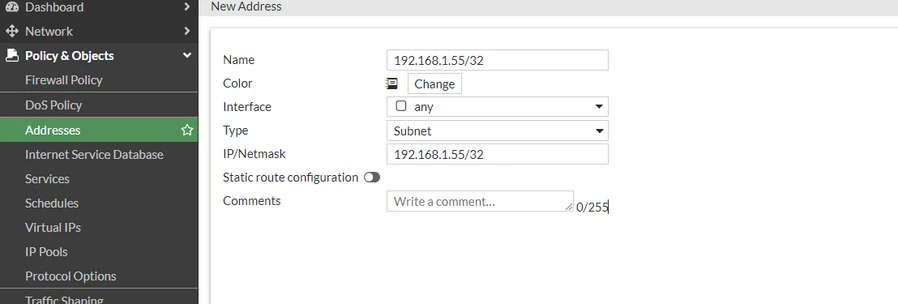
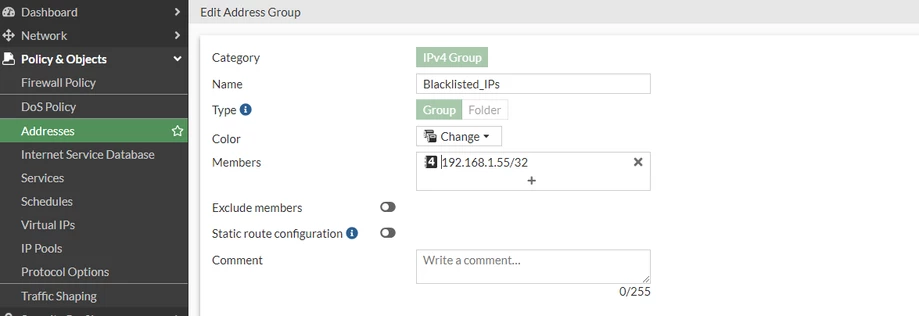
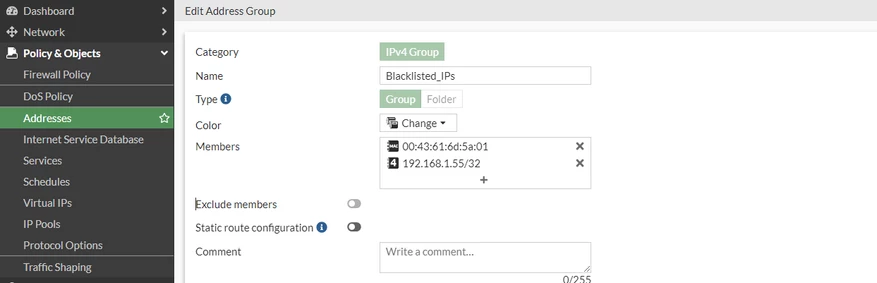
An address called '192.168.1.55/32' has been created with type subnet and IP address 192.168.1.55/32. - Go to Policy & Objects -> Addresses, select Create new address group called Blacklisted_IPs, and add the newly created address as member:
- Go to Policy & Objects -> Firewall Policy, select Create new Ipv4 policy named No internet access, and add the Blacklisted_IPs as source address with destination address set to all addresses. Do not forget to set the action to deny.
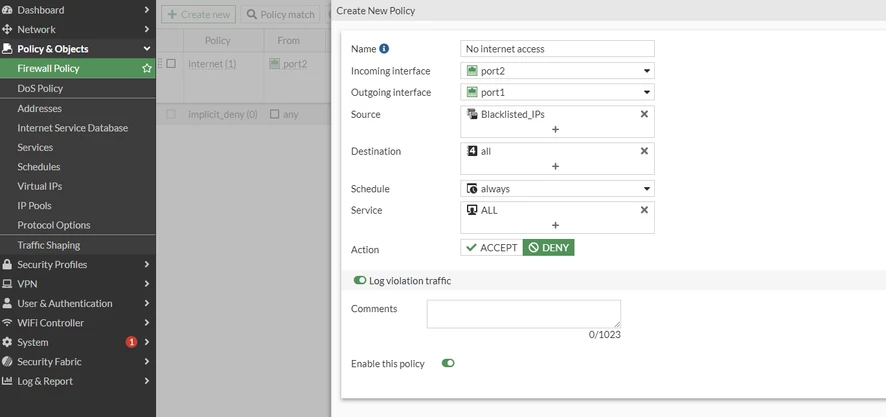
- FortiGate reads the IPv4 policies from top to bottom, make sure to move the deny policy on top of the internet access policy. Drag and drop the IPv4 policies in the GUI.

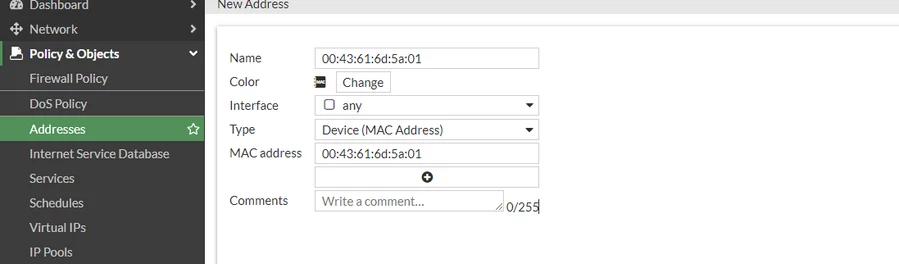
Note: Repeat steps 1 and 2 for additional hosts or devices. A Device MAC can also be added to the Blacklisted_IPs group:
|





