| Solution | FortiGate should be set up in explicit proxy to allow specific applications to use the application service. - Make Sure the Explicit Proxy is enabled for visibility in the GUI, using the below command:
config system settings
set gui-proxy-inspection enable
end
-
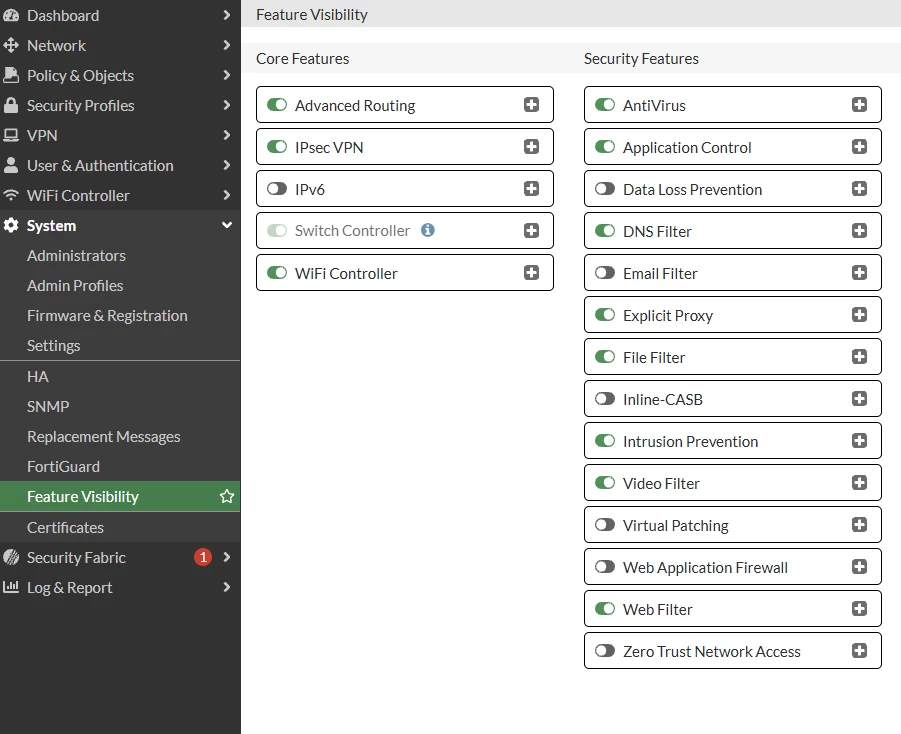
After enabling, navigate to System -> Feature Visibility, then under Security Feature, enable explicit Proxy.
 -
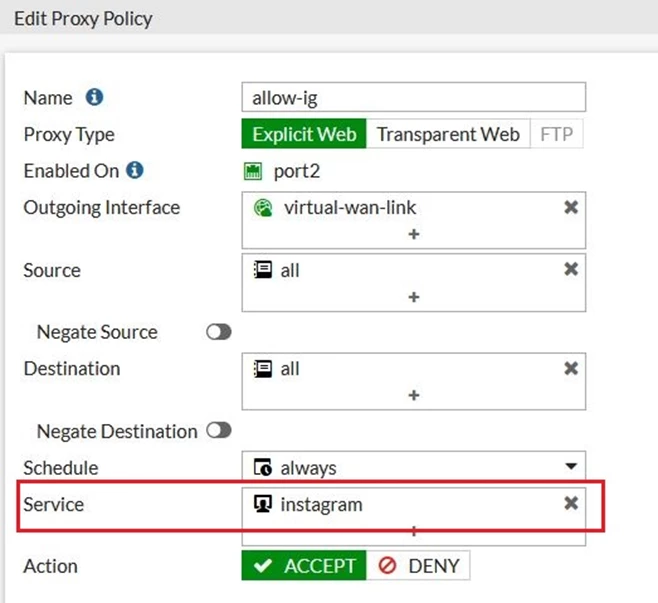
Go to Policy & Objects -> Services, select Create New, then Service. Enable Application Service. Select the desired application to be allowed or denied. It is also possible to allow or deny specific application categories. Configure the destination port of the application. 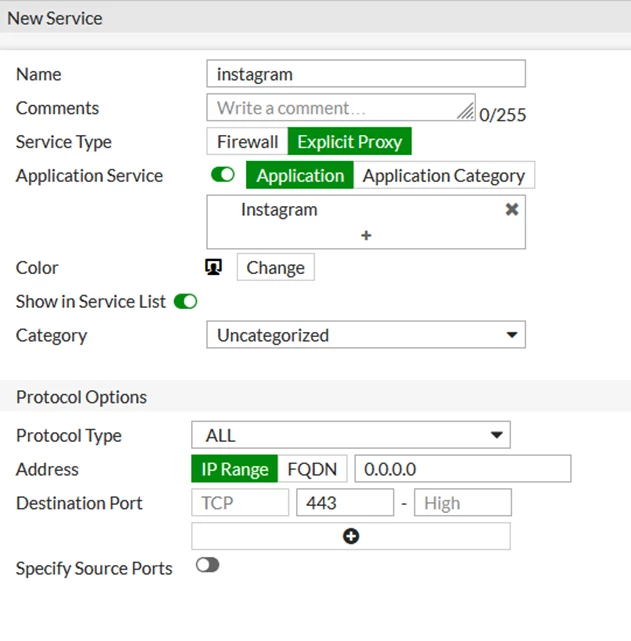 - Select the application service under Service of the policy under Policy & Objects -> Proxy Policy.
Note: |



