Technical Tip: Address Group - Exclusions
Description
This article explains the new option on which certain address objects can be excluded.
Solution
This feature introduces the Exclude Members setting in IPv4 address groups. The specified IP addresses or ranges are subtracted from the address group.
This option is only supported for IPv4 address groups, and only for addresses with a Type of IP Range or Subnet.
To exclude an address or addresses from an address group using the GUI:
1) Go to Policy & Objects -> Addresses
2) Create a new address group, or edit an existing group
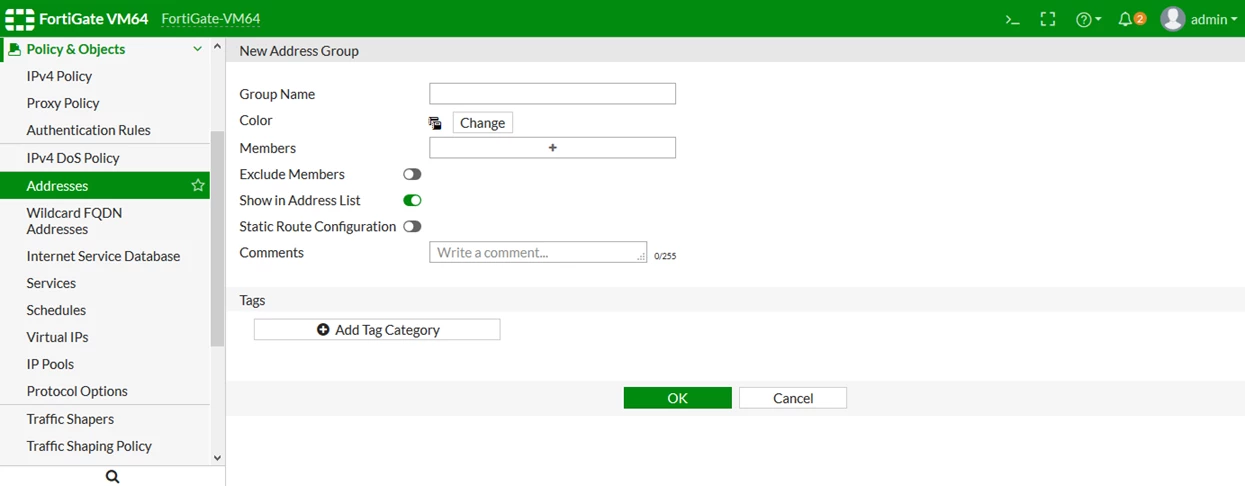
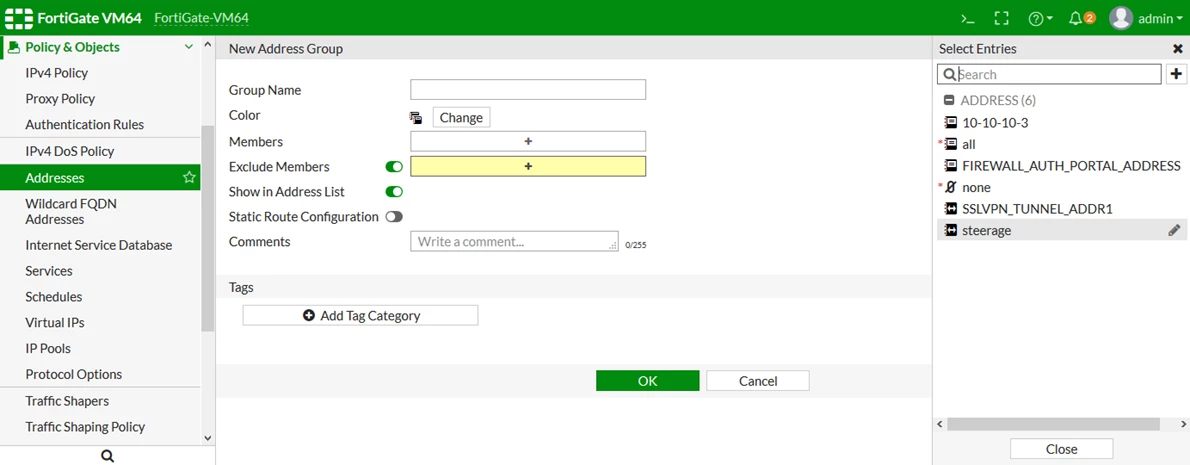
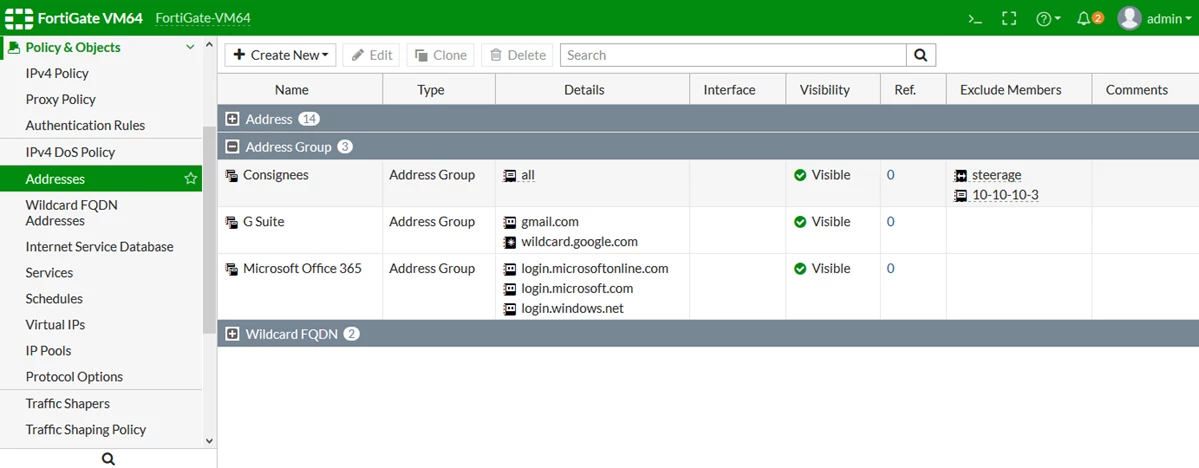
3) Enable Exclude Members, and select the addresses that will be excluded from the group4) Click 'OK'. The excluded members are listed in the 'Exclude Member' column.To exclude an address or addresses from an address group using CLI commands:
#config firewall addrgrp
edit <address group>
set exclude enable
set exclude-member <address> <address> ... <address>
next
end