Solution | To access the additional GUI support: Go to System -> HA. Select HA cluster member. Select 'Diagnostics and Tools'.
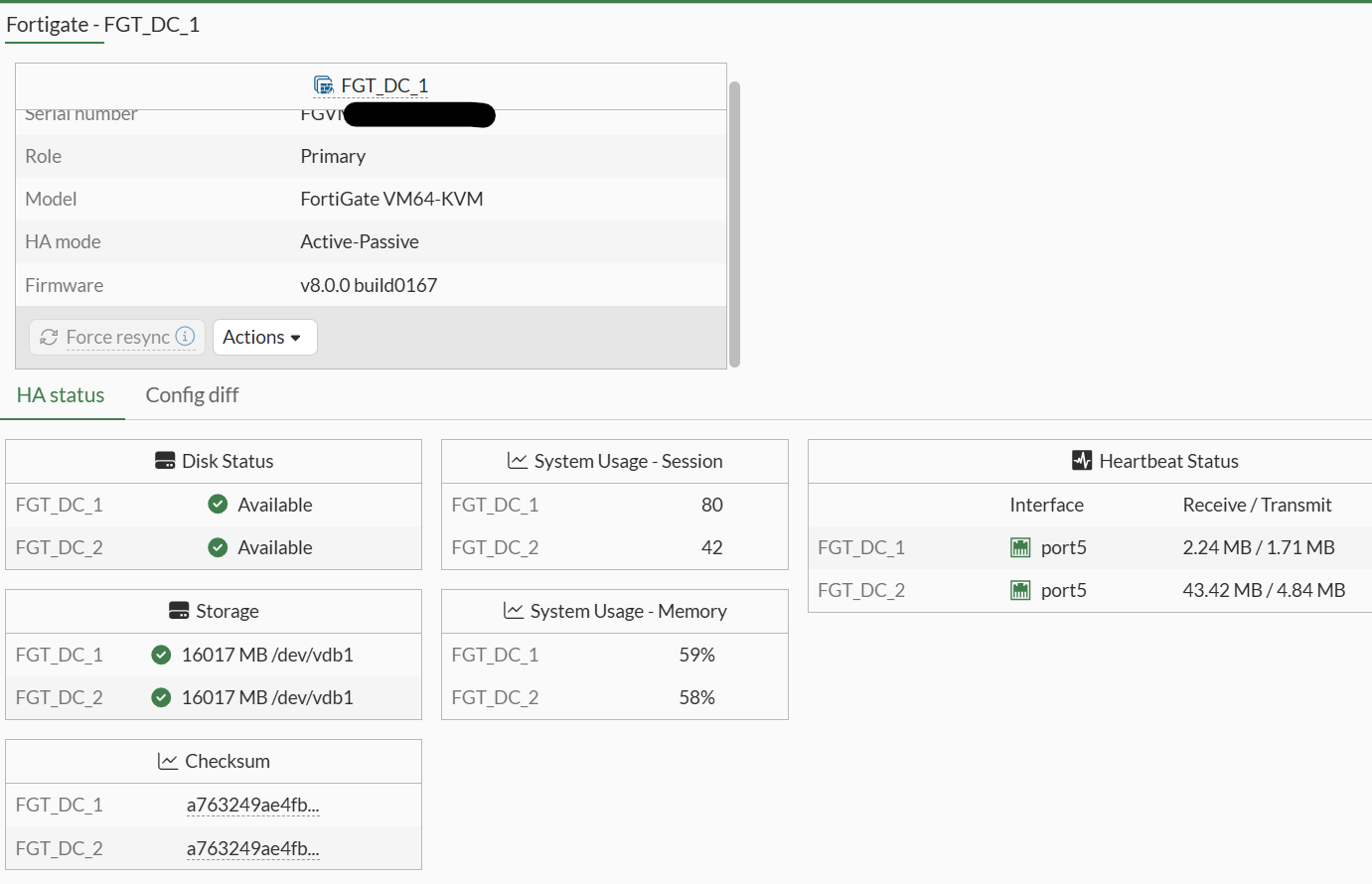
Additional GUI support includes: Force resync:
This forces synchronization of all secondary devices to primary FortiGate devices. Force resync is greyed out when HA is in-sync.
HA status:
HA status tab shows Disk Status, Storage information and size, cluster member checksum, session status, system memory usage, and heartbeat interface status.
Config diff:
Displayed differences in the configuration of HA cluster members make it easier to monitor status and identify configuration mismatches directly from the GUI.
Actions:
Under the Action dropdown option, there are 'Show matching logs' and 'Force HA Failover/Undo HA failover'.
'Force HA failover' is equivalent to 'execute ha failover set <virtual cluster id>' command while 'Undo HA failover' is equivalent to 'execute ha failover unset <virtual cluster id>'. For more information refer to Technical Tip: How to use failover flag to change Active unit.
|




