gsharma
Staff
Staff
October 9, 2025

Technical Tip: Integrate FortiAppSec cloud with Splunk Server using SSL protocol

  • October 9, 2025
  • 0 replies
  • 167 views
Description
This article describes how to integrate FortiAppSec cloud with Splunk Server using the SSL protocol for secure connectivity.
Scope FortiAppSec Cloud.
Solution
  • To integrate FortiAppSec cloud with Splunk Server using SSL protocol for secure connectivity, log in to the FortiAppSec portal: https://portal.appsec.fortinet.com/
     
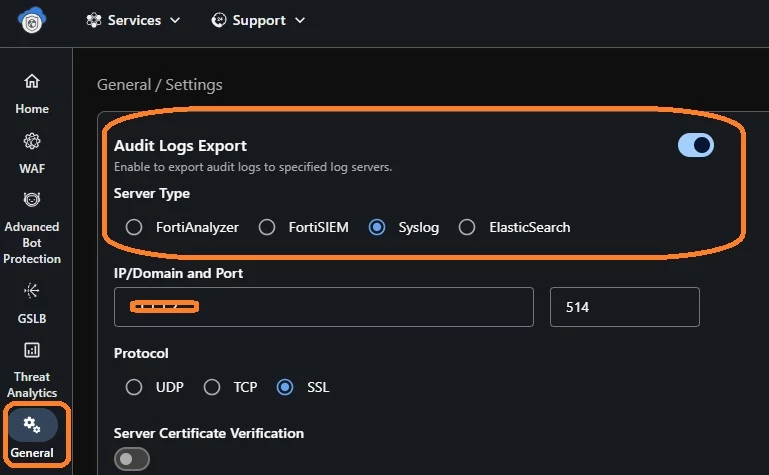
  • Once on the portal, select 'General', enable the Audit Logs Export tab, and select server type as Syslog.

pic1appsec.jpg
 
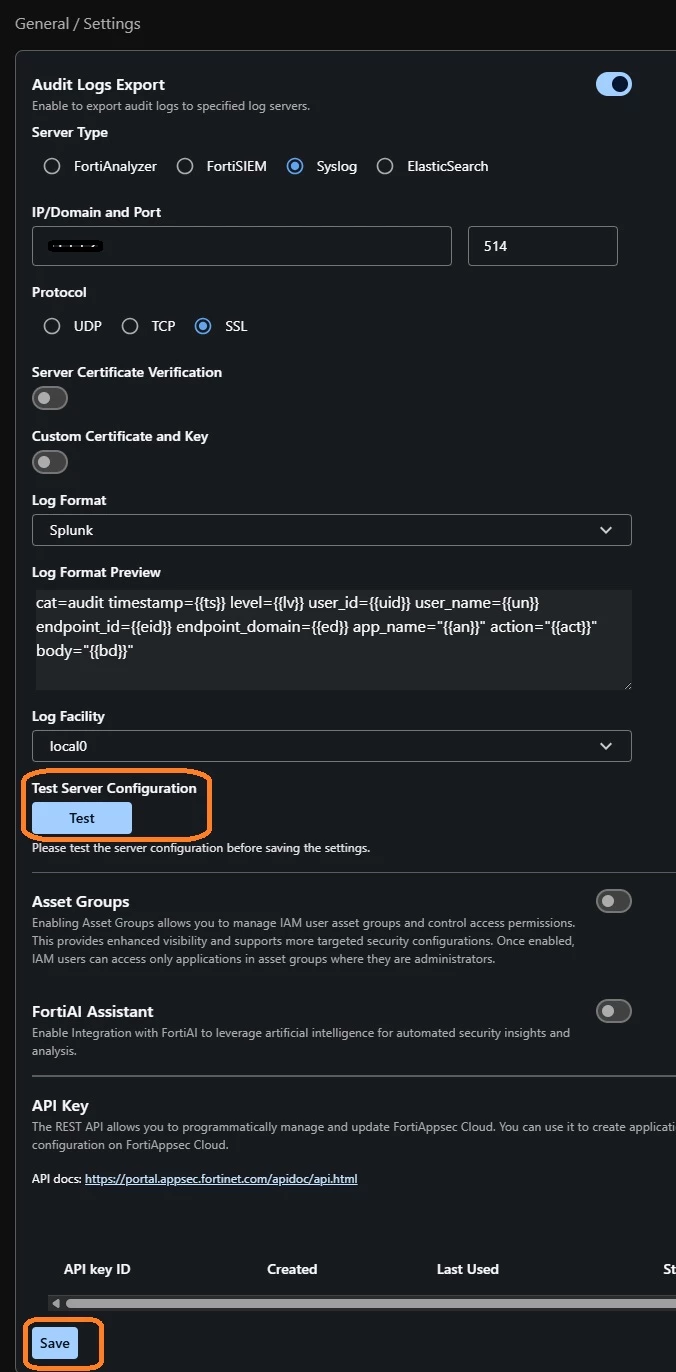
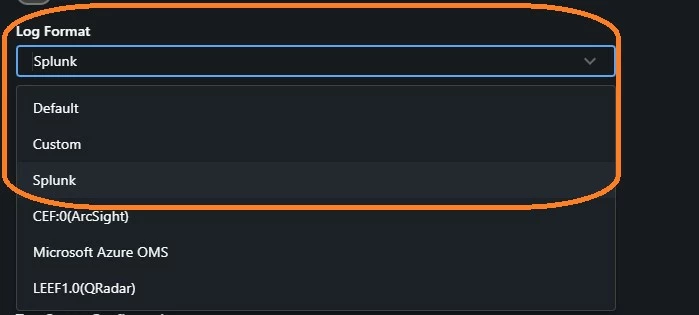
Set the Log format as Splunk to support connectivity.
pic2aapsec.jpg
 
  • Under the protocol, use the  SSL protocol and enter the Splunk IP address and port defined on the Splunk server for connectivity.
  • After enabling SSL, there are 2 options available:
    • Server Certificate Verification.
    • Custom Certificate and Key.
  • By default, these options are disabled, but can be enabled if required.
  • After the configuration is done, select the TEST button to ensure the connection. Once the test shows success, then SAVE the config.


pic3appsec.jpg

Note:

Test the server configuration before saving the settings.

Related document:

Using WAF with Splunk

Thought Leadership Security Summit. Outpace New Threats with AI - enhanced defense. Tuesday, Septmeber 15, 8:30 AM - 2:30 PM PT. The Golf Club at Newcastle, WA.
Virtual event | September 2026. SASE summit. The age of autonomous trust. Register here!