


Technical Tip: Google expeditions
Description
This article describes about configuration required for Google expeditions.
Scope
For version 6.x and above.
Solution
In order to get Google expeditions to work, enable 'Service Control'.
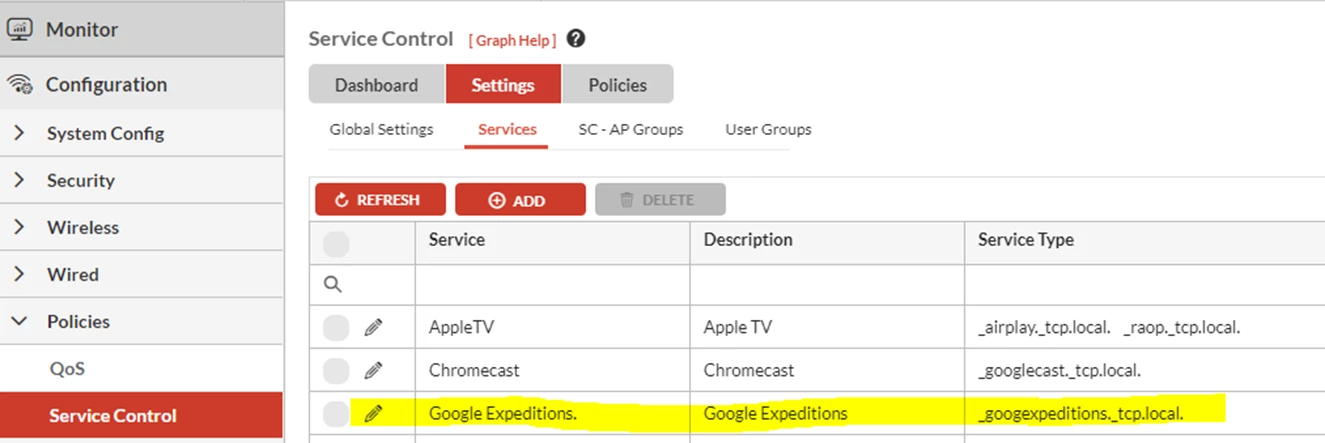
Go to Controller Web-GUi -> Configuration -> Policies -> Service Control -> Settings -> Services -> Add and create a 'Service' with 'Service Type' as: _googexpeditions._tcp.local.
This article describes about configuration required for Google expeditions.
Scope
For version 6.x and above.
Solution
In order to get Google expeditions to work, enable 'Service Control'.
Go to Controller Web-GUi -> Configuration -> Policies -> Service Control -> Settings -> Services -> Add and create a 'Service' with 'Service Type' as: _googexpeditions._tcp.local.
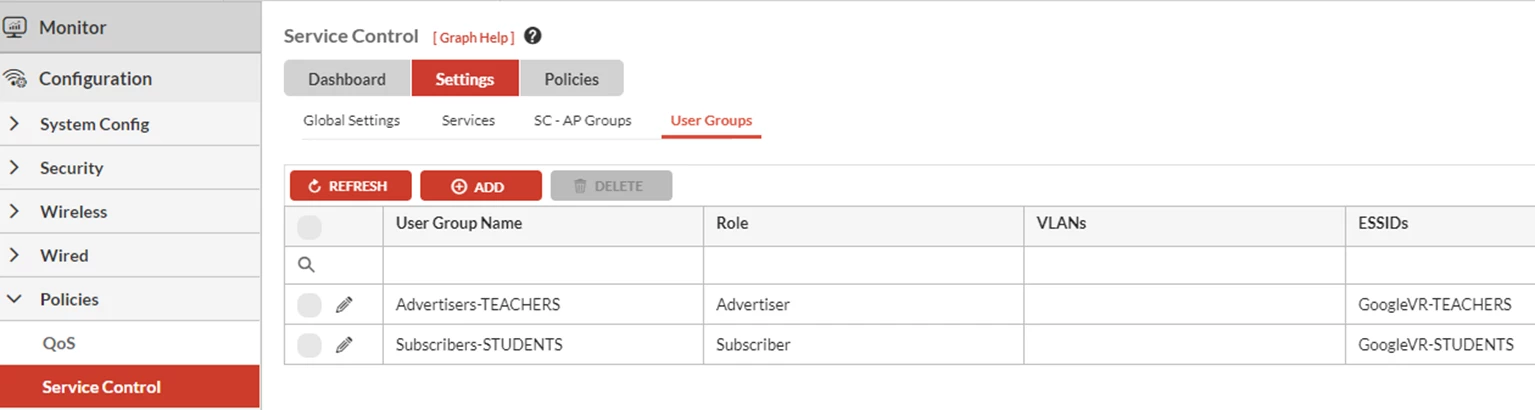
Create 'User-Groups': This is to specify on to which SSID the end-users(SUBSCRIBERS) and Google Expeditions Hosting Machine (ADVERTISER) will be associating.
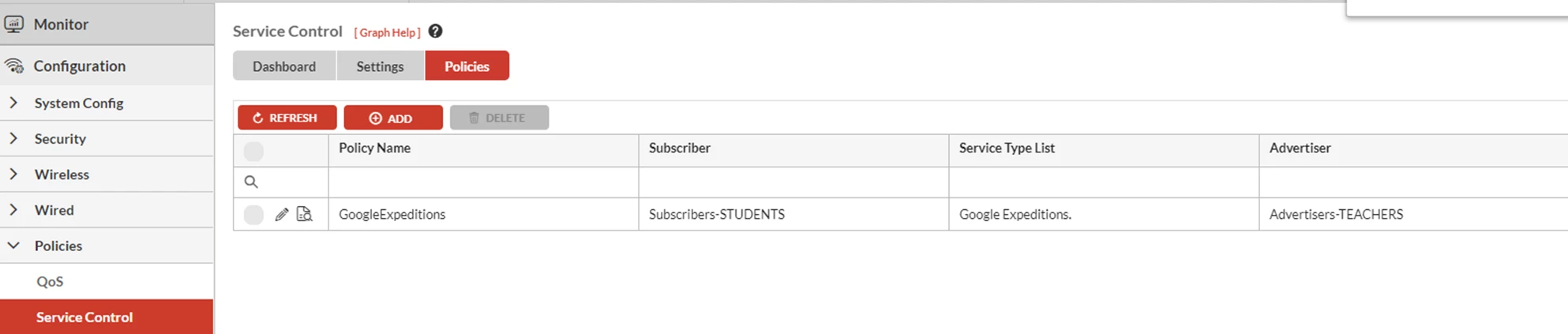
Create 'Policies':

