


Technical Tip: Delete FortiAP from the controller
Description
This article describes how to remove FortiAP entry from controller.
Solution
In Order to remove the FortiAP entry from the controller, make sure the FortiAP is offline and is not mapped to 'AP/Feature group' and 'Service Control'.
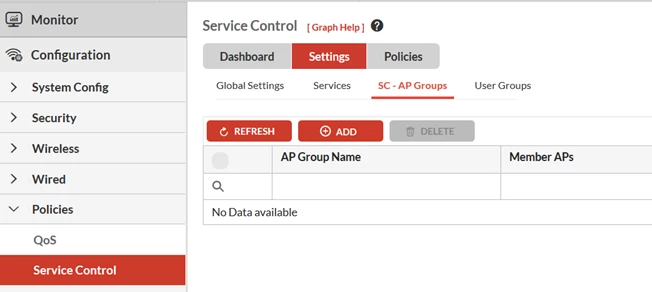
Refer below screenshot of 'AP/Feature group' and 'Service Control' where FortiAP are mapped:


This article describes how to remove FortiAP entry from controller.
Solution
In Order to remove the FortiAP entry from the controller, make sure the FortiAP is offline and is not mapped to 'AP/Feature group' and 'Service Control'.
Refer below screenshot of 'AP/Feature group' and 'Service Control' where FortiAP are mapped:
- Once the ap is offline please execute the below commands to remove the ap entry from controller CLI:
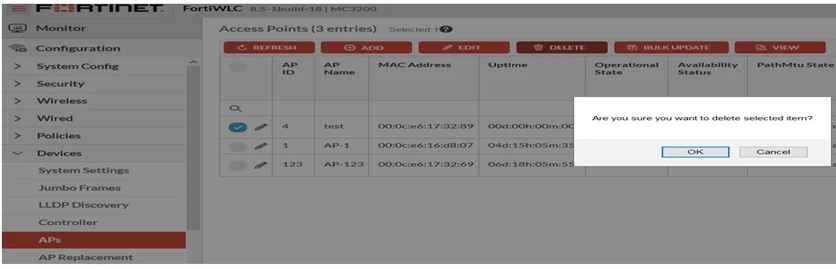
Go to Configuration -> Devices -> APs.
Select the FortiAP and select 'delete' option.
# configure terminal- From GUI:
(config)no ap <ap-id>
(config)exit
Go to Configuration -> Devices -> APs.
Select the FortiAP and select 'delete' option.

