Solution | Topology: client –internet-- FGT-kenobi –IPsec-- FGT-A -> server (Internal Domain, win.server.fgt resolves to 10.191.1.231). This dialup IPsec configuration is an ikev2 split-tunnel: 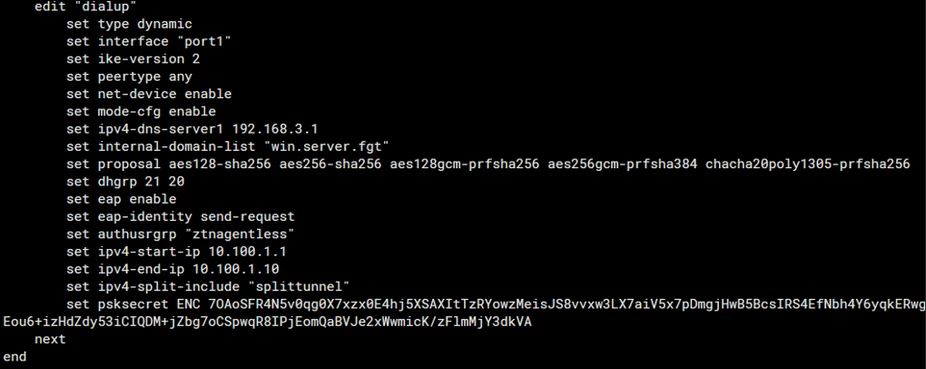 Ensure ipv4-split-include, ipv4-dns-server1 and internal-domain-list are configured. Ipv4-split-include is the split-tunnel destination address. Ensure these destination addresses can be reached by the FortiGate. Check the routing. Ipv4-dns-server1 is the internal DNS server. Ensure this server can be reached by the FortiGate. Internal-domain-list is the name of the domains that are to be resolvable by the FortiClient users that connect to the VPN.
Note: If the command 'dns-suffix-search' is previously set under phase 1, the command 'internal-domain-list' will not be available. It is required to remove the command 'dns-suffix-search' and then specify 'internal-domain-list'.
config vpn ipsec phase1-interface
    edit <IKEV2 TUNNEL NAME>
        unset dns-suffix-search
        set internal-domain-list domain1.com
    end
Ensure the DNS Database feature is enabled. On the GUI, go to System -> Feature Visibility and Enable DNS Database under Additional Features.
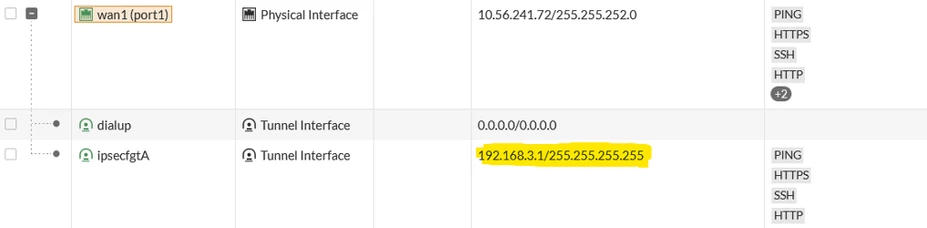
In this configuration, the IP of the site-to-site IPsec tunnel interface is used as the internal DNS server IP because it connects to FGT-A, which then gives us access to our server. Our server’s domain name is win.server.fgt.
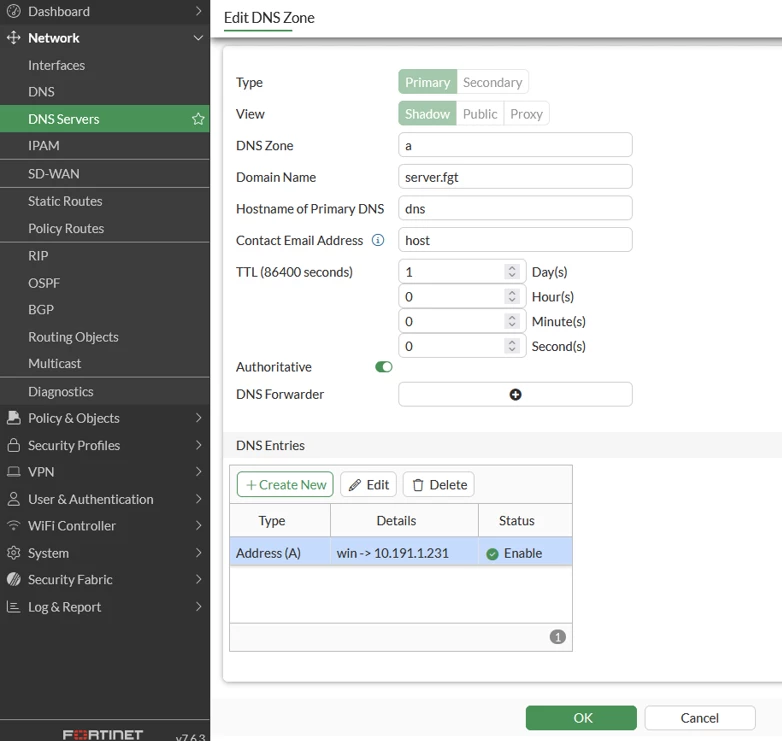
 The domain wins.server.fgt, which resolves to 10.191.1.231. In Network -> DNS Servers, DNS Database, configure the DNS entry for the internal domain.
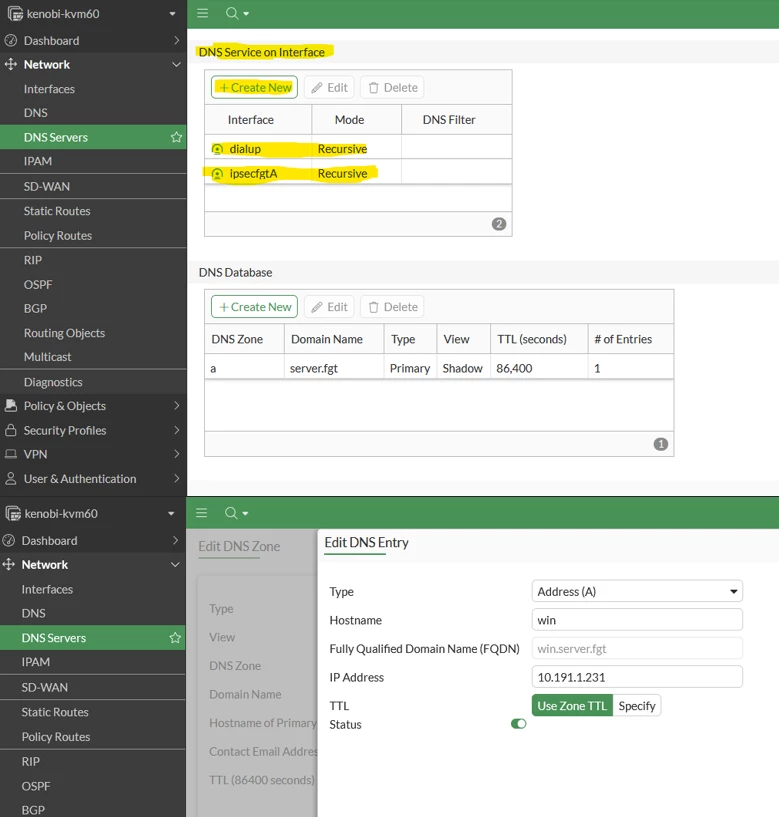
 Enable DNS Service on both the dial-up VPN’s interface and on the site-to-site IPsec’s interface. Even if the site-to-site IPsec is just a regular interface, DNS Service must be configured on it as well as the following. If either of these interfaces is not configured with the DNS Service, resolution to the internal domain will not work:
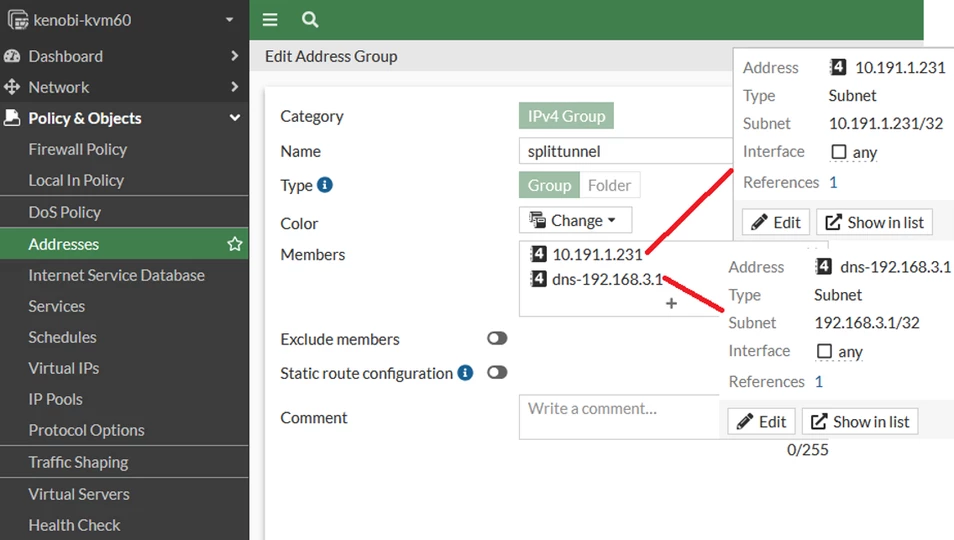
 Ensure firewall policies are configured with the Destination address having both resolved IP and DNS IP:  The Address Group used for the split-tunnel should look like this:
 Note: FQDNs are not supported in split-tunnel destinations. If FQDNs have been configured in the split-tunnel address group, it cannot be applied in the (set ipv4-split-include) config of the dialup IPsec. After these steps, FortiGate and the VPN client should be able to ping the internal domain: 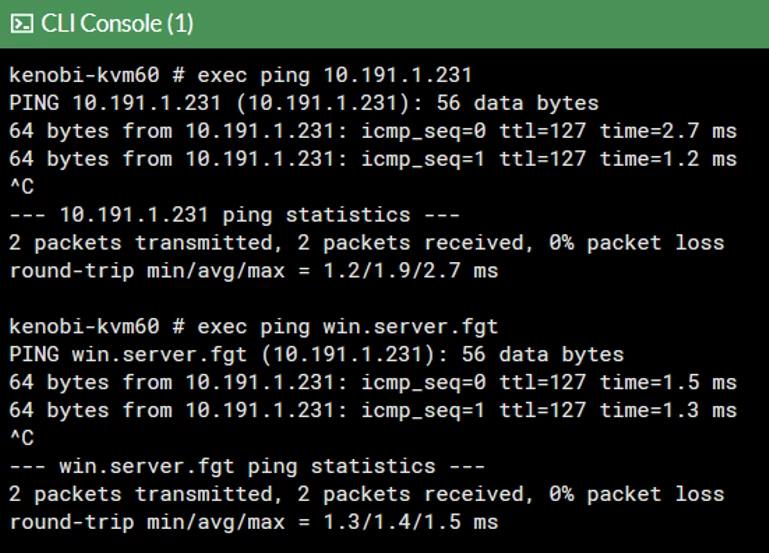 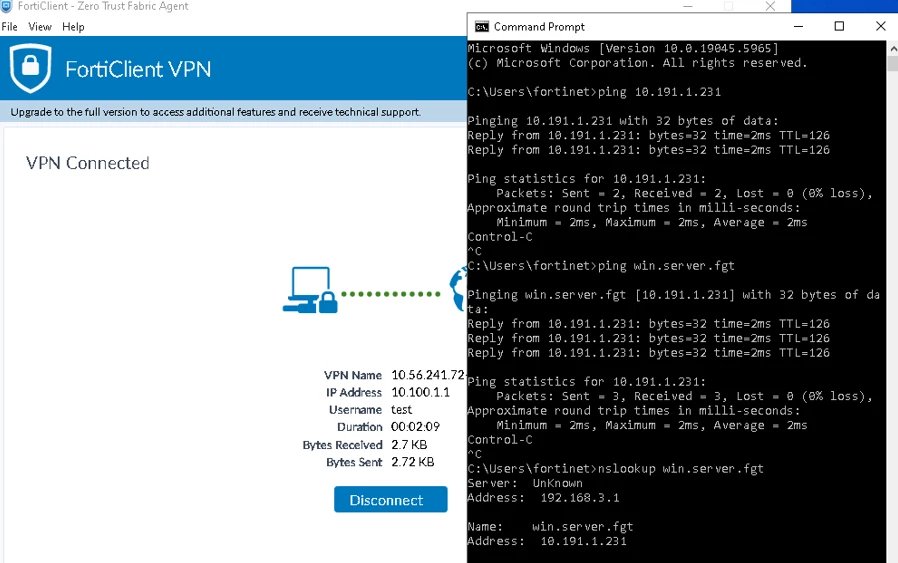 |



