


Using Automation Stitch to schedule restart (reboot) FortiGate
Description | How to set up FortiGate to reboot at a predefined time. |
Scope | FortiGate |
Solution | Automation stitch reboot. The option presents integration with the operational level of the network. An action can be triggered based on specific predefined triggers.
In this example, a periodic reboot not triggered by a specific event has been used. Instead, configure a scheduled reboot.
Note: Use short, simple names, and preferably no spaces (if used, use a colon in the CLI) in the name field.
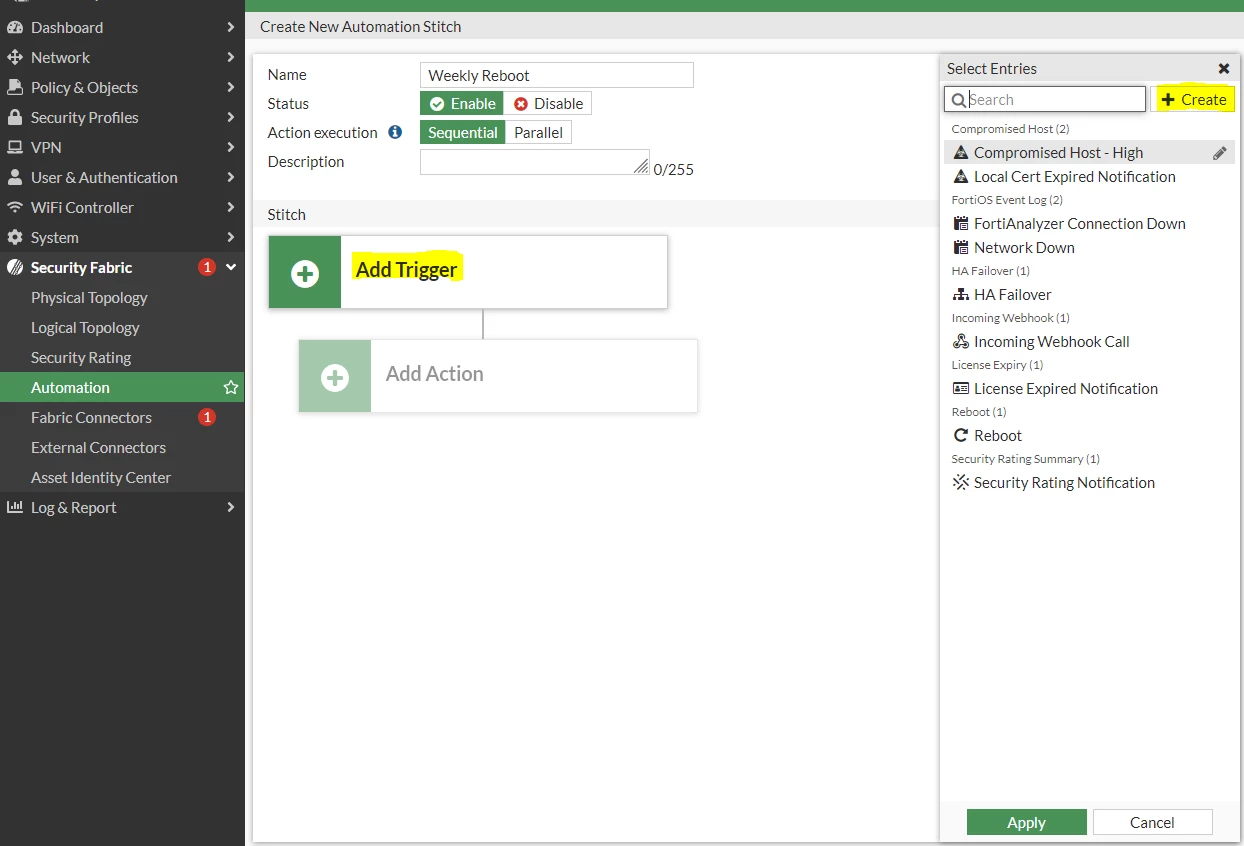
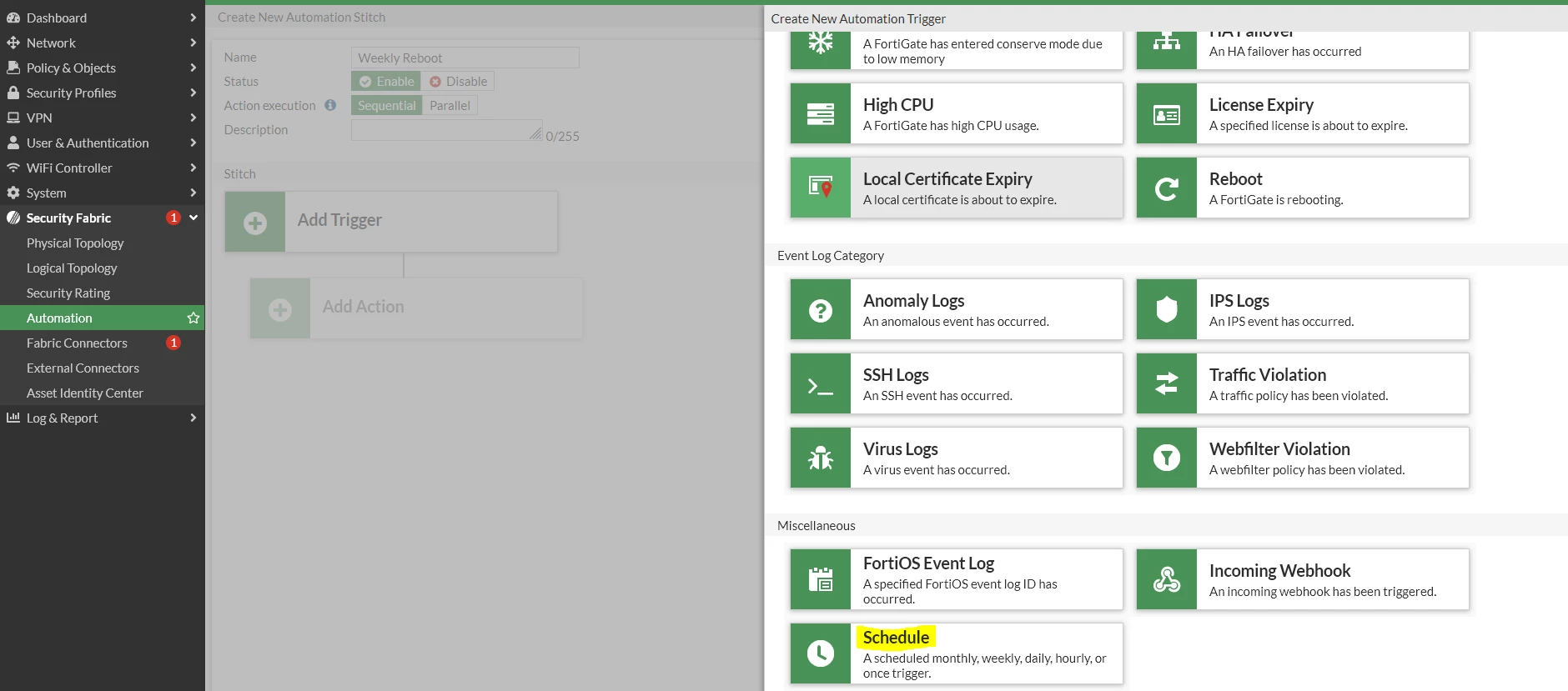
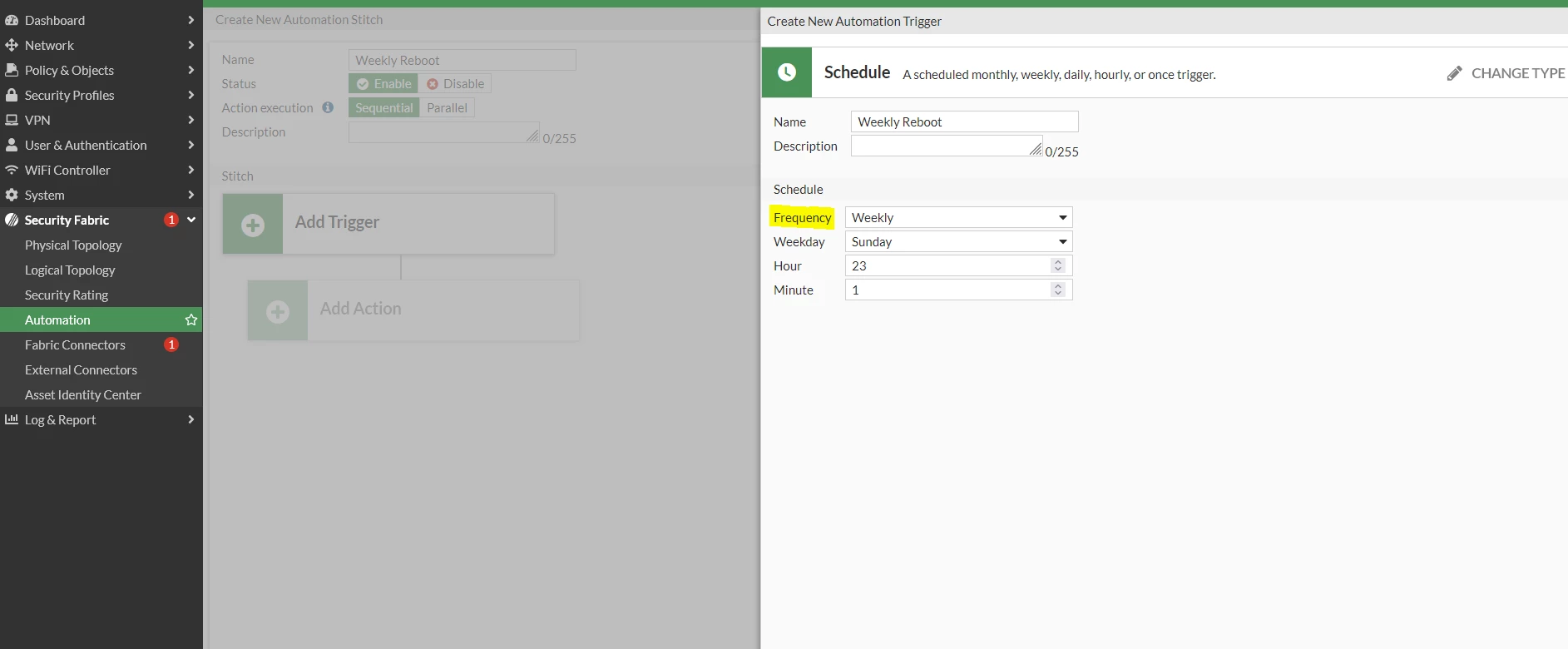
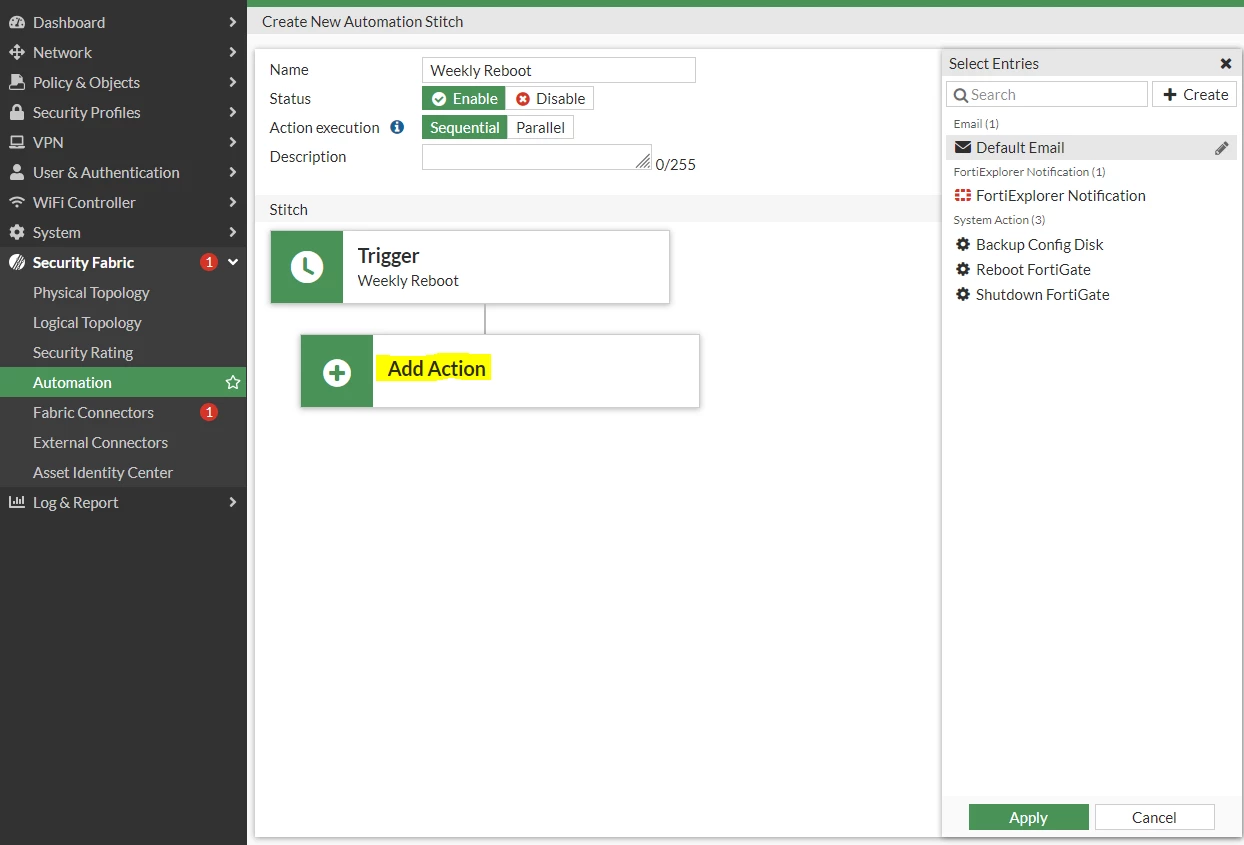 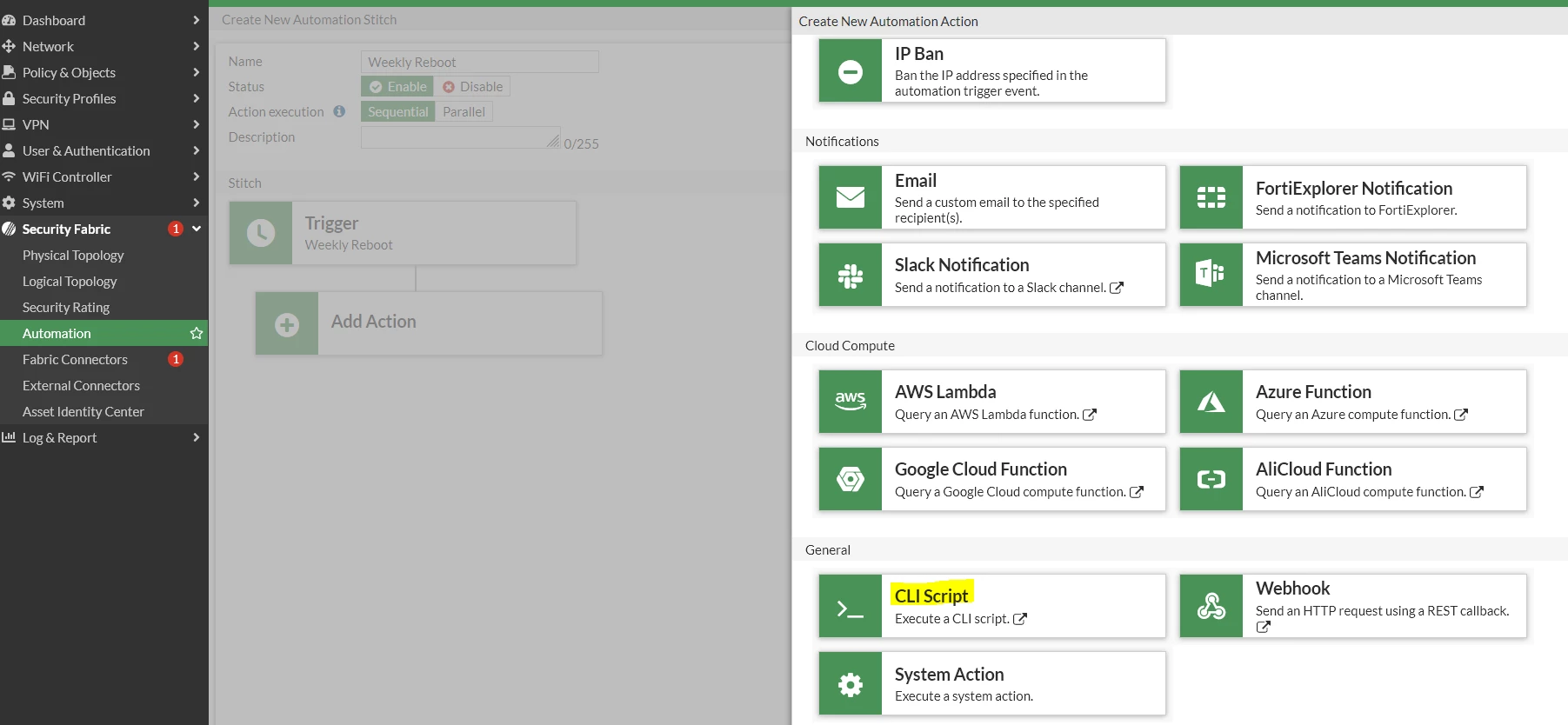
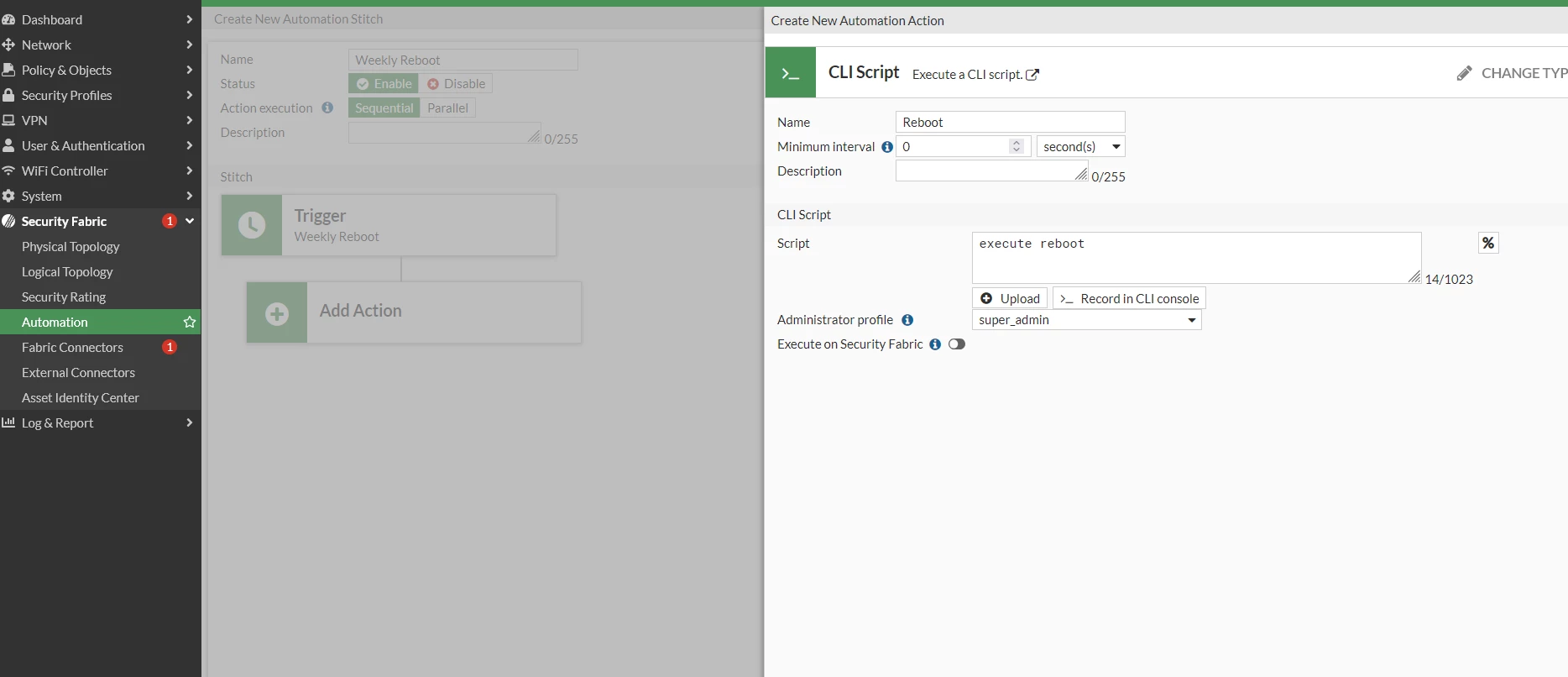
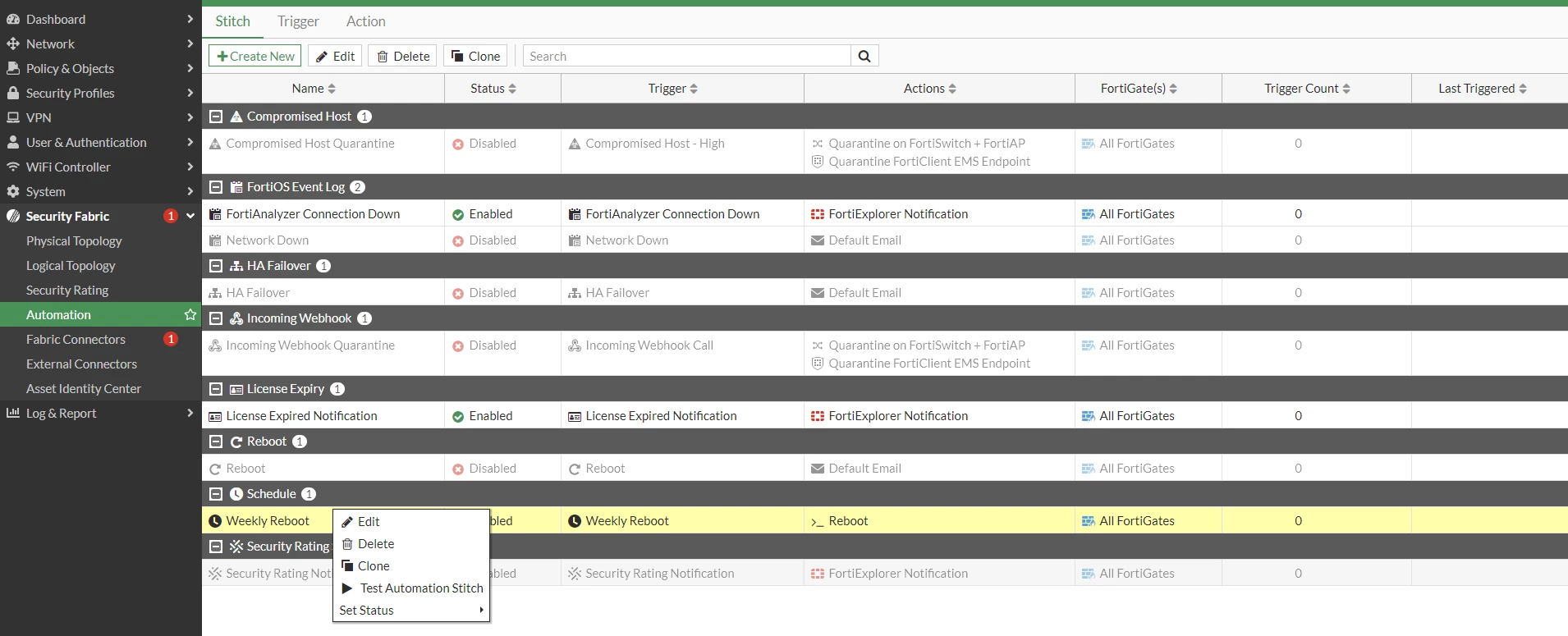
The CLI commands created by this action:
Note: FortiGate's built-in automation scheduler allows for specifying a day of the month (e.g., the 3rd), but not the day of the week (e.g., every second Tuesday) If the FortiGate is set up in HA, additional configuration is required to reboot the cluster: Technical Tip: Automate the scheduling of reboots for the HA cluster using an automation stitch
From FortiOS version 7.2 onward, there is a new action type 'system action' which can be used to reboot, shut down, or back up the config of the FortiGate. Refer to this document for more details: System automation actions to back up, reboot, or shut down the FortiGate
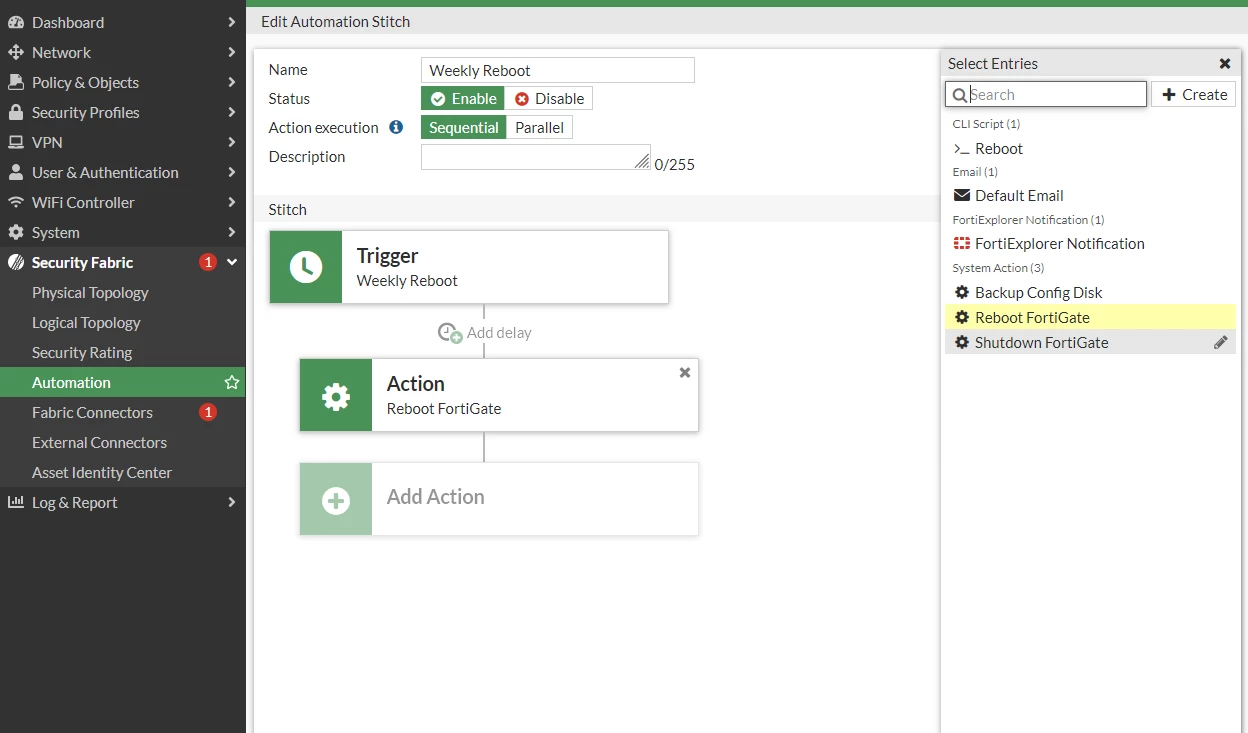
Note: Starting from FortiOS version 8.0.1, the auto-script engine only allows information-gathering commands (get, diagnose); 'execute' commands are not permitted in auto-script. Thus, it is expected that the reboot command will fail during the execution of this script Related articles: Technical Tip: Using Automation Stitch to schedule restart (reboot) FortiGate Technical Tip: How to check why automation stitch is not working as expected Technical Tip: How to check why automation stitch is not working as expected Technical Tip: How to properly shut down or reboot a FortiGate |
