Applications frequently send sensitive information in JSON request bodies, including passwords, API tokens, authorization headers, device identifiers, and other confidential values.
If these requests trigger security events, the request payload may be retained in Attack Logs. To reduce the exposure of sensitive information, FortiWeb supports Sensitive Data Logging, which masks matching values before they are displayed in the GUI or forwarded to external logging platforms.
Examples of sensitive fields include:
Password. Token. accessToken. refreshToken. Authorization. apiKey. Secret. OTP. Pin. imeiNum. deviceId.
For JSON payloads, configure a General Mask rule. Go to Log & Report -> Log Config -> Sensitive Data Logging. Select Create New. Select General Mask. Configure a regular expression that matches the required JSON fields.
Example:
"(password|token|accessToken|refreshToken|authorization|apiKey|secret|otp|pin|imeiNum|deviceId)":"[^"]*"
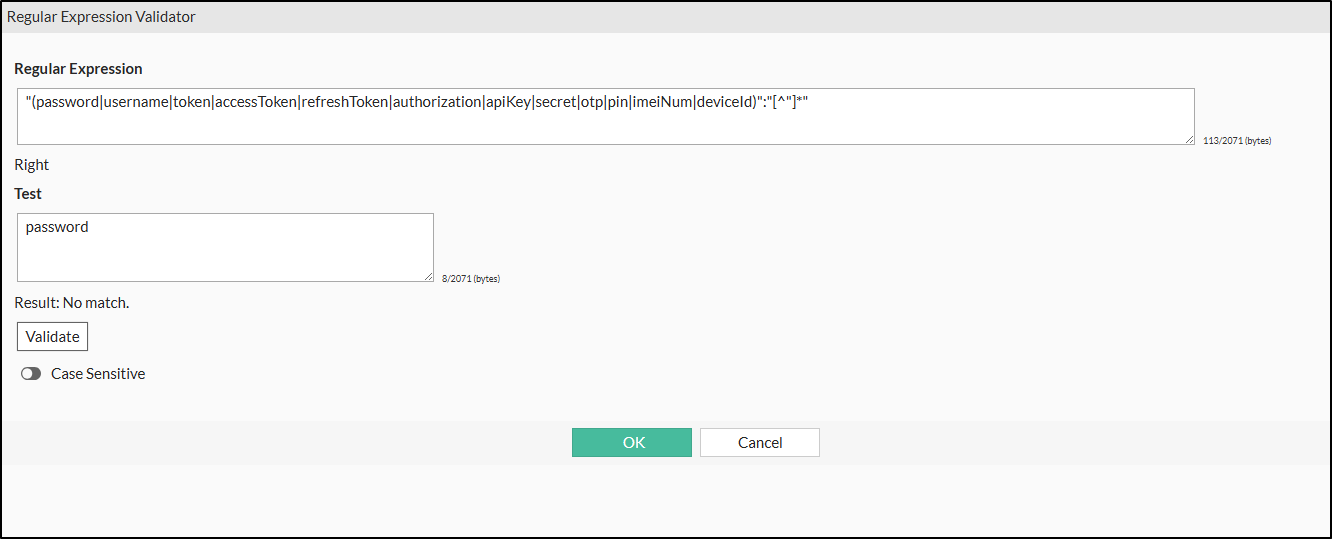
The following example masks several sensitive JSON fields.
Important: Make sure that Enable Custom Rules is enabled under Log & Report > Log Config > Sensitive Data Logging. Custom masking rules require this setting to be enabled. A correctly configured Field Mask or General Mask rule will not be applied when custom rules are disabled.
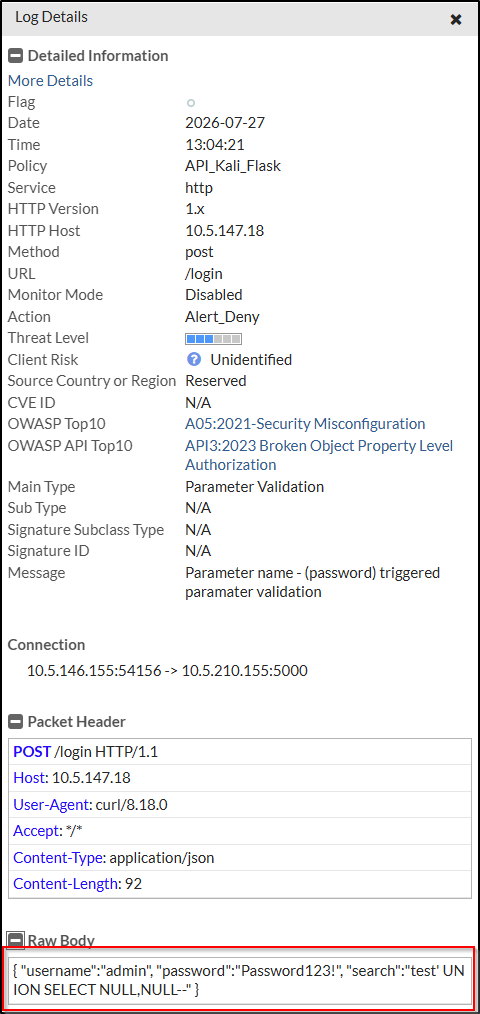
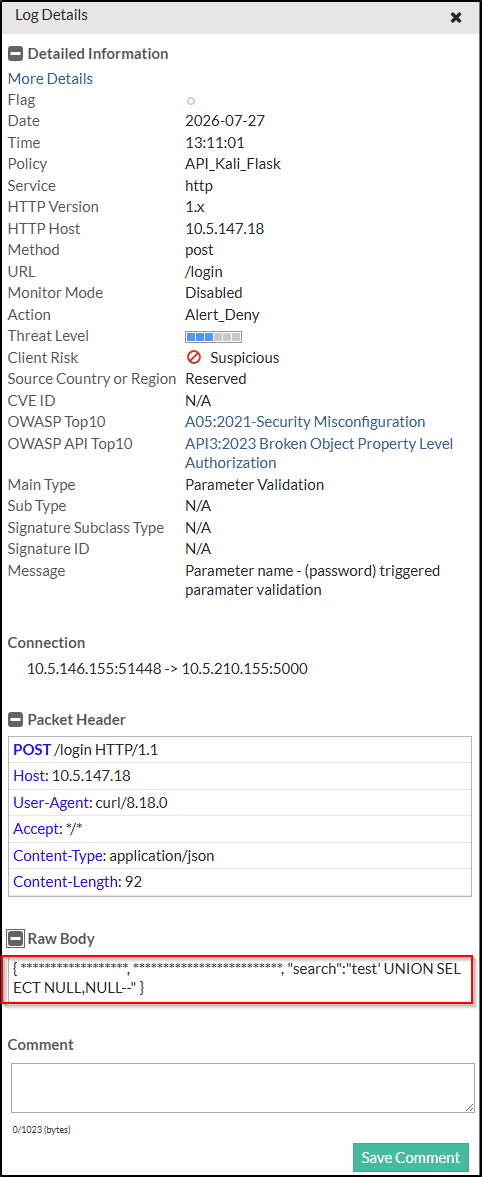
After the rule is enabled, newly generated logs replace matching values with masked characters while preserving the remainder of the troubleshooting request. For example:
Before masking:
After masking:
Limitations:
Sensitive Data Logging applies only to newly generated logs. Existing logs are not modified. For application/json payloads, General Mask is recommended because Field Mask is intended for HTTP form parameters such as application/x-www-form-urlencoded. Masked values remain masked when included in subsequent log forwarding to supported destinations such as FortiAnalyzer and Syslog.
Related documentation:
Logging
| 



