Technical Tip: Configuration state shows 'failed' while adding specific source countries
| Description | This article provides an example to collect the necessary logs while configuration state shows failed for specific source countries under GeoFencing -> Regional Compliance. |
| Scope | FortiSASE. |
| Solution | The issue would not be observed for all the countries. As an illustration, India as a source works fine however, Saudi Arabia shows the state as failed.
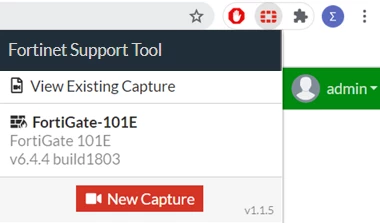
Install the Fortinet Support Tool extension as described in this KB article: Troubleshooting Tip: Collect GUI slowness and errors debugs via Fortinet Support Tool
Start the capture. Navigate to GeoFencing -> Regional Compliance and create the rule and reproduce the issue.
Stop the captures once the issue is reproduced. The output file can be analyzed by loading the capture into the same extension by clicking on 'View existing capture'.
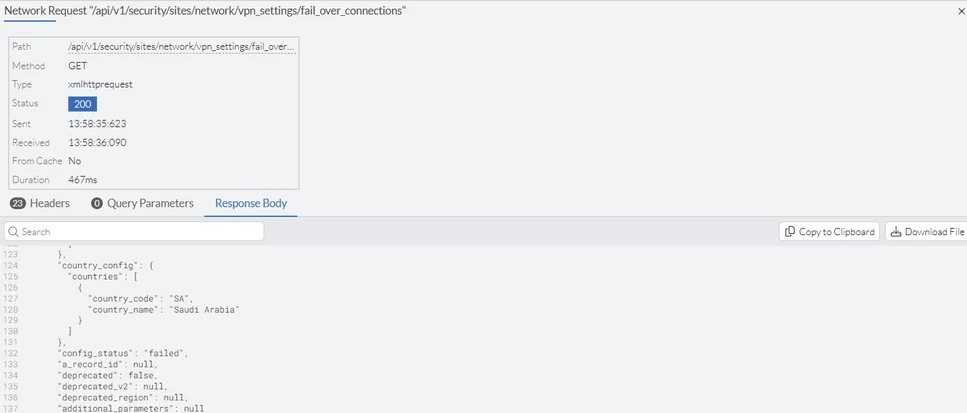
Navigate to Logs and select network Requests from the dropdown. select the GET request for: '/api/v1/security/sites/network/vpn_settings/fail_over_connections'.
Here, the config status can be viewed as failed
"config_status": "failed",
The reason for failure here is an issue related to DNS, which can be resolved by opening a support ticket with the GUI capture. |