ndumaj
Staff
Staff
Sep 7, 2023 10:06 AM UTC

Technical Tip: Test Device Profiling Rule does not match

  • Apr 24, 2026 3:24 PM UTC
  • 0 replies
  • 568 views
  • Translate All
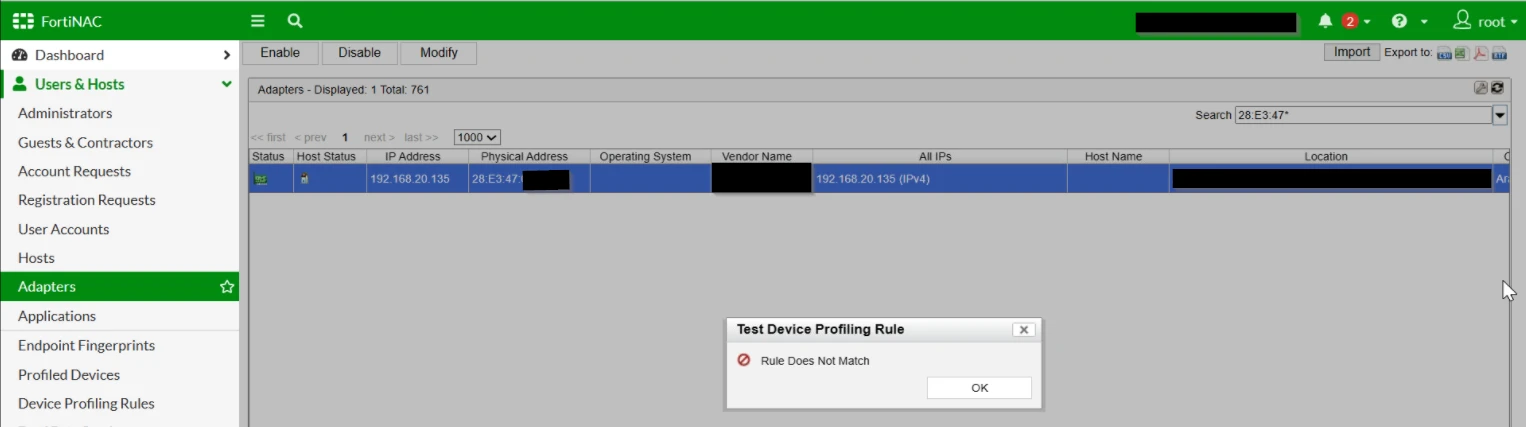
Description This article describes that the 'Test Device Profiling Rule' does not match when the 'Legacy View Architecture' is enabled.
Scope FortiNAC v9.4.2 impacted.
Solution

If creating a DPR based on Vendor OUI for example it should be possible to match the DPR when the legacy view is enabled.


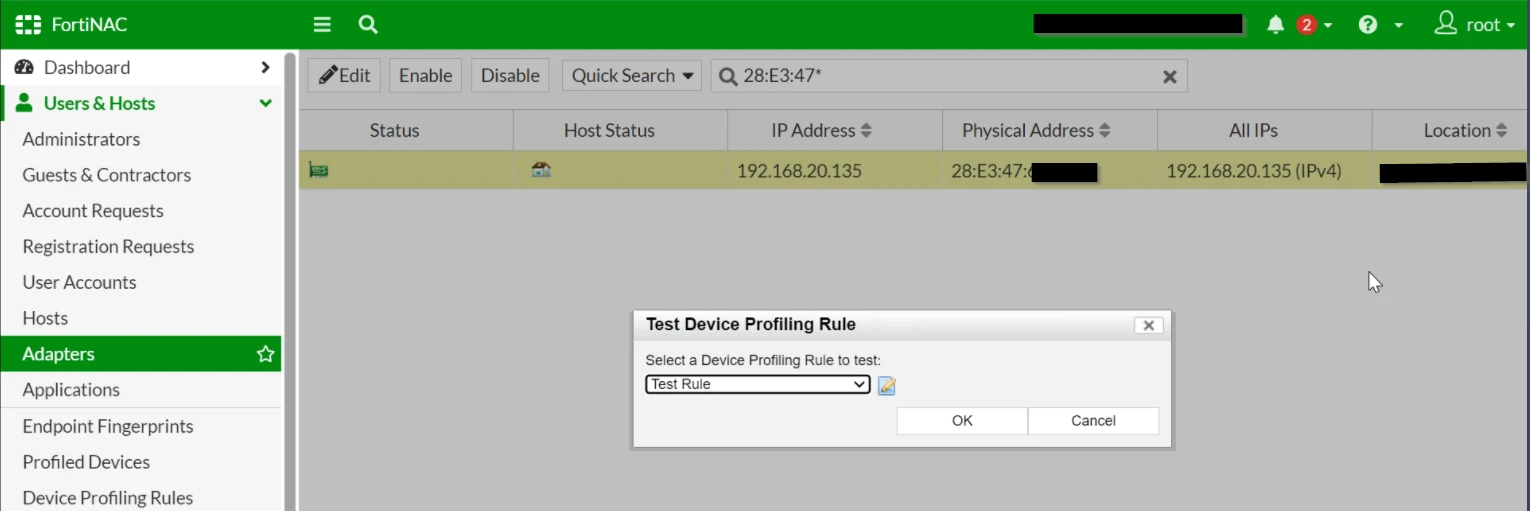
Trying from FortiNAC v9.4.2 GUI and the following error appears:


Test DPR.png


Test DPR Failed.png


There are 2 options to avoid this error:

  1. Disable 'Legacy View Architecture' under System -> Feature Visibility.
  2. Upgrade the FortiNAC software version.


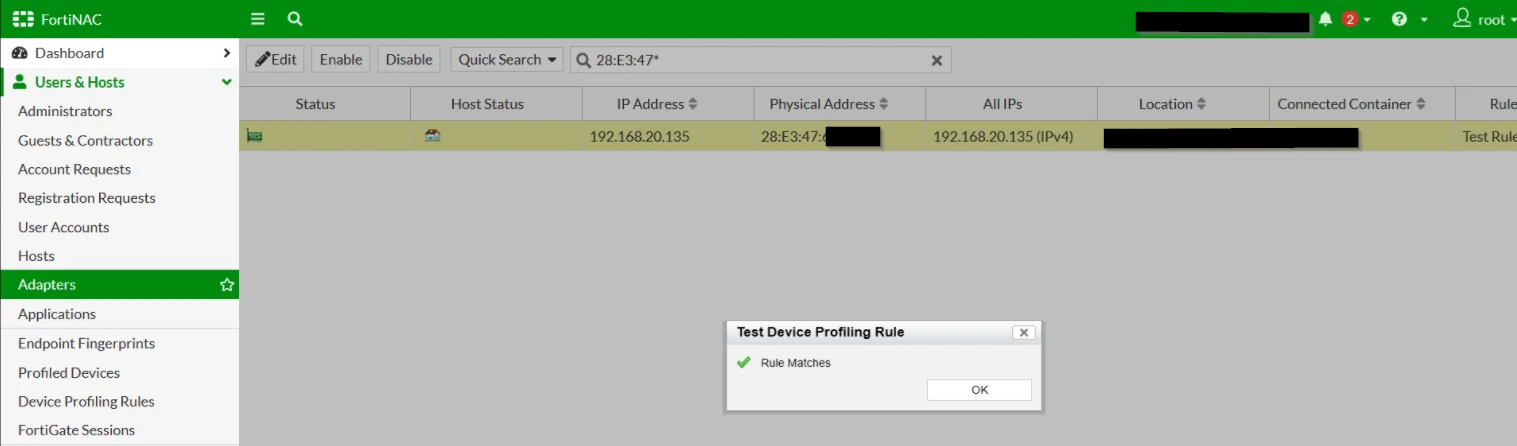
This is the result after disabling 'Legacy View Architecture':


Test DPR with Legacy disabled.png

Risk and Resilience in the Age of AI. An OT Thought Leadership Summit for Houston's Critical Infrastructure Leaders. Date: Thursday, December 3, 2026. Time: 8:30 am - 1:30 pm (CT). Location: The Westin Houston, Memorial City | 945 Gessner Road, Houston, TX 77024