




Technical Tip: How to change the protocol from FTP to HTTP/HTTPS
Description
This article describes how to change the protocol being used for FortiNAC from FTP to HTTP/HTTPS.
Solution
Important Notes:
Root access is necessary on the FortiNAC CLI and need to edit the upgrade txt file.
This article describes how to change the protocol being used for FortiNAC from FTP to HTTP/HTTPS.
Solution
Important Notes:
Root access is necessary on the FortiNAC CLI and need to edit the upgrade txt file.
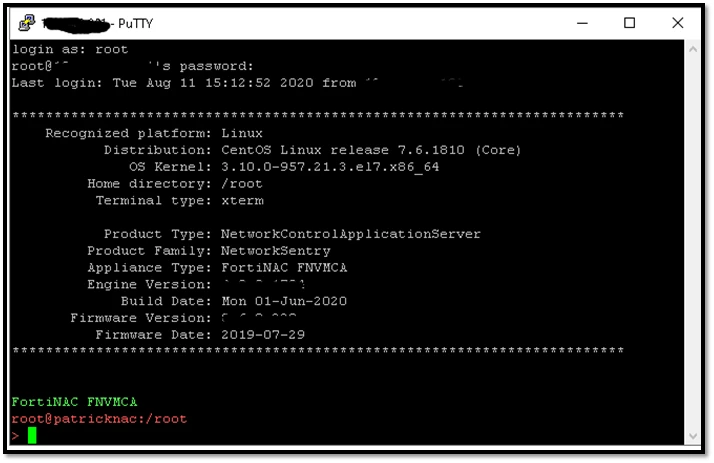
1) Login to the FortiNAC through root.
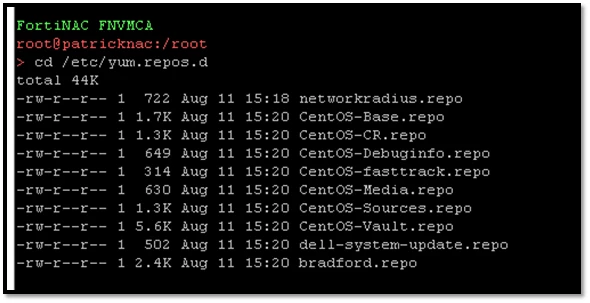
2) Browse to directory '/etc/yum.repos.d' using command 'cd /etc/yum.repos.d'.
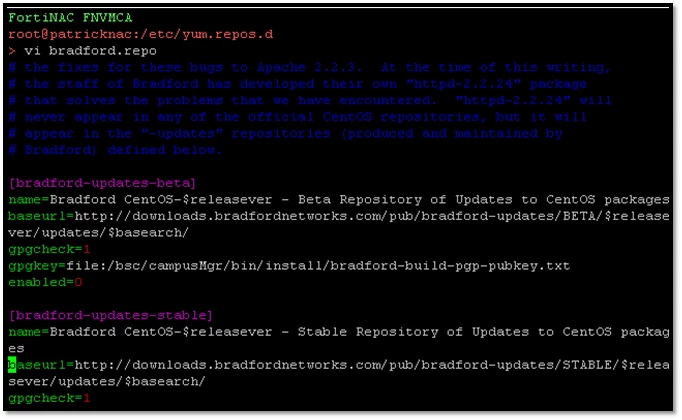
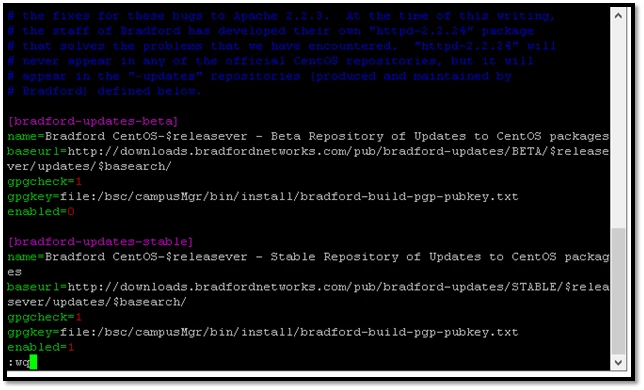
3) Edit filename 'bradford.repo' using 'vi' command.
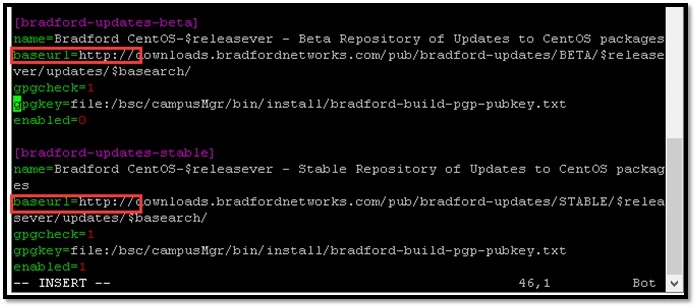
4) Use 'insert' button to change all 'baseurl=http' or 'baseurl=https' (originally it is FTP://).
Important Notes:
>> If there is any mistake during the edit, exit the VI editor without saving by following the following steps:
1) Press 'Esc' button.
2) Command ':q!' to quit now without saving.
2) Command ':q!' to quit now without saving.
5) Once all 'baseurl=' has been changed, press 'Esc' button and follow-up with the command ':wq' to overwrite the file and save it.
