


Troubleshooting Tip: FortiManager Dynamic Interface Mapping Errors
| Description | This article describes how to troubleshoot dynamic interface mapping errors when installing policy on FortiManager. |
| Scope | FortiManager. |
| Solution | Sample error messages during policy installation: - ADOM interfaces have no mapping. - Dynamic interface mapping undefined for device <device name>. - Compiling dynamic interface (port5) fail: invalid_value.
Troubleshooting:
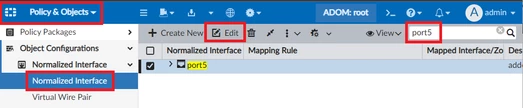
3) Verify if the normalized interface is correctly mapped and has a valid value.
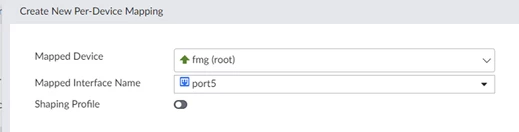
Advanced troubleshooting:
# diag debug application securityconsole 255 # diag debug enable
2) Proceed to install the policy. Sample output (with error):
SECURITY_CONSOLE: Installing dynamic interface
4) Proceed to rectify the Normalized Interface based on the error message.
Techincal Tip: How to fix synchronization issue in FortiManager Technical Tip: How to troubleshoot the 'copy' error while install Policy |

