
Technical Tip: Sender verify failed error
Description
This article describes the Sender verification failure which is an error that appears when trying to send an email.
Details about the issue:
550-Callback setup failed while verifying yyy@domain.com
550-Called: IP address MTA
550-Sent: MAIL FROM:
550-Response: 550 5.5.0 Sender domain is empty.
550-The initial connection, or a HELO or MAIL FROM:<> command was
550-rejected. Refusing MAIL FROM:<> does not help fight spam, disregards
550-RFC requirements, and stops you from receiving standard bounce
550-messages. This host does not accept mail from domains whose servers
550-refuse bounces.
550 Sender verify failed
550 5.0.0 Callback setup failed while verifying yyy@domain.com
503-All RCPT commands were rejected with this error:
503-Sender verify failed
This article describes how to fix this error.
Solution
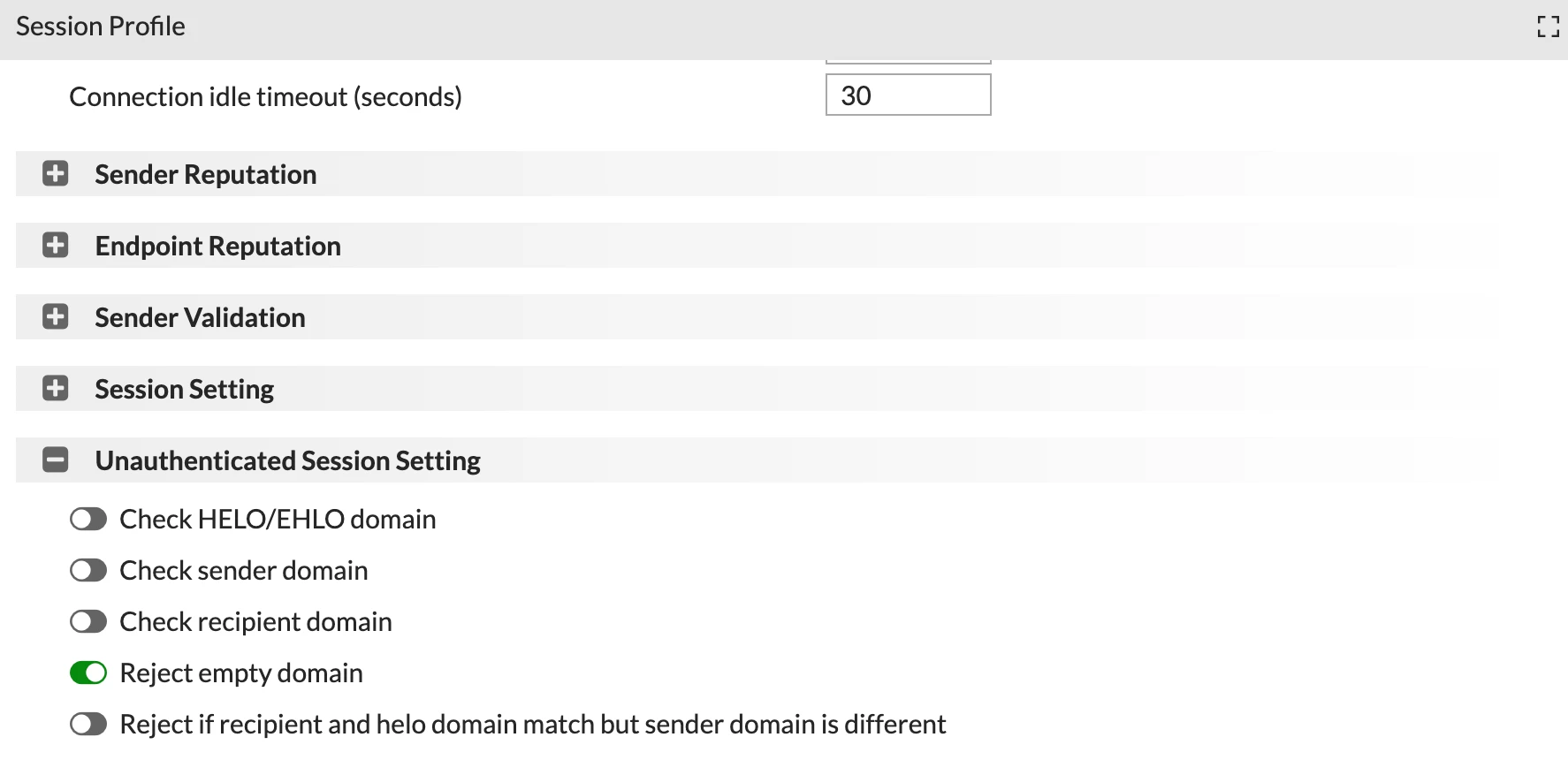
Go to Profile -> Session and enable 'Reject empty domains'.