


Technical Tip: Restrict access using trusted host
Description
This article describes how to configure trusted hosts to restrict administrator login access via the FortiMail GUI.
Scope
FortiMail.
Solution
- The trusted hosts can restrict admin access.
- For webmail access, it is not possible to restrict access based on the trusted hosts.
- It is recommended that trusted hosts be configured for all administrator accounts on FortiMail to ensure the device does not respond to connection attempts from untrusted sources:
GUI:
- Go to System -> Administrator -> Administrator and select an administrator (for example: 'test').
- Under the trusted hosts field, define the IPv6/IPv4 address or subnet and the subnet mask from which the admin will log in.
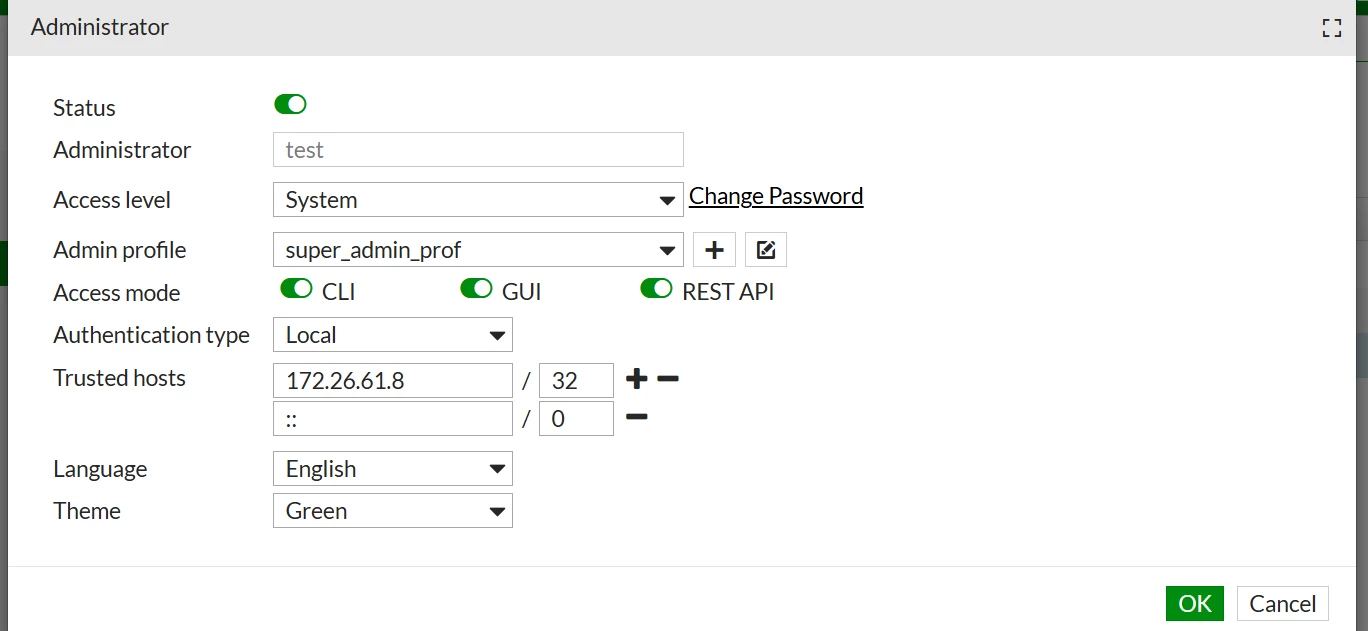
-
Logs for untrusted hosts tried to access the Admin account:
Trusted Host: Admin logged in successfully.
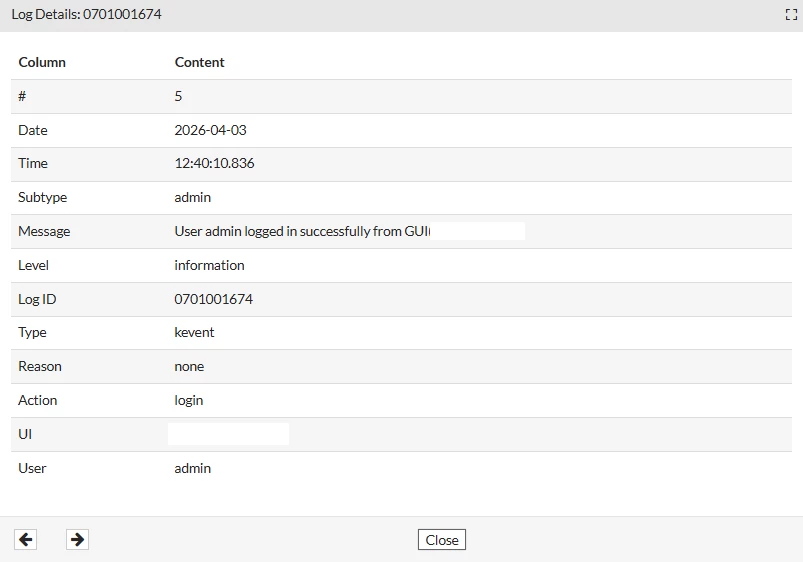
Untrusted Host: Admin login failed.
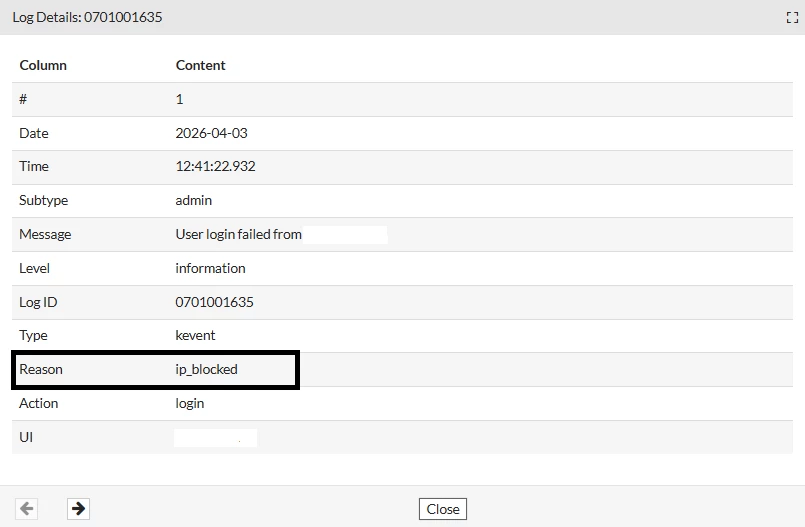
CLI:
config system admin edit admin set trusted-hosts 172.26.52.14/32 end
