Technical Tip: Remove hyperlinks
Description
This article describes how to remove all hyperlinks in any received email unless the URL matches the URL exempt list.
Scope
FortiMail.
Solution
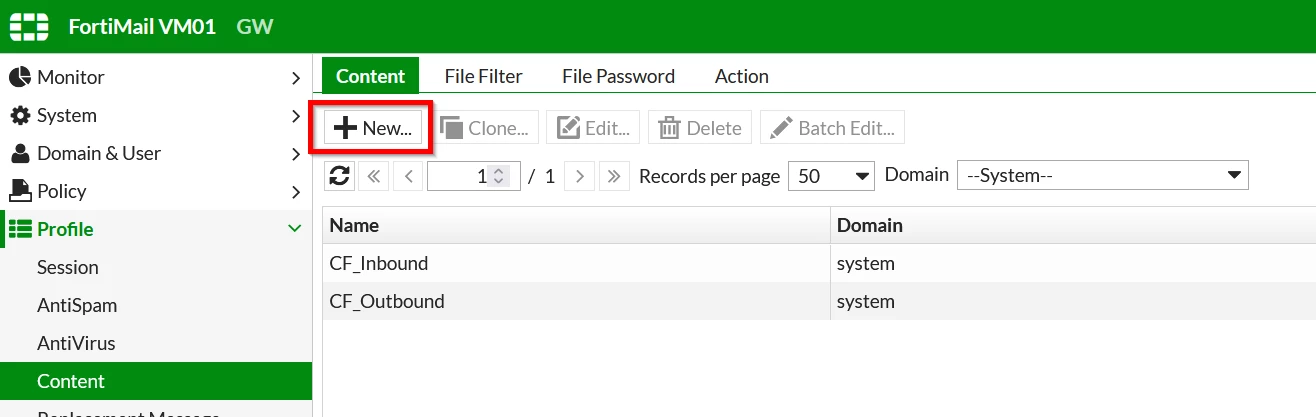
From the GUI, go to Profile -> Content -> Content and create a new 'Content Profile'.
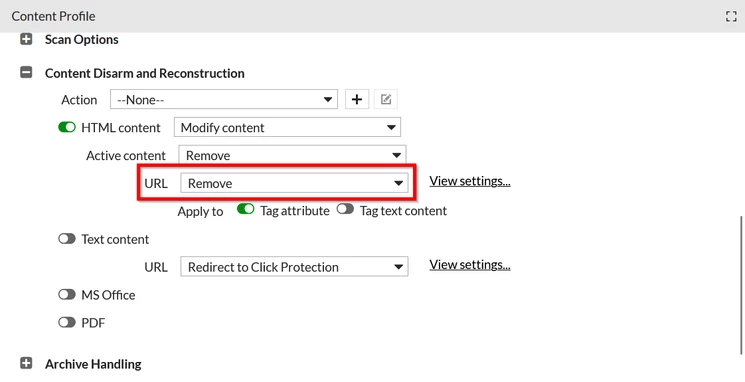
Go to Content Disarm and Reconstruction, enable the 'HTML content', and set 'Remove' for the URL.
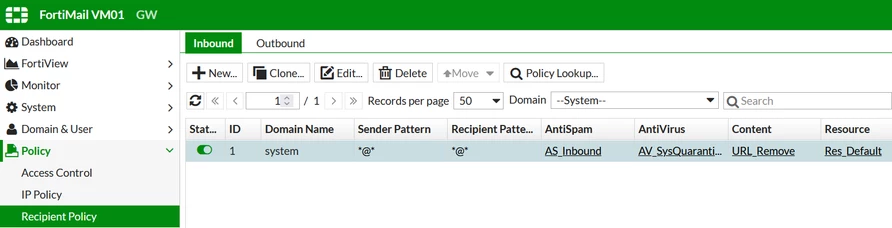
Apply the new content profile to the recipient policy accordingly.
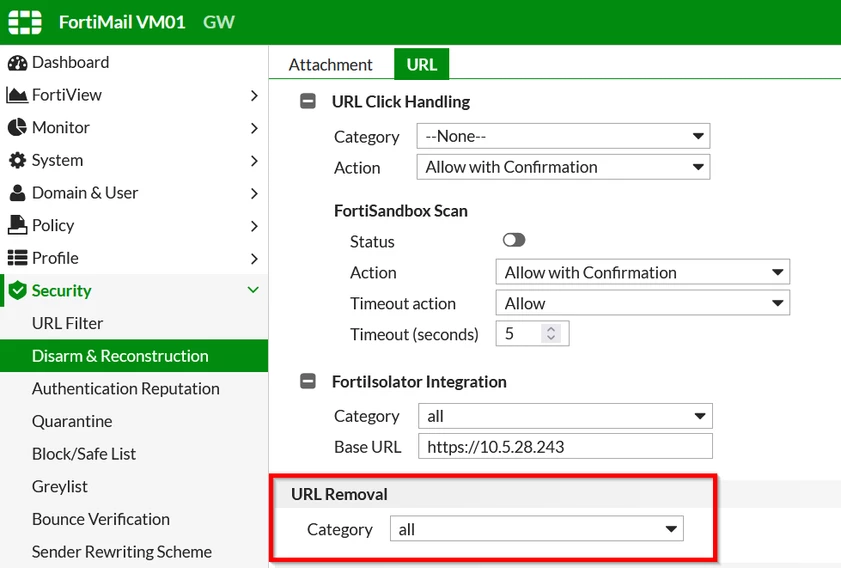
Go to Security -> Disarm & Reconstruction -> URL -> URL Removal -> Category and choose the URL filter profile 'all'.
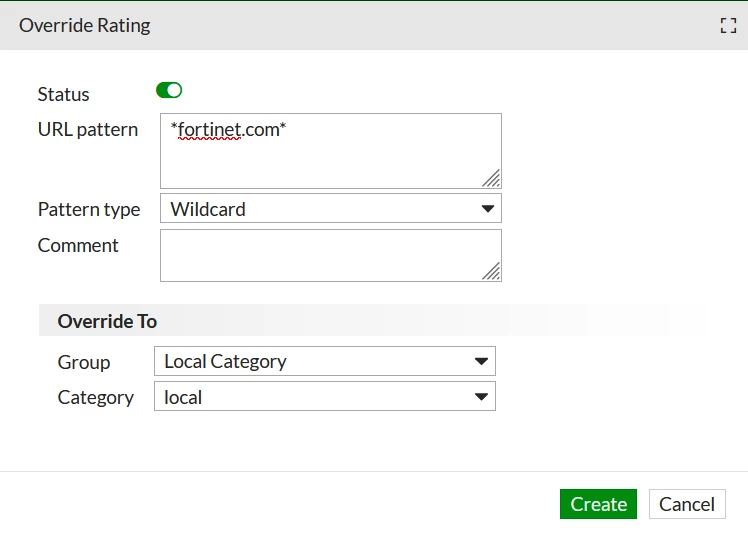
Go to Security -> URL Filter -> Override Rating.
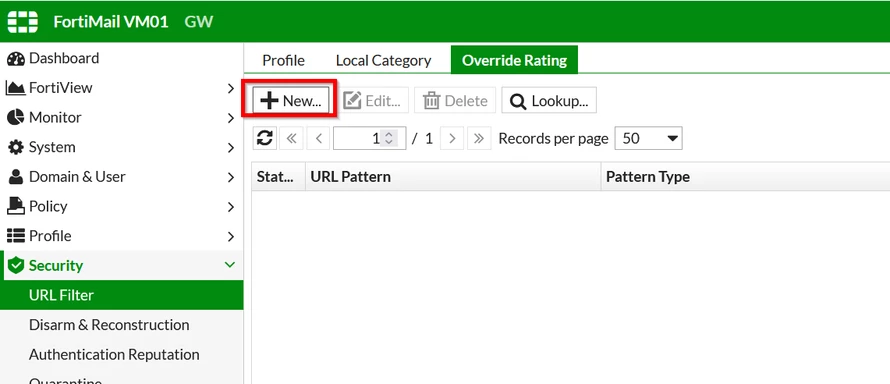
Create a new Override Rating. For this example, the URL www.fortinet.com is exempted as below.
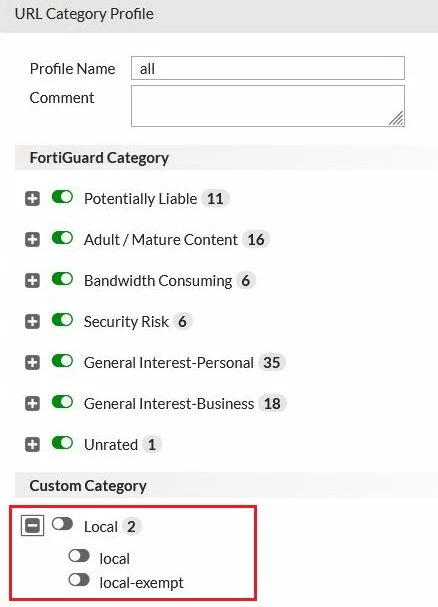
In the URL Category Profile 'all', make sure the category for 'local' is disabled to exclude this category from being removed.
Result:
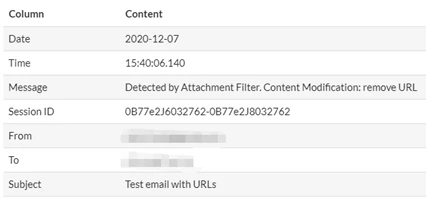
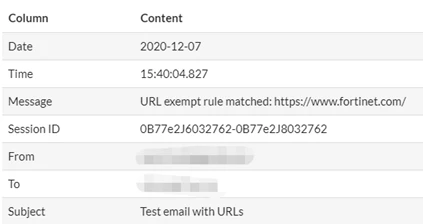
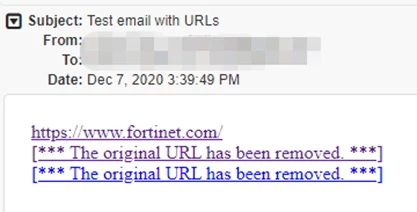
All the URLs are removed except the URL https://www.fortinet.com/ because it is matched to the URL exempt list.