


Troubleshooting Tip: Invalid FortiGate Device Key
Description
This article describes the necessary actions to take when an attempt to add the FortiCloud key into the Inventory section under the FortiGate Cloud portal fails. The FortiCloud key is essential to use the ZTP (Zero-Touch Provisioning) function with FortiGate Cloud to onboard the FortiGate into the FortiManager or FortiManager Cloud.
Scope
FortiGate Cloud.
Solution
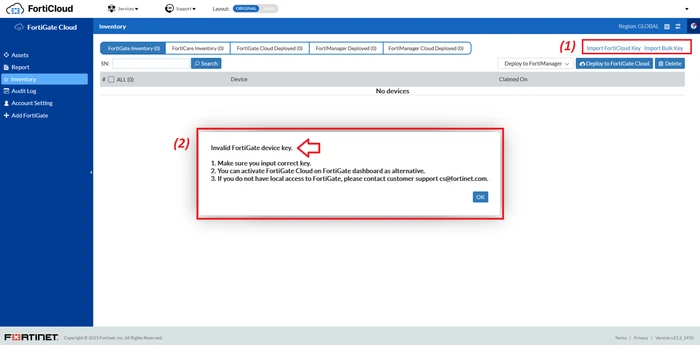
Consider a scenario where the user is unable to add the FortiCloud key in the FortiGate Cloud portal. An invalid key error 'Invalid FortiGate Device Key' appears as follows:
- The FortiCloud key can only be added once. If the key added previously was deleted, it cannot be re-used or re-added.
- To fix the issue, open a FortiCare Ticket with the 'Customer Service' type to request to re-generate the FortiCloud key. After, add the new key into the portal.
Alternatively, try to log in locally to FortiGate's GUI and activate FortiGate cloud by logging in with the FortiCloud credentials.
See this article.
