Technical Tip: FortiGate Cloud admin displaying a random or different username
| Description | This article describes a new behavior in the FortiGate-Cloud admin access. |
| Scope | FortiGate-Cloud, FortiGate. |
| Solution | In the past, whenever an admin user accessed the FortiGate via the FortiGate Cloud IAM access, the usual account, such as test@domain.com, would be displayed in the top right corner or in the CLI under 'config system sso-forticloud-admin', as explained in the FortiCloud SSO Documentation.
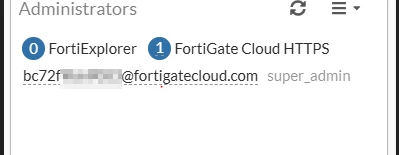
Some users can experience a display of random usernames using the @fortigatecloud.com domain when accessing the FortiGate via FortiCloud SSO, such as the screenshots below:
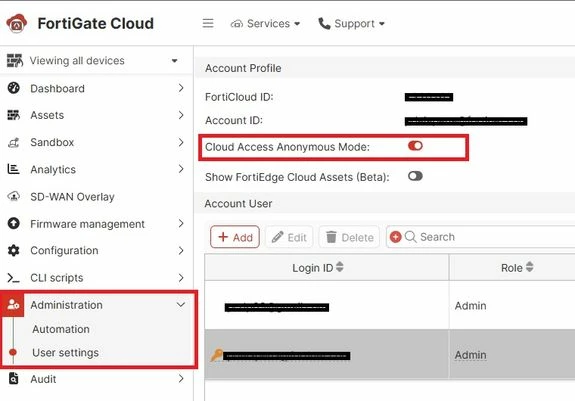
The randomized or anonymized names for admin SSO users are by design and can be disabled globally in the FortiGate Cloud portal if required, see FortiGate Cloud Administration Guide: User settings.
Related document: |