


Troubleshooting Tip: Webfilter replacement message is replaced with 'Your connection is not private' HTTPS warning
Description
This article describes an issue where an intended web filter replacement message instead shows as a 'Your connection is not private' warning.
A solution is provided. Note that this solution does not apply to HSTS traffic, where the block message cannot be displayed (in any case).
Scope
Any supported version of FortiGate.
Solution
When the web filter profile is triggered and a connection to a destination server is blocked, FortiGate typically provides a replacement message in the browser similar to the following, depending on the configuration.
Web filtering warning/authenticate features can only work with deep inspection because FortiGate has to terminate the SSL connection to send back warning/authenticate pages. The web filtering warning/authenticate feature relies on redirecting to a FortiGate page (replacement message), which means it is necessary to interrupt the SSL connection to allow the redirect.
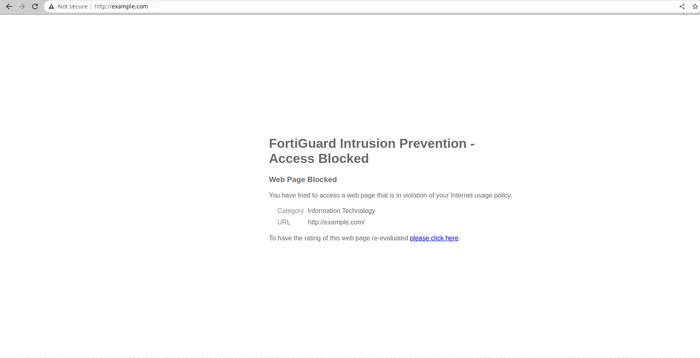
FortiGate achieves this by modifying the data content and 'injecting' the message into the original client session. See the Replacement messages for more information about replacement messages.
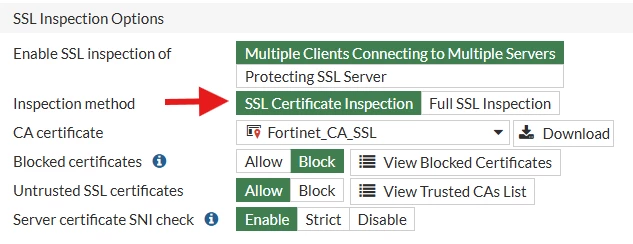
However, if the web request was made through the HTTPS protocol and only a certificate-inspection SSL profile is configured, the 'Your connection is not private' warning may appear instead of the intended replacement message:
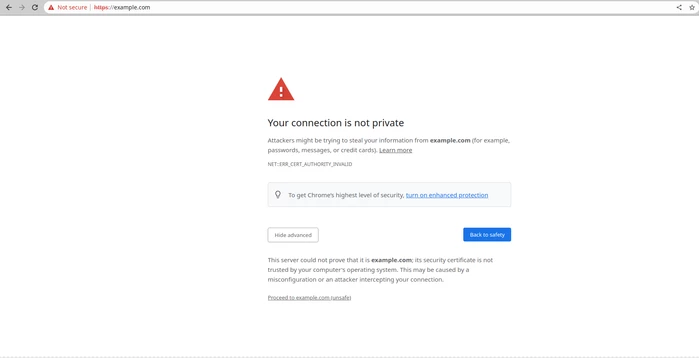
This occurs because one of the goals of the HTTPS protocol is to ensure data integrity for clients. Since FortiGate modifies the data content to inject the replacement message, the server certificate needs to be signed again with the CA certificate selected in the certificate-inspection profile:
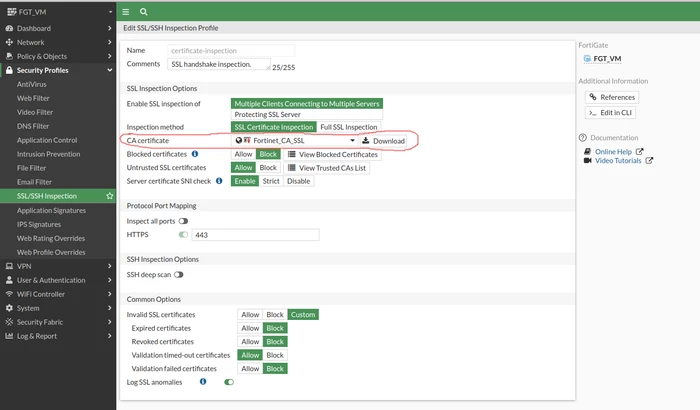
There are two options to resolve this issue. It is possible to import the FortiGate CA certificate as a trusted CA inside the user's PC. See this article for steps: Technical Tip: How to import a FortiGate deep SSL certificate in the system.
If certificates are already in use in the AD environment, it may be more convenient to use an already-trusted CA to sign the block page certificate.
To configure this, follow this article: Technical Tip: How to use custom certificate for FortiGate Block pages.
There is also another workaround to disable the HTTPS replacement message using the following command, and the browser will prompt the 'The connection was reset' page instead to the end user.
config webfilter profile
    edit <webfilter_prodile>
        set https-replacemsg disable
end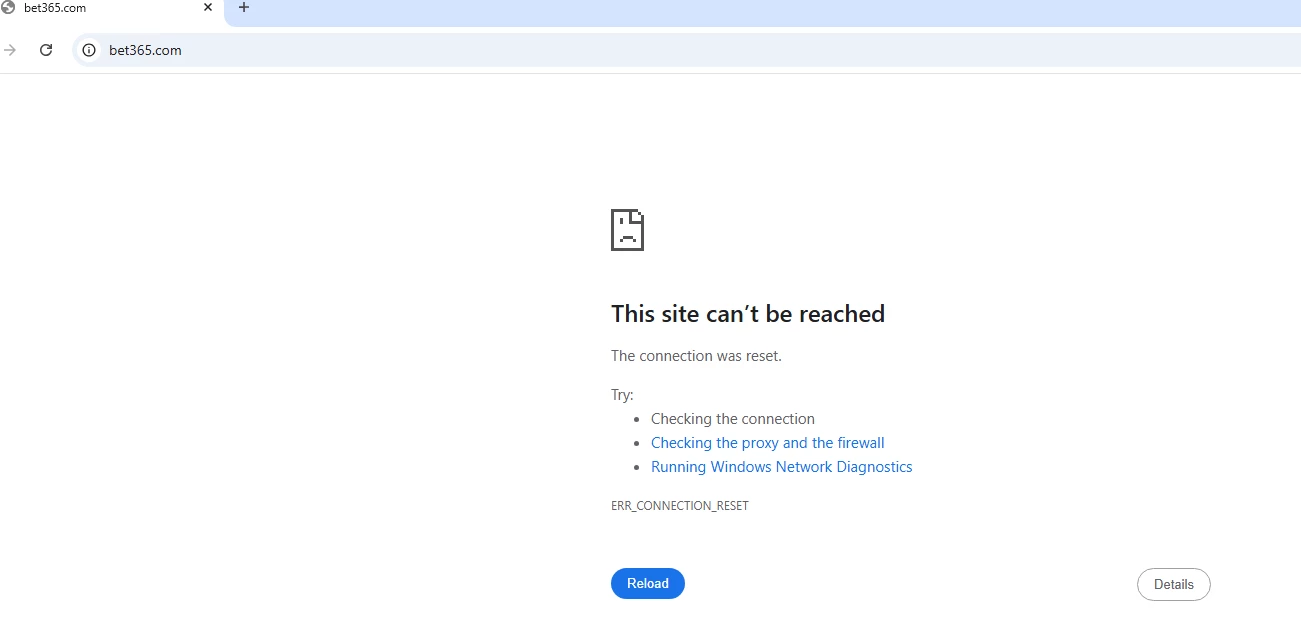
The WAD debug log of the following example by disabling https-replacemsg:
[V][p:3671][s:36094] wad_urlfilter_local_lookup_hs :2212 url1=http://www.hrw.org url2=/
[V][p:3671][s:36094] wad_urlfilter_local_lookup_hs :2212 url1=23.185.0.2 url2=/
[I][p:3671][s:36094] wad_url_filter_local_request :904 hreq=0x7ffaeec993c0 wfp=0x7ffaf02a19d8 ssl_url_chk=1 action=allow: >>
[V][p:3671][s:36094] wad_url_fetch_cate2 :1508 host=http://www.hrw.org ip=23.185.0.2
[V][p:3671][s:36094] wad_url_filter_bal_lookup2 :561 match user_cat/block/allow=0/0/1 cat_id=140
[I][p:3671][s:36094] wad_url_cate_dump_req_ctx :251 (fetch-done): req/wfp=1/1 cate: cate=140 webf=255 sslexempt=255 url/ip=0/0 done: bal=0,local/user/cache/ftgd=1/1/1/1 matched[url]: block/allow/user=0/1/0 ftgd=1 sub=1 log=0 invalid=0
[I][p:3671][s:36094] wad_url_choose_cate :2212 cate=140 (local) url-cates=[140,]; url=[140, # 9,],ip=[ # 56,]; conf webfilter 'Staff':[192,140,141,142,143,144,145,96,97,98,99,100,101,64,65,66,67,68,]
[I][p:3671][s:36094] wad_url_filter_start_check_ovrd :1264 req=0x7ffaf06de1a0.0 vd=root user= group= prof=Staff cookie=
[I][p:3671][s:36094] wad_url_filter_cache_process :1190 cat=140 ovrd-warn=notfound
[I][p:3671][s:36094] wad_url_filter_dump_result :231 wad_url_filter_cache_process(dump) id=0 state=req_webf type=req_https has_cat=1[140] log=1 result: id=0 log=1 cate=140
(0/0) flags=00000000 action=ftgd-warn warn_domain=0 warn_session=0
[I][p:3671][s:36094] wad_url_filter_dump_result :231 wad_url_filter_check_url_filter_on_result(dump) id=0 state=done type=req_https has_cat=1[140] log=1 result: id=0 log=1 cate=140(0/0) flags=00000000 action=ftgd-warn warn_domain=0 warn_session=0
[V][p:3671][s:36094] wad_url_filter_log_result :2432 url_req=0x7ffaf06de1a0 result=1 log=1 type=ftgd_warn lasttype=none
[I][p:3671][s:36094] wad_url_filter_cancel :673 type=1 req=0x7ffaeec993c0 url_req=0x7ffaf06de1a0 id=0
[I][p:3671][s:36094] wad_ssl_port_task_end :17762 sp=0x7ffaf075e410/6 state=1 good=-1
The 'wad_url_filter_cancel' type showing a value of '1' means the FortiGate canceled the warning or blocked the direct page.
Note: This workaround function is only supported for SSL Certificate Inspection. If it is configured using the Full SSL Inspection method, the replacement message is displayed.
Related articles:

