
Troubleshooting Tip: Unable to set HTTPS server certifcate for admin access
Description
This article describes an issue where the HTTPS server certificate is not being displayed.
Scope
FortiGate.
Solution
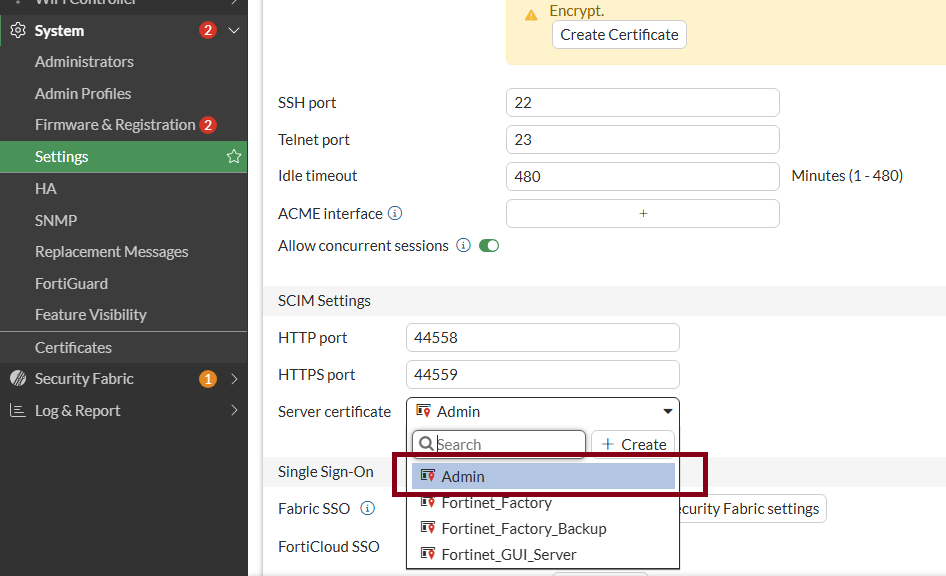
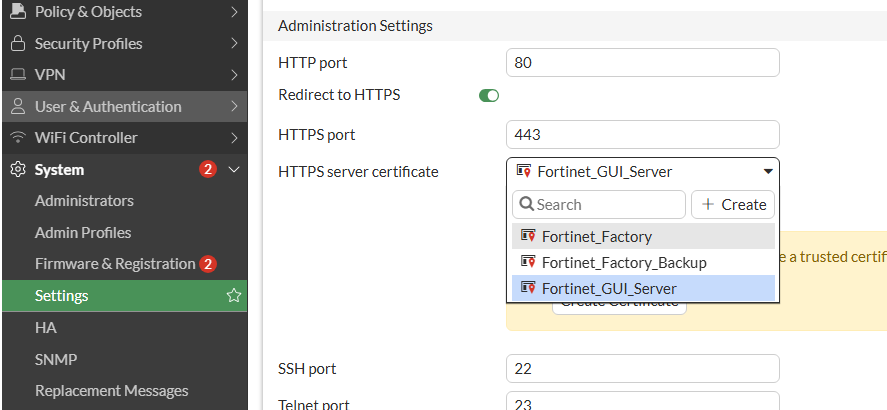
The certificate for admin access has been uploaded to the firewall, but it is not appearing in the HTTPS server certificate list:
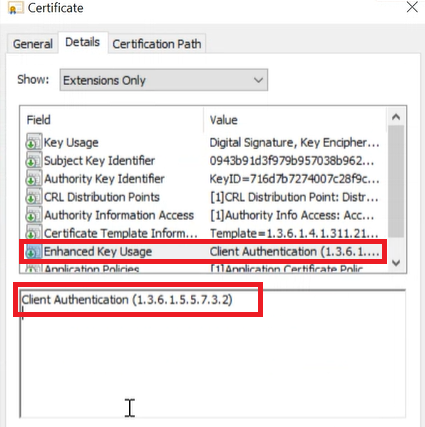
This occurs because the certificate includes Client Authentication in the Enhanced Key Usage, whereas it should include Server Authentication for this scenario:
To resolve this, get the certificate with Enhanced Key Usage as Server Authentication:
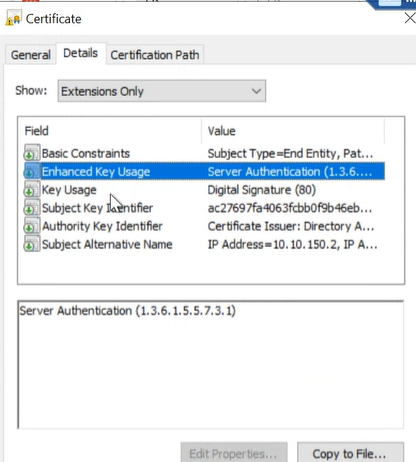
Import this certificate with Enhanced Key Usage as Server Authentication in firewall so it will be available in the HTTPS server certificate list: