Troubleshooting Tip: SNMP General Error
| Description | This article describes a possible cause for the error 'SNMP general error' seen in debug when SNMPv3 is used. |
| Scope | FortiOS |
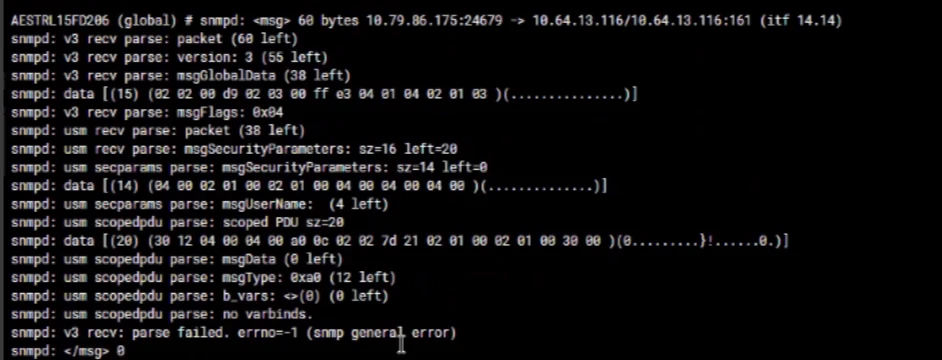
| Solution | This error is shown when there are certain parameters missing that prevent the SNMP transaction to complete. One of them may be the outgoing interface. After setting up SNMP monitoring to the FortiGate management interface, packet captures at the egress interface may show that FortiGate is not responding to SNMP queries (no reply sent out). Running an SNMP debug will show an SNMP general error.
diagnose debug reset diagnose debug application snmpd -1 diagnose debug enable
snmpd: usm scopedpdu parse: no varbinds.
The management interface is reserved in the FortiGate HA cluster management interface configuration. The SNMP polling is done over this interface. But to make it work for SNMP over this interface, the ha-direct option must be enabled both in system ha config and in the system snmp user config.
config system ha set ha-direct enable end
config system snmp user edit snmpv3-user set ha-direct enable next end
Related article: Troubleshooting Tip: General troubleshooting guide for SNMP issues |